13
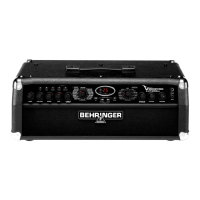
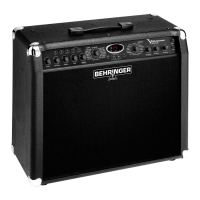
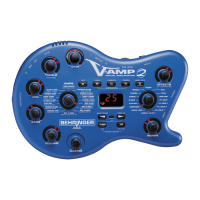
V-AMPIRE/V-AMP PRO/V-AMP 2
- BYPASS (NO SPEAKER SIMULATION)
1 1 x 8" VINTAGE TWEED
2 4 x 10" VINTAGE BASS
3 4 x 10" V-AMP CUSTOM
4 1 x 12" MID COMBO
5 1 x 12" BLACKFACE
6 1 x 12" BRIT ’60
7 1 x 12" DELUXE ’52
8 2 x 12" TWIN COMBO
9 2 x 12" US CLASS A
10 2 x 12" V-AMP CUSTOM
11 2 x 12" BRIT ’67
12 4 x 12" VINTAGE 30
13 4 x 12" STANDARD ’78
14 4 x 12" OFF AXIS
15 4 x 12" V-AMP CUSTOM
&DELQHWV
Tab. 5.1: V-AMPIRE/V-AMP PRO/V-AMP 2 cabinets
$PSV /RXGVSHDNHUVLPXODWLRQ
AMERICAN BLUES
[9,17$*(%$66
MODERN CLASS A
[86&/$66$
TWEED COMBO
[9,17$*(7:(('
CLASSIC CLEAN
[7:,1&20%2
BRIT. BLUES
[9,17$*(
BRIT. CLASS A
[%5,7
BRIT. CLASSIC
[9,17$*(
BRIT. HI GAIN
[9,17$*(
RECTIFIED HI GAIN
[ 9 $03 &867 20
MODERN HI GAIN
[ 9 $03 &867 20
FUZZ BOX
[2))$;,6
ULTIMATE V-AMP
[ 9 $03 &867 20
DRIVE V-AMP
[ 9 $03 &867 20
CRUNCH V-AMP
[ 9 $03 &867 20
CLEAN V-AMP
[ 9 $03 &867 20
TUBE PREAMP
1RFDELQHWVLPXODWLRQ
IRUXVHZLWKYRFDOV
$PSV /RXGVSHDNHUVLPXODWLRQ
AND DELUXE
[9,17$*(%$66
CUSTOM CLASS A
[86&/$66$
SMALL COMBO
[9,17$*(7:(('
BLACK TWIN
[7:,1&20%2
AND CUSTOM
[9,17$*(
NON TOP BOOST
[%5,7
CLASSIC 50 W
[67$1'$5'
BRIT. CLASS A 15 W
[%5,7
RECTIFIED HEAD
[ 9 $03 &867 20
SAVAGE BEAST
[67$1'$5'
CUSTOM HI GAIN
[ 9 $03 &867 20
ULTIMATE PLUS
[ 9 $03 &867 20
CALIF. DRIVE
[0,'&20%2
CUSTOM DRIVE
[%/$&.)$&(
CALIF. CLEAN
[0,'&20%2
CUSTOM CLEAN
[%/$&.)$&(
Tab. 5.2: Loudspeaker/amp simulation default settings
6. EFFECTS PROCESSOR
A special feature of your V-AMPIRE/V-AMP PRO/V-AMP 2 is
its built-in multi-effects processor module offering 16 different
groups of first-class effects such as chorus, flanger, delay,
auto wah as well as various effects combinations.
The appendix gives an overview of all MIDI data transmitted
and received by your device.
+ The standard operating mode of the multi-effects
processor is stereo, so you can use stereo effects
for recording purposes via the LINE OUT or play in
stereo using a second amplifier.
You can adjust up to 3 effects parameters on the V-AMPIRE/
V-AMP PRO/V-AMP 2 by turning the EFFECTS control; by turning
the EFFECTS control holding down the TAP button, and simply by
pressing the TAP button while in time to the music.
+ To match speed-based effects to the tempo of the
music, press the TAP button at least twice in time
to the music.
())(&76
FRQWUROZLWK
7$3NH\
GRZQ
1 ECHO Mix Feedback Delay Time
CC49, val 1 CC54 CC53 CC50+5
2 DELAY Mix Feedback Delay Time
CC49, val 0 CC54 CC53 CC50+5
3 PING PONG Mix Feedback Delay Time
CC49, val 2 CC54 CC53 CC50+5
4 PHASER/DELAY Delay Mix Mod. Mix Delay Time
CC55, val 1 + CC49, val 0 CC54 CC59 CC50+5
5 FLANGER/DELAY 1 Delay Mix Mod. Mix Delay Time
CC55, val 5 + CC49, val 0 CC54 CC59 CC50+5
6 FLANGER/DELAY 2 Delay Mix Mod. Mix Delay Time
CC55, val 5 + CC49, val 2 CC54 CC59 CC50+5
7 CHORUS/DELAY 1 Delay Mix Mod. Mix Delay Time
CC55, val 3 + CC49, val 0 CC54 CC59 CC50+5
8 CHORUS/DELAY 2 Delay Mix Mod. Mix Delay Time
CC55, val 3 + CC49, val 2 CC54 CC59 CC50+5
9 CHORUS/COMPRESSOR Sense Mod. Mix Modulation Spee
CC55, val 4 + CC44, val 1 CC45 CC59 CC5
10 COMPRESSOR Sense Attack -
CC44, val 1 CC45 CC46
11 AUTO WAH Depth Speed -
CC44, val 2 CC45 CC46
12 PHASER Mix Feedback Modulation Spee
CC55, val 1 CC59 CC58 CC5
13 CHORUS Mix Depth Modulation Spee
CC55, val 4 CC59 CC57 CC5
14 FLANGER Mix Feedback Modulation Spee
CC55, val 6 CC59 CC58 CC5
15 TREMOLO Mix - Modulation Spee
16 ROTARY Mix Depth Modulation Spee
CC55, val 0 CC59 CC57 CC5
7$3NH\
(
I
I
H
F
W
1
R
(IIHFW
())(&76
FRQWURO
Tab. 6.1: Effects and MIDI controllers
+ Table 6.1 shows the MIDI controllers for the
corresponding parameters. The settings are made
via MIDI. A detailed list of all controllable MIDI
parameters will be available free of charge on the
BEHRINGER internet site: www.behringer.com.
6.1 Wah Wah
The MIDI function enables you to use an additional Wah Wah
effect. The optimum control of this effect is achieved by using a
MIDI foot controller with expression pedal, e.g. our BEHRINGER
MIDI FOOT CONTROLLER FCB1010.
+ Adjust the filter characteristic and grade in the DRIVE
menu by simultaneously pressing TAP and turning
the EFFECTS control (see also B).
6. EFFECTS PROCESSOR


 To Next Page
 Loading...