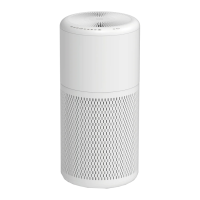
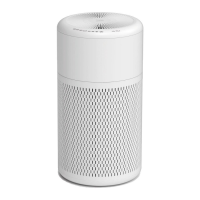
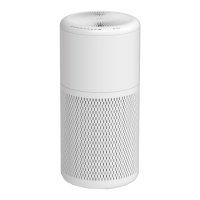
The Beko Air Purifier ATP 6100 I is designed to improve indoor air quality by removing airborne allergens and pollutants. This appliance is intended for household use and operates by drawing in air, filtering it through a multi-stage filtration system, and then releasing cleaner air back into the environment.
Function Description:
The air purifier effectively removes up to 99.97% of airborne allergens as small as 0.3 microns. This includes common irritants such as ragweed pollen, grass pollen, tree pollen, household dust, dust mite debris, pet dander, smoke, and odors. The purification process relies on a combination of a Pre-Filter and a HEPA Filter. Additionally, the device features an independent ionizer rocker switch located at the bottom of the body. When activated, this ionizer releases negative ions into the outgoing filtered air, further enhancing the air purification process.
Usage Features:
The air purifier is designed for straightforward operation with a user-friendly control panel. To begin, connect the appliance to a power source. A "Bi" sound will confirm it's ready. Pressing the Power button once will start the unit in its default "AUTO" setting, indicated by an illuminated "AUTO" light. In "AUTO" mode, the built-in smart dust sensor automatically detects the current air quality and adjusts the fan speed accordingly. The air quality is visually communicated through an air quality indicator light: blue for very good air quality, pink for good, and red for bad.
Users can manually select their desired fan speed using the Fan Speed button. There are four settings available: Low, Medium, High, and AUTO. The Timer button allows for scheduled operation, offering settings for 2, 4, or 8 hours. Once a timer setting is chosen, its indicator will illuminate, and the air purifier will automatically power off when the set time expires. For quiet operation, a sleep mode can be activated by holding the Power button for 2 seconds. To exit sleep mode, hold the Power button for another 2 seconds.
The appliance should be placed on a firm, level surface, ensuring that there are no obstructions to the air inlet grill or air outlet. The air outlet should not be pointed directly towards a wall. Before initial use, it is crucial to remove all plastic bags from the filters.
Maintenance Features:
Regular maintenance is essential to ensure the air purifier operates effectively and provides clean air for many years. Always turn off and unplug the unit before performing any cleaning or filter changes.
The exterior of the air purifier can be cleaned with a soft, clean, damp cloth. The air outlet and air inlet grill can be dusted using a small, soft brush. For cleaning the inside of the air purifier, use only a dry, soft cloth. It is important to prevent moisture from coming into contact with the main body of the air purifier.
The Pre-filter requires occasional vacuuming to remove accumulated dust. To access the pre-filter, carefully rotate the body of the unit anti-clockwise and lift it from the air inlet grill. Then, remove the pre-filter from the HEPA filter. The pre-filter is washable and can be cleaned in a washing machine. After washing, ensure the pre-filter is thoroughly cleaned and dried before reattaching it to the HEPA filter.
The HEPA filter is not washable and should not be cleaned with water. The air purifier is equipped with a filter change indicator that illuminates in white when it's time to replace the HEPA filter. To change the HEPA filter, first turn off and unplug the unit. Rotate the body anti-clockwise and remove it from the air inlet grill. Remove the old HEPA filter from the air inlet grill, then detach the pre-filter from it. Insert a new HEPA filter into the air inlet grill, then reattach the cleaned and dried pre-filter to the new HEPA filter. Finally, place the body back onto the air inlet grill and rotate it clockwise until the fastener locks into the groove. After replacing the filter, simultaneously hold and touch the Power and Timer buttons for 3 seconds to reset the filter function.
Troubleshooting tips include checking if the unit is plugged in and turned on, inspecting the filter condition for replacement if necessary, ensuring no obstructions block the air inlet or outlet, and confirming that the plastic bag has been removed from the filter before use.



 To Next Page
 General