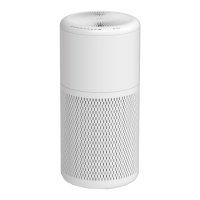
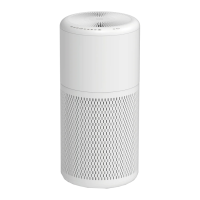
This document is a user manual for the Beko Air Purifier, model ATP 5100 I. It provides essential information for safe operation, maintenance, and troubleshooting of the device.
Function Description
The Beko Air Purifier is designed to improve indoor air quality by removing airborne allergens and pollutants. It effectively captures particles as small as 0.3 microns, including ragweed pollen, grass pollen, tree pollen, household dust, dust mite debris, pet dander, smoke, and odors. The device operates by drawing air through a multi-stage filtration system. It also features an independent ionizer function, which, when activated, releases negative ions into the filtered air to further enhance the purification process.
Important Technical Specifications
- Model No.: ATP5100I
- Power supply: 100-240V~, 50/60Hz
- Rated power: 12 W
- Electrical insulation class: II
- Manufacturer (External Power Supply): Zhongshan Baolijin Electronic CO.,Ltd
- Model Identifier (External Power Supply): BLJ15L120100P-V
- Input Voltage (External Power Supply): 100-240V~
- Input Frequency (External Power Supply): 50/60Hz
- Input Current (External Power Supply): 0.5A
- Output Voltage (External Power Supply): 12.0V DC
- Output Current (External Power Supply): 1.0A
- Output Power (External Power Supply): 12.0W
- Average active efficiency (External Power Supply): 83.94%
- Efficiency at low load (10%) (External Power Supply): 81.92%
- No-load power consumption (External Power Supply): 0.031W
- Filtration Efficiency: Removes up to 99.97% of airborne allergens as small as 0.3 microns.
- Compliance: Complies with EU WEEE Directive (2012/19/EU) and RoHS Directive (2011/65/EU). It is manufactured in environmentally friendly modern plants and does not contain PCB.
Usage Features
The air purifier is designed for ease of use with a straightforward control panel.
- Power Button: Initiates operation at the default "Medium" speed setting. A long press (2 seconds) activates or deactivates sleep mode.
- Fan Speed Button: Allows users to select from three speed settings: Low, Medium, and High, to adjust the purification intensity according to their needs.
- Timer Button: Offers programmable operation for up to 8 hours, with settings for 2hr, 4hr, and 8hr. Once the timer expires, the unit automatically powers off.
- Ionizer Rocker Switch: An independent switch located at the bottom of the unit, accessible by removing the top body, to activate the ionizer function for enhanced air purification.
- Memory Function: The appliance retains the last selected speed setting when turned off and resumes operation at that setting when powered back on.
- Filter Change Indicator: A white indicator light signals when it's time to replace the HEPA filter, ensuring optimal performance.
- Placement: Should be placed on a firm, level surface, ensuring no obstructions to the air inlet grill or air outlet. The air outlet should not be pointed towards a wall.
Maintenance Features
Regular maintenance is crucial for the air purifier's efficiency and longevity.
- Cleaning the Exterior: The outside of the unit can be cleaned with a soft, clean, dampened cloth.
- Cleaning the Air Outlet and Inlet Grill: Dust can be removed from these areas using a small, soft brush.
- Cleaning the Interior: If internal cleaning is desired, only a dry, soft cloth should be used.
- Pre-filter Maintenance: The fabric pre-filter should be occasionally vacuumed to remove dust. It can also be removed, washed in a washing machine, dried, and then reattached to the HEPA filter.
- HEPA Filter Replacement: The HEPA filter is not washable and must be replaced when the filter change indicator illuminates. The replacement process involves:
- Turning off and unplugging the unit.
- Rotating the body anticlockwise and removing it from the air inlet grill.
- Removing the old HEPA filter and pre-filter.
- Replacing with a new HEPA filter.
- Reattaching the pre-filter to the new HEPA filter.
- Placing the HEPA filter with pre-filter into the air inlet grill.
- Placing the body onto the air inlet grill and rotating it clockwise until it locks.
- Simultaneously holding and touching the Power and Timer buttons for 3 seconds to reset the filter function indicator.
- Safety Precautions: Always unplug the air purifier before performing any cleaning or maintenance tasks, including removing the grill or changing filters. Do not use water or other liquids directly on the unit, and never attempt to wash it under running water. Ensure all plastic packaging is removed from filters before use.


 To Next Page

 General