This document describes a built-in oven with various cooking modes, including microwave, combi (oven and microwave together), and traditional oven functions. It provides detailed instructions on how to operate the oven, set cooking parameters, and understand its display indicators.
Function Description
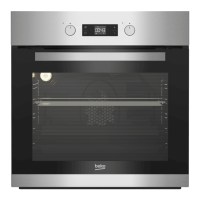
The oven features a digital display and a control panel with several keys for operation. Key functions include:
- On/Off key: To switch the oven on or off.
- Function display: Shows the selected cooking mode and settings.
- Current time indicator field: Displays the current time.
- Oven Inner Temperature symbol: Indicates the internal temperature of the oven.
- Temperature indicator field: Shows the set or current temperature.
- Start/stop cooking key: Initiates or pauses the cooking process.
- Temperature/power setting key: Used to adjust temperature or microwave power levels.
- Booster symbol (rapid preheating): Indicates that rapid preheating is active.
- Plus key: Increases values (e.g., time, temperature, power).
- Minus key: Decreases values.
- Adjustment key: For confirming settings or making adjustments.
- Return to function display key: Navigates back to the main function display.
The display also includes various symbols that provide information about the oven's status and selected functions:
- Cooking time symbol: Indicates the set cooking duration.
- End of cooking time symbol: Appears when the cooking time has elapsed.
- Function number: Displays the number corresponding to the selected function.
- Alarm symbol: Notifies the user of an event or completion.
- Clock symbol: Indicates time-related settings.
- Key lock symbol: Shows when the control panel is locked.
- Open door warning symbol: Alerts if the oven door is open during operation.
- Booster symbol (rapid preheating): Indicates rapid preheating.
- Meat probe symbol: For use with a meat probe (if applicable).
- Cooking position symbol: Shows the recommended rack position.
- Cooking in progress symbol: Indicates that cooking is active.
The oven offers several operating modes:
- Microwave mode: Only the microwave operates, suitable for warming meals, drinks, and cooking without roasting. Power levels range from 100W to 900W.
- Combi mode (oven and microwave together): Combines microwave cooking with traditional oven heating. This mode allows for faster cooking while achieving browning or roasting effects.
- Microwave+Fan Heating: The oven's rear heater and microwave operate together, distributing hot air evenly with the fan for quick cooking and roasting.
- Microwave+Full Grill: Combines microwave with the grill heater, suitable for grilling large amounts of meat.
- Microwave+Full Grill+Fan: Combines microwave, full grill, and fan for very fast heat distribution, ideal for grilling large amounts of meat.
- Microwave+Defrost: Uses microwave and the fan to thaw frozen food slowly and cool cooked food.
The function table provides a comprehensive overview of available functions, their corresponding power ranges (for microwave), and temperature ranges (for oven functions). Microwave power values are typically 100, 200, 300, 600, and 900 Watts.
Usage Features
Operating in Microwave Mode:
- Switch on the oven using the On/Off key.
- The initial operation screen will appear, showing the microwave power level, recommended rack position, and cooking time.
- To change the microwave power level, press the Temperature/power setting key once. The 'W' symbol will flash.
- Use the Plus/Minus keys to select the desired power level, then press the Temperature/power setting key to confirm.
- To set the cooking duration, press the Adjustment key once. The cooking time symbol will flash.
- Use the Plus/Minus keys to select the desired cooking time, then press the Adjustment key to confirm. Once confirmed, the cooking in progress symbol will be displayed continuously.
- If all settings are correct, press the Start/stop cooking key to begin.
- If the oven door is opened during cooking, the microwave cooking is cancelled, and a warning symbol appears. Close the door and press the Start/stop cooking key to resume.
- After cooking, "End" and a symbol will appear, and an alarm will sound. Touch any key to stop the alarm.
Operating in Combi Mode (Oven and Microwave Together):
- Switch on the oven.
- Use the Plus/Minus keys to select the desired combi mode.
- To change the microwave power level, press the Temperature/power setting key once. The 'W' symbol will flash.
- Use the Plus/Minus keys to select the desired power level, then press the Temperature/power setting key to confirm.
- To change the temperature in combi mode, press the Temperature/power setting key twice. The '°C' symbol will flash.
- Use the Plus/Minus keys to select the desired temperature, then press the Temperature/power setting key to confirm.
- For cooking duration, press the Adjustment key once. The cooking time symbol will flash.
- Use the Plus/Minus keys to select the desired cooking time, then press the Adjustment key to confirm.
- If all settings are correct, press the Start/stop cooking key to begin. The oven will preheat to the set temperature and maintain it, while also running at the set microwave power level.
- After cooking, "End" and a symbol will appear, and an alarm will sound. Touch any key to stop the alarm.
Switching Off the Electric Oven:
- Simply touch the On/Off key to switch off the oven.
Rack Positions:
- The first rack of the oven is the bottom rack. For microwave cooking, only the first rack should be used.
Cooking Times Table and Defrost Table:
- The manual includes tables with suggested cooking and defrosting times for various foods, along with recommended weights, temperatures, and microwave power levels. These timings are guides and may vary based on food characteristics and personal preference. Preheating is recommended for combi mode cooking.
Maintenance Features
- Power Failure: If a power failure occurs, any programmed cooking will be cancelled, and the oven will need to be reprogrammed.
- Oven Lamp: The oven lamp lights up when the oven door is opened, even if the oven is switched off. During cooking, the oven lamp is lit.
- Odor during low-temperature cooking: In microwave-only or combi mode cooking at low temperatures, an odor may remain after removing food because the oven stays cold. In such cases, it is recommended to operate the oven in fan-assisted cooking mode at 230°C for 20 minutes to clear the odor.
- Changing settings during cooking: Microwave level and cooking time can be changed during cooking.
- Clock display in microwave functions: For microwave functions, the oven clock displays cooking time in minutes and seconds.
Safety Considerations:
- For safety reasons, the maximum "Cook time" in microwave mode is limited to 12 minutes at the highest power level. At other power levels, this time may extend up to 90 minutes.
- While making any setting, related symbols will flash on the display to indicate active adjustments.
- Current time cannot be set if the oven is operating any function.
- Cooking with several racks in microwave and combi modes is not possible; these modes are suitable for cooking with one rack only.
- The oven is not heated in microwave mode alone; only the food is heated.

 Need help?
 General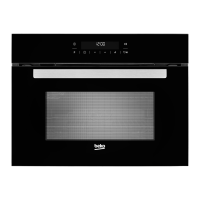

 To Next Page