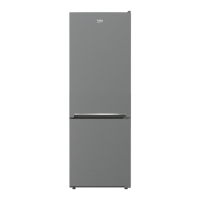
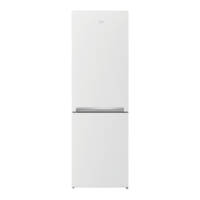
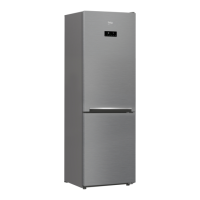
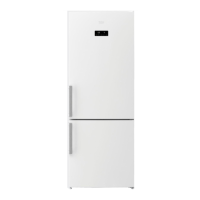
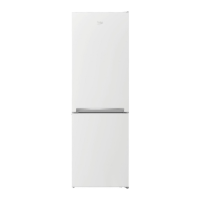
This document is a user manual for a Beko Refrigerator, covering models RCNT340*, RCNT375*, and RCNT415*. It provides essential information for safe and efficient use, installation, and maintenance of the appliance.
Function Description
The Beko Refrigerator is designed for storing food items in a household environment. It features separate compartments for fresh food (fridge) and frozen food (freezer), with temperature control for each. The appliance utilizes a cooling system that includes a compressor and refrigerant, ensuring optimal preservation of food. Some models may include an "Advanced Electronic Temperature Control System" to prevent frozen food from thawing even in low ambient temperatures.
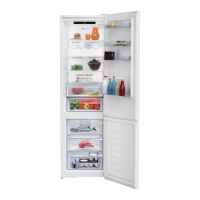
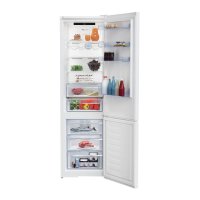
Key components include door shelves, an egg section, a bottle shelf, adjustable feet, crispers for vegetables and fruits, a chiller compartment for delicatessen, fridge glass shelves, and a freezer crisper. Selected models may also feature an Ion Guard for odor control and a fan for homogeneous cold air distribution.
The refrigerator offers various functions to optimize food preservation and energy efficiency. These include:
- Temperature Setting: Allows users to adjust the temperature for both the fridge and freezer compartments within a specified range.
- Quick Fridge Function: Rapidly cools the fridge compartment, useful when placing large amounts of fresh food.
- Quick Freeze Function: Rapidly cools the freezer compartment, ideal for freezing large quantities of fresh food quickly.
- Vacation Function: Deactivates active cooling in the fridge compartment while maintaining cooling in other compartments, suitable for periods when the fridge will not be used for food storage.
- Eco Fuzzy Function: Operates the refrigerator in an economic mode, optimizing energy consumption.
- Energy Saving Function: Automatically activates when doors are kept closed for a long time, turning off display symbols (except the energy saving symbol) to conserve energy.
- Door Open Warning: An audio and visual alert (flashing illumination) is provided if the door is left open for an extended period.
- Blue Light / HarvestFresh (Optional): Crispers illuminated with blue, green, and red lights (HarvestFresh) or just blue light are designed to preserve the vitamin content of fruits and vegetables by simulating a day cycle and promoting photosynthesis.
- Water Fountain (Optional): Provides cold drinking water directly from the appliance.
- Ice Making (Optional): Includes features like an ice container or a Twist Ice-matic system for convenient ice production.
- Odour Filter (Optional): Prevents unpleasant odors from building up in the refrigerator.
Usage Features
To ensure safe and effective operation, users should:
- Installation: Place the refrigerator on an even surface, away from heat sources, humid places, and direct sunlight. Ensure adequate air ventilation around the appliance. If the entrance door is too narrow, authorized service personnel can remove the refrigerator doors for passage.
- Electrical Connection: Connect the product to a grounded socket with appropriate fuse capacity, ensuring the power plug is easily accessible after installation. Extension cables and multi-plugs should not be used.
- Initial Operation: After installation, clean the interior, connect to power, and allow the compressor to start. Avoid opening the door frequently or placing food inside during the initial six hours of operation.
- Food Storage:
- Wrap or cover food before placing it in the refrigerator.
- Allow hot food to cool to room temperature before storage.
- Store fresh food in the crisper, delicatessen in the chiller compartment, and various frozen foods in the freezer shelves.
- Do not overload the refrigerator to ensure proper air circulation.
- Avoid placing containers filled with water on top of the refrigerator to prevent electric shock or fire from spills.
- Do not store vaccines, heat-sensitive medicine, or scientific materials in the refrigerator.
- Freezing Fresh Food: Divide food into portions, package it in airtight, tear-proof, and cold-resistant materials. Do not freeze large quantities at once. Avoid mixing already frozen food with fresh food.
- Water Fountain (Optional): Fill the reservoir with clean drinking water only. Do not use fruit juice, fizzy beverages, or alcoholic drinks, as this can cause damage and void the warranty.
- Ice Making (Optional): Follow instructions for filling the ice container or using the Twist Ice-matic system.
- Door Reversal (Optional): Instructions are provided for reversing the doors if needed, to accommodate different kitchen layouts.
Maintenance Features
Regular maintenance is crucial for the longevity and optimal performance of the refrigerator:
- Cleaning:
- Unplug the appliance before cleaning.
- Use lukewarm water and a soft cloth for cleaning the interior and exterior. A solution of bicarbonate of soda can be used for interior cleaning.
- Avoid using gasoline, benzene, sharp abrasive instruments, soap, household cleaners, detergents, kerosene, fuel oil, varnish, or cleaning agents containing chlorine, as these can damage plastic and metal surfaces.
- Ensure no water enters the lamp housing or other electrical items.
- Clean door seals regularly to prevent food particles from accumulating.
- The water tank and water fountain components (if applicable) should be cleaned regularly and cannot be washed in a dishwasher.
- Odour Filter (Optional): The odour filter should be cleaned once a year by removing it, leaving it under sunlight for one day, and then reinstalling it.
- Long-Term Storage: If the refrigerator will not be used for a long time, unplug it, remove all food, clean it, and leave the door ajar.
- Illumination Lamp: The illumination lamp (Bulb/LED) should only be replaced by authorized service personnel.
- Troubleshooting: The manual provides a comprehensive troubleshooting guide for common issues such as the refrigerator not operating, condensation, increased noise, frequent running, and temperature problems. Users are advised to consult this section before calling for service.
Safety Warnings
The manual emphasizes several safety warnings:
- Do not damage the refrigerant circulating parts.
- Do not cover or block ventilation holes.
- Electrical repairs must be performed by authorized persons.
- Disconnect the mains supply before maintenance or repair.
- Do not pull the cable to unplug the appliance.
- Store highly alcoholic beverages securely and upright.
- Never store flammable or explosive substances.
- Do not use mechanical devices to accelerate defrosting other than those recommended by the manufacturer.
- The product is not intended for use by persons with physical, sensory, or mental disorders or inexperienced individuals unless supervised.
- Do not operate a damaged refrigerator.
- Ensure the house's earth system complies with standards.
- Avoid exposing the product to rain, snow, sun, or wind.
- Contact authorized service for power cable damage.
- Do not plug the refrigerator into the wall outlet during installation.
- The product is for storing food items only.
- Keep keys (if applicable) out of reach of children.
- Children must be supervised to prevent tampering.
- For disposal, cut the power cable and break the door locking mechanism.
- Packaging materials are recyclable and should be disposed of according to local regulations.
- If the cooling system contains R600 gas (flammable), avoid damaging the system and ventilate the room in case of damage.
- Do not allow food to touch the temperature sensor.
- Do not use the door as a support or step.
- Do not use electrical devices inside the refrigerator.
- Do not plug the refrigerator if the wall outlet is loose.
- Do not spray water on the product.
- Do not spray flammable gases near the refrigerator.
- Do not place containers filled with water on top of the refrigerator.
- Do not overload the refrigerator.
- Do not place objects on top of the refrigerator.
- Unplug the refrigerator if not to be used for a long time.
- Clean the plug's tip regularly.
- Secure adjustable legs to prevent movement.
- Do not hold the door handle when carrying the refrigerator.
- Maintain at least 8cm distance from other refrigerators/freezers.
- Never use the product if the electronic board compartment cover is open.
- For water dispenser products, ensure water pressure is within limits (max 90 psi) and use potable water only. Avoid hot water inlets and protect hoses from freezing.
Self-Repair
The manual specifies that end-users can perform self-repair for certain spare parts, including door handles, door hinges, trays, baskets, and door gaskets. Instructions for these repairs are available in the user manual or on support.beko.com. For safety, the product must be unplugged before attempting any self-repair. Repairs for parts not on this list or not following instructions will void the warranty and may pose safety risks. Complex repairs (compressor, cooling circuit, main board, inverter board, display board, etc.) must be addressed by authorized professional repairers.



 To Next Page
 General