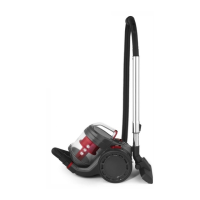
Cleaning the Dust Container, HEPA Filter and Mesh Filter
The filters can only be accessed when the dust container has been removed. The
cyclonic cone can be removed from the dust container to make cleaning easier.
STEP 1: Empty the dust container following the instructions in the section titled
'Emptying the Dust Container".
STEP 2: Once the dust container is empty, close it.
STEP 3: Holding the handle, rotate the dust container cover in an anticlockwise
direction from the 'locked' position to the 'unlocked' position, and remove the dust
container cover.
STEP 4: Pull the HEPA filter away from the main unit and remove the mesh filter.
STEP 5: Shake off the HEPA filter and mesh filter until the majority of the dust has been
removed, then wash them with clean, warm water and allow to dry thoroughly.
STEP 6: Lift the cyclonic cone from the dust container. Wash the dust container and
cyclonic cone in clean, warm water and allow it to dry thoroughly.
STEP 7: Once all of the parts have dried fully, reinsert the cyclonic cone into the dust
container, aligning the slots on the unit. Place the cyclonic cone and slot the HEPA filter
back on top.
STEP 8: Replace the dust container cover and lock it back into place by rotating it in a
clockwise direction.
Note: If the dust container, cyclonic cone, HEPA filter and mesh filter are not cleaned
regularly, the thermal cut-out device will activate. For further details, see the section
titled 'Thermal Cut-Out Device'.
Warning: Do not clean the HEPA filter and mesh filter using detergent. Always allow the
HEPA filter and mesh filter to air dry, never use external heat sources, such as a radiator
to dry them. Do not wring or twist the mesh filter as this will cause damage.



 To Next Page