EasyManua.ls Logo

BelFox 47-21-i - User Manual

BelFox 47-21-i
27 pages
Print Icon
To Next Page IconTo Next Page
Loading...
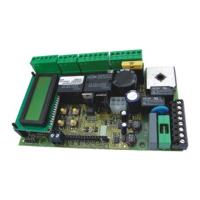
Control board 47-21-i
for Ultra VA, Genios 125 210,
Genios 350 and Drive Portal
Instruction manual
Gewerbestraße 3-5
D - 36148 Kalbach
Tel.: 0 900/1101913
Fax: 0 66 55 / 96 95-31
E-Mail: info@belfox.de
www.belfox.de
Latest update: March 2010
20100330
Comfort and
safety
with
a press
of a button

Other manuals for BelFox 47-21-i

Questions and Answers

Summary

Control Elements of the Board

Display

Describes the illuminated display for programming and troubleshooting.

Buttons

Details the 4 buttons for menu access and control, with their functions.

Wire Connections

Plan for Wire Connections

Explains the removable terminal blocks for easy external wire connection.

Connection Plan

Illustrates the wiring diagram for various components and terminals.

Terminal Blocks Detailed Connections

Provides detailed descriptions for connections of specific terminal blocks.

Connection of Aerial; Radio Board

Explains how to connect the aerial and its frequency dependency.

Light Barrier

Describes power supply and connection of a light barrier for safety.

Stop Input; Wicket Door

Explains the stop input and wicket door connection for safety.

8.2 kΩ-Safety Contact Edges

Details connecting 8.2kΩ safety contact edges.

Optoelectronical Safety Contact Edges (OES)

Explains connecting OES safety contact edges and their power supply.

Battery Operation

Details connecting a 24V battery for operation and its limitations.

Programming

General Programming

Explains using the 4 buttons for programming and navigating menu items.

Configuration of Software Functions

Guides on changing parameters and saving modifications in menu items.

Menu Item Information

Provides information on various menu items like Language, Type of Gate, and Radio.

Sensor;ES Settings

Allows setting position indicators like sensors or limit switches.

Input A Impulse Status

Informative menu item to check input A status (active/inactive).

Input B Opening Mode

Sets the mode of operation for input B (stop panic, no panic, death man).

Input C Closing Mode

Sets the mode of operation for input C (stop panic, no panic, death man).

Input D Partial Opening Mode

Sets the mode of operation for input D, including partial opening percentage.

CEL Light Barrier Programming

Programs the effect of the light barrier when activated.

SE1 Closing Safety Input

Sets the behavior for safety input SE1 (8.2kΩ or OES) when closing.

SE2 Opening Safety Input

Sets the behavior for safety input SE2 (8.2kΩ or OES) when opening.

SE-Standby Configuration

Configures cutting off power to OES safety edges in standby for energy saving.

Stop Input Status

Informative item to check stop input status (active/closed).

Warning Light Setting

Sets the duration the warning light stays on before gate operation.

Courtesy Light Setting

Adjusts the time the courtesy light remains on after motor stop.

Automatic Closing Setting

Sets the start time for automatic closing and closing after OES deactivation.

Current Stop OP Configuration

Configures motor overcurrent shutdown for obstacle detection in opening.

Current Stop CL Configuration

Configures motor overcurrent shutdown for obstacle detection in closing.

Gate Speed Adjustment

Adjusts gate movement speed for opening and closing.

Smooth Start Configuration

Configures the speed and duration of the smooth start function.

Smooth Run OP Speed

Sets the speed of the smooth run in the opening direction by percentage.

Smooth Run CL Speed

Sets the speed of the smooth run in the closing direction by percentage.

Two-Way Traffic Function

Indicates this function is unavailable and under development.

Cancel Data Options

Allows deletion of memorized forces, configurations, or all data.

Cycle Counter

Shows the total number of cycles; cannot be deleted.

Software Version

Shows the programmed software version.

Learning Runs with Sensor

Guides on learning gate travel end-positions and motor current via sensors.

Learning Runs with 2 Limit Switches

Guides on learning gate travel end-positions using limit switches.

Teaching Radio Codes

Explains how to teach in or delete radio transmitter codes and functions.

Display of Malfunctions

Shows how to view the last 10 malfunctions and their correcting faults.

Last Orders

Explains how to view the last 50 orders that affected the control board.

Status Panel (Motor)

Displays the current motor status and active inputs on the control board.

Miscellaneous

DIN Left & DIN Right Determination

Provides a method to determine the gate's DIN left or DIN right configuration.

Safety Instructions

Emphasizes reading and following safety instructions for fitting, operating, and maintenance.

EC Directives Compliance

Lists the EC Directives and standards the product complies with.

Troubleshooting

Indicator Z1 & Z2 Significance

Explains the significance and potential malfunctions related to Hallsensors Z1 and Z2.

REF Indicator Troubleshooting

Explains indicator REF (Reed contact) and associated troubleshooting.

Input Indicators A, B, C, D Troubleshooting

Explains indicators A, B, C, D for inputs and their troubleshooting.

STP Indicator Troubleshooting

Explains indicator STP (Stop input) and associated troubleshooting.

LS Indicator Troubleshooting

Explains indicator LS (Light barrier) and associated troubleshooting.

SE1 & SE2 Indicators Troubleshooting

Explains indicators SE1 and SE2 (Safety inputs) and their troubleshooting.

Radio Command Indicators F1-F9 Troubleshooting

Explains radio commands (F1-F9) and troubleshooting for incorrect coding.

Technical Data

BelFox 47-21-i Specifications

General IconGeneral
BrandBelFox
Model47-21-i
CategoryGate Opener
LanguageEnglish

Related product manuals