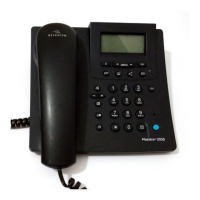
Need help?
Do you have a question about the BELGACOM Maestro 1045 and is the answer not in the manual?
Important safety precautions to observe before and during telephone installation and use.
Detailed steps and diagrams for securely mounting the telephone base onto a wall.
How to answer an incoming call when the telephone rings.
Procedure for ending an active phone call.
Function to redial the most recently dialed phone number.
How to temporarily mute the microphone during a call.
Using the flash key for call waiting, switching calls, and call transfer.
Adjusting the volume of the telephone's ring tone to high or low.
Changing the receiver's sound level during a call across multiple settings.
Common problems like no dial tone or sound issues with their respective solutions.
Information on how to get the telephone repaired if problems persist.
Guidance on environmentally responsible disposal and recycling of the equipment.

 To Next Page
 General