3
QUICK SETUP GUIDE
1
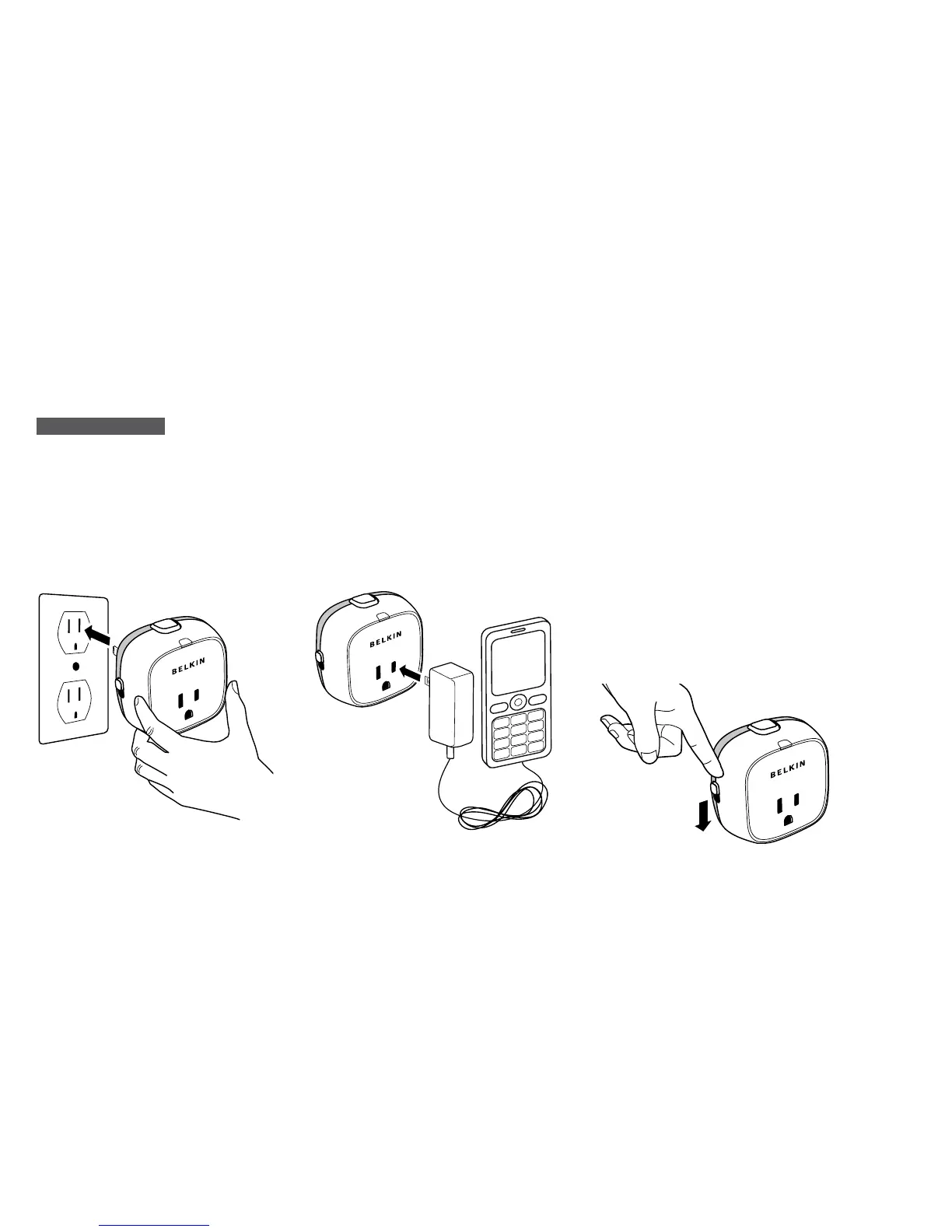
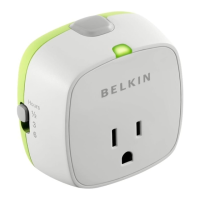
Plug your Conserve Socket Power
Timer into any standard U.S. 3-pin
power outlet or surge protector. It’s
best to plug your Conserve Socket
into the top socket of a power
outlet as not to obstruct the use of
the second outlet.
2
Plug any household device into the
Conserve Socket.
3
Select your desired countdown time
using the switch located on the
left side of your Conserve Socket.
Recommended countdown settings
for the following devices:
.
30 mins: Hot-coil items – hair
straighteners, clothes irons, soldering
irons, toaster ovens, coffeemakers, fans
.
3 hours: Mobile Electronics Chargers –
mobile phones, MP3 players, cameras
.
6 hours: Large Cordless Devices
Chargers – handheld vacuum
cleaners, cordless drills
NOTE: You can change your
countdown time setting at any time
during operation.


 To Next Page