
EasyManua.ls Logo

Bell Phones 99161 - User Manual

Bell Phones 99161
16 pages
Print Icon
To Next Page IconTo Next Page
Loading...
99161
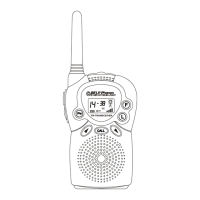
Congratulations on your selection of the 99161 from
Northwestern Bell Phones. This quality FRS two-way
radio, like all Genuine BELL
products, has been
designed to give you many years of continuous service
and represents the best value for your money. It requires
little maintenance and is easy to setup and operate.
FM TRANSCEIVER
VX

Questions and Answers

  • C
    Catherine WagnerAug 3, 2025
    What to do if Bell Phones Radio range is limited?
    • K
      kelleyanthonyAug 3, 2025
      If your Bell Phones Radio has a limited range, first check the battery level indicator. If it's low, replace the batteries with new ones. Also, remember that the maximum range depends on the environment. Open areas provide the best range, while buildings can significantly reduce it.
  • P
    Patrick ColemanAug 9, 2025
    How to fix sound distortion problems on Bell Phones 99161?
    • S
      Shelby YoungAug 9, 2025
      To address sound distortion on your Bell Phones Radio: * If transmitting, speak in a normal voice, keeping 2 to 3 inches from the microphone. * If receiving, lower the volume to a comfortable level.
  • M
    Matthew VillegasAug 15, 2025
    What to do if Bell Phones Radio does not turn on?
    • S
      Stephanie ChangAug 15, 2025
      If your Bell Phones Radio doesn't turn on, start by checking the batteries to ensure they are correctly installed. If they are, try replacing the old batteries with four new “AAA” Alkaline batteries.
  • C
    Christina OconnellAug 21, 2025
    Why is the reception weak on my Bell Phones 99161?
    • E
      Erin FlemingAug 21, 2025
      If you're experiencing weak reception on your Bell Phones Radio, it could be due to a weak receiving signal or being out of range. Try pressing the M (monitor) button to improve reception.
  • D
    desiree67Aug 27, 2025
    How to change channels on Bell Phones 99161?
    • Z
      zlopezAug 27, 2025
      To change channels on your Bell Phones Radio, press the F (function) button until the channel number flashes on the LCD display. Then, use the 5/6 buttons to select the desired channel.

Summary

FCC Compliance and Warnings

FCC Information and Operation

Details FCC compliance, operation conditions, and privacy of communications.

FCC Warning on Modifications

Warns against unauthorized modifications that could cause interference or void authority.

Safety Information

FRS Radio Authorization and RF Signals

Explains the device's authorization for FRS and its RF signal transmission.

RF Exposure Guidelines and Safe Usage

Details safe practices for maintaining FCC RF exposure compliance, including distance and antenna positioning.

Antenna and Modification Warnings

Advises using only the supplied antenna and warns against unauthorized modifications.

FRS Product Description

99161 Product Features and Compatibility

Highlights the 99161's design, intended use, and compatibility with other FRS radios.

Radio Controls Diagram

Radio Control Functions

Installation and Operation

Basic Radio Communication

Additional Functions

VOX (Voice Activated Transmission) Selection

Enables voice-activated transmission; includes selection and cancellation steps.

Specifications and Tables

Troubleshooting Guide

Power and Reception Issues

Solutions for the unit not turning on or experiencing weak reception.

Channel and Range Problems

Guidance on issues with changing channels and limited transmission range.

Sound Distortion Problems

Tips for resolving sound distortion during transmission or reception.

Bell Phones 99161 Specifications

General IconGeneral
BrandBell Phones
Model99161
CategoryRadio
LanguageEnglish