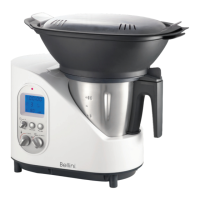
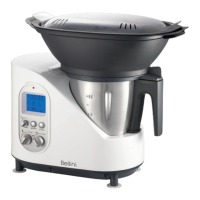
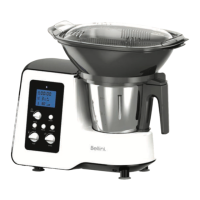
Need help?
Do you have a question about the Bellini SUPERCOOK BTMKM810X and is the answer not in the manual?
Lists various functions like puréeing, mixing, pulverising, grating, chopping, and cooking.
Basic safety precautions for electrical appliances to prevent hazards.
Detailed safety instructions to prevent electric shock, injury, and misuse of the appliance.
States that damaged power cords must be replaced by qualified personnel to avoid hazards.
Guidelines for maintaining and cleaning the kitchen machine and accessories.
Explains the warning symbol and its importance for safe operation.
Lists potential errors, their explanations, and recommended solutions.
Details the LCD display, buttons, and rotary knobs of the control module.
Lists and shows various accessories like cooking basket, stirring blade, whisk paddle, spatula, and SD card.
Explains common symbols used in the manual for navigation, control, and warnings.
Describes the 2-litre capacity jar, its measuring scale, and proper fitting into the machine.
Explains how to fit, remove, and safely handle the chopping and stirring blades.
Details the use of the cooking basket for steaming small quantities of food within the jar.
Explains the whisk paddle's use for desserts, its speed limitations, and what not to use it with.
Describes how to fit the lid securely, its safety mechanism, and the top-up opening.
Explains the spatula's function for mixing and removing ingredients, and its clearance from the knife.
Details the 100 ml measuring cup's use for adding ingredients and controlling steam output.
Details the Vapore steam tray for gentle cooking, its benefits, and usage instructions.
Instructions on how to insert and remove the SD card from the control module.
Guides on how to connect the control module and turn the kitchen machine on and off.
Guides the user through initial setup of date, time, and language settings.
Explains how to navigate the main menu using the control buttons.
Instructions on how to set the current date and date format.
Instructions on how to set the current time and select 12 or 24-hour format.
How to set the automatic switch-off time for standby mode.
How to change the language setting for the control module.
Instructions on using custom images as a screen saver and customizing slide show display.
How to adjust the volume of beeps for various alerts and notifications.
Explains the marketing tool for retailers and how to activate/deactivate it.
How to display firmware version, serial number, and QR code.
Steps to update the control module's firmware using an SD card.
Guide to connecting the Supercook to a mobile device via WiFi and using the app.
Explains how the Yumi functions as part of the home network via repeater mode.
Describes direct connection between mobile device and Yumi, restricting internet access.
Lists DHCP, network standard, WiFi band, encryption, operation mode, and OS requirements.
Explains the digital recipe book and lists available recipe categories.
Instructions for registering, logging in, and downloading recipes from the website.
Steps for navigating and selecting recipes from the collection menu.
Detailed steps on how to select and start a recipe for cooking.
Explains how to pause the current cooking process and adjust settings.
How to use the turbo function to increase speed temporarily.
How to extend a current cooking process with new settings.
Explains safety features during pre-programmed cooking, including heating and motor shutdown.
How to manage favorite and personal recipes.
Explains symbols used in the control module's interface.
Essential pre-operation checks and safety guidelines before using the appliance.
Comprehensive instructions for cleaning the machine and its accessories.
Links to download the iPhone, Android, and iPad apps.
Information about a support group for users.
The official website for recipes and support.
 General
| Brand | Bellini |
|---|---|
| Model | SUPERCOOK BTMKM810X |
| Category | Kitchen Appliances |
| Language | English |

 To Next Page