EasyManua.ls Logo

Belmont Medical Technologies CritiCool - User Manual

Belmont Medical Technologies CritiCool
115 pages
Print Icon
To Next Page IconTo Next Page
Loading...
DDT-136-000 Rev. D English
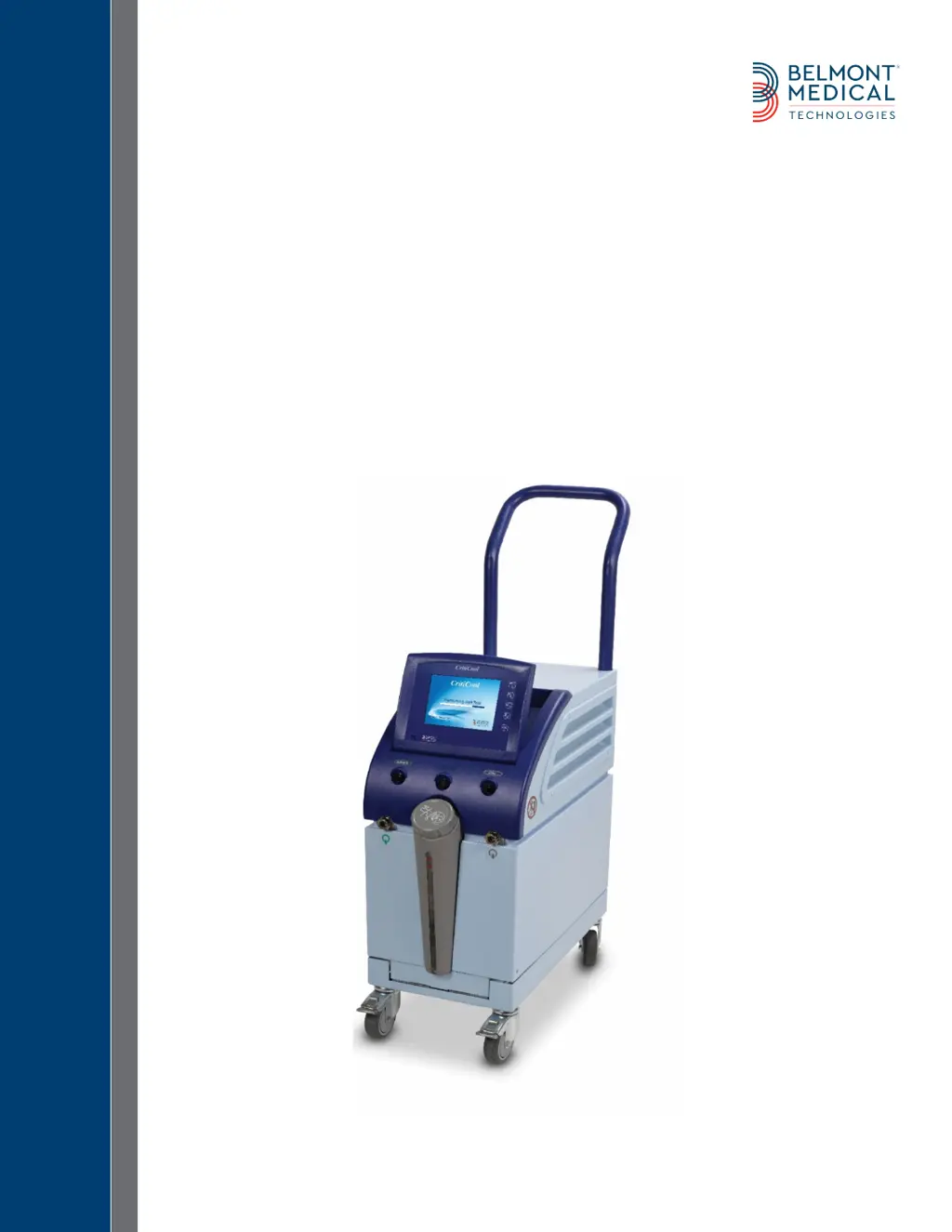
CritiCool
®
User Manual
The Coolest Solution for TTM

Table of Contents

Other manuals for Belmont Medical Technologies CritiCool

Questions and Answers

Summary

Use of Manual

Training

Operator Profile

Important Notice

Disclaimer

Safety Precautions

Definitions

Defines key terms used in the safety precautions section.

Intended Use

Specifies the approved use of the CritiCool system.

Warnings

Lists critical warnings to prevent harm to patients or damage to the device.

Precautions

Provides important precautions to ensure safe and effective operation of the CritiCool.

EMC Safety

Addresses electromagnetic compatibility and safe distances from RF sources.

Improper Use

Warns against incorrect usage that can lead to hazards.

Labels

CritiCool Device Labels

Shows the location and types of labels found on the CritiCool device.

Label Symbols

Explains the meaning of various symbols used on the CritiCool device labels.

System Description

General Description

Introduces the CritiCool system and its role in temperature management.

CritiCool System

Lists the main elements comprising the CritiCool system.

CritiCool Device

Describes the functions and features of the CritiCool control unit.

External Features

Front View

Illustrates and identifies the components visible on the front of the CritiCool device.

Side View

Illustrates and identifies the components visible on the side of the CritiCool device.

Rear Panel

Illustrates and identifies the components visible on the rear of the CritiCool device.

Wrap

General

Provides general information about the wrap's functionality.

Description and Intended Use

Details the characteristics and intended use of the CritiCool wrap.

Wrap Material

Specifies the materials used in the construction of the CritiCool wrap.

Usage Duration

Indicates the recommended duration of use for the CritiCool wrap.

Selected Wrap Design

Accessories

Temperature Probes

Details the types and function of temperature probes used with the CritiCool.

Reusable Temperature Probes

Describes the reusable temperature probes and their usage.

Disposable Temperature Probe

Details the disposable temperature probes and their connection.

Technical Specifications

Hardware and Software Features

Covers hardware, software, UI, languages, and environmental conditions.

Accessories and Wraps

Lists compatible sensors, wraps, tubes, and storage conditions.

Installation

Pre-installation Requirements

Outlines necessary preparations before installing the CritiCool device.

Unpacking and Inspection

Provides instructions for unpacking and inspecting the CritiCool device.

Assembling the Handle

Step-by-step guide to assemble the handle of the CritiCool device.

Equipment List

Lists all components included with the CritiCool system.

Moving the Unit

Locking and Unlocking the Trolley Wheels

Explains how to lock and unlock the trolley wheels for stability.

Operating Instructions

General and Application

Overviews chapter content, application, indication, location, and patient age/weight.

Getting Started

Guides users through the initial steps to prepare the CritiCool for operation.

Turning on the System

Instructions for powering on the CritiCool device.

Connecting Probes and Tubes

Instructions for connecting temperature probes and water tubes to the system.

Control Panel and Patient Mode

CritiCool Screen Control Keys

Explains the function of touch screen and hard keys on the CritiCool interface.

The Control Panel

Details the components and information displayed on the CritiCool control panel.

Patient Mode

Explains how to select and adjust patient modes (Adult/Neonatal).

Operating Modes Overview

TTM (Targeted Temperature Management)

Explains the TTM mode for precise patient temperature management.

CONTROLLED REWARMING

Describes the process of gradual patient rewarming.

NORMOTHERMIA

Details the Normothermia mode for fast patient warming.

System Shutdown and Graphing

Shutting Down the Device

Instructions for properly turning off the CritiCool system.

Temperature Graph

Explains how to view and interpret the temperature graphs.

Settings and Services

Settings

Guides users on accessing and configuring system settings.

Settings Screen 1

Details the parameters configurable in the first settings screen.

Settings Screen 2

Details the adjustable alarm limits in the second settings screen.

Services

Lists the available service options for the CritiCool system.

Operation Panel Messages

Technical Messages

Lists and describes technical messages that may appear on the system.

Clinical Messages

Lists and describes clinical messages requiring operator attention.

Safety Messages and Alarms

Details safety messages related to temperature issues and alarms.

Informative Messages

Explains non-actionable messages indicating system status.

Mode-Specific Messages

TTM Mode Messages

Describes messages specific to the TTM operating mode.

Controlled Rewarming Mode Messages

Explains messages specific to the Controlled Rewarming mode.

Ordering Information

Equipment and Accessories

Lists general information on ordering parts and accessories.

Available Wraps

Details the different types and sizes of available wraps.

Accessory Part Numbers

Lists part numbers for various accessories.

Maintenance

Routine Maintenance

Details regular tasks to keep the CritiCool system in optimal condition.

Cleaning and Disinfection

Explains procedures for cleaning and disinfecting the CritiCool system.

Thermal Disinfection Process

Details the step-by-step procedure for thermal disinfection.

System Check Service

Explains how to perform a system check service.

Filter Replacement

Troubleshooting

Troubleshooting Guide

Offers tables and steps to address specific system malfunctions.

CritiCool System Malfunction (no message) Troubleshooting Guide

Guides troubleshooting for issues without specific display messages.

Water Tank Overfilling

Provides troubleshooting steps for an overfilled water tank.

CritiCool System Messages Troubleshooting Guide

Aids in troubleshooting system messages and alarms.

CliniLogger Installation and Operating Instructions

Installing the Software

Step-by-step instructions for installing the CliniLogger software on a PC.

Downloading Data

Instructions on how to download data from the CliniLogger device.

Viewing Downloaded Data

Guides on viewing the downloaded data using the CliniLogger viewer.

CliniLogger Viewing Panel

Describes the main interface for viewing downloaded CliniLogger data.

Graphic Display Area

Function Selection Area

Details the controls for modifying the graphic display.

Temperature Graph Control Buttons

Explains buttons that control the display of temperature graphs.

Modes and Error Area

Explains the area showing operational modes and errors.

Converting to Excel

Customer Service Representative

RF Separation

Belmont Medical Technologies CritiCool Specifications

General IconGeneral
Device TypeTherapeutic Hypothermia System
Power Supply100-240V AC, 50/60Hz
Control InterfaceTouchscreen display
ApplicationTherapeutic Hypothermia
Cooling MethodWater-based cooling
Temperature Range32°C to 34°C (89.6°F to 93.2°F)
Cooling RateVariable, user-adjustable
AlarmsVisual and audible alarms for temperature deviations and system errors
CompatibilityCompatible with standard hospital monitoring systems

Related product manuals