This document describes the Belrad Electric Towel Rail Heater, specifically models BE1200500, BE1600500, BE1800550, BEZ1200500, BEZ1600500, and BEZ1800550. It includes assembly instructions, technical specifications, and a user manual for the LCD controller.
Function Description:
The Belrad Electric Towel Rail Heater is designed to warm towels and provide supplementary heating in bathrooms. It operates independently of a central heating system, using an internal heating element. The device is filled with water, water with anti-freezing agent, or a suitable type of oil as the heating agent. The LCD controller allows users to manage various heating modes, set temperatures, and schedule operation.
Important Technical Specifications:
- Model Code: Lauda Digital
- Electric Supply: 230V / 50Hz
- Heating Output Available: 200W, 300W, 400W, 600W, 800W, 1000W
- Device Protection Class: G 1/2"
- Towel Rail Connection: Class I
- Casing Protection Mark: IPX4
- Certification: Complies with 2014/30/EU Electromagnetic Compatibility Directive and 2014/35/EU Low Voltage Directive, carrying the CE mark.
- Operating Temperature Range: 0~55°C
- Set Temperature Range: 30~70°C
- Time Mode: 24-hour
- Week Mode: Digital display 1~7 (1=Monday, 7=Sunday)
- System Modes: Free, Schedule, Constant Temperature, Timing
Usage Features:
The device is controlled via an LCD controller with several operational modes:
- Boot Up: A short press of the power button (upper left) turns the device on from shutdown.
- Free Mode: Allows separate temperature setting within a range of 30°C to 70°C. The heating function is indicated by a "M" icon. Temperature can be increased or decreased in 1°C steps using the add (upper right) and minus (lower right) buttons. Long presses provide acceleration.
- Constant Temperature Mode: The temperature is fixed at 50°C and cannot be adjusted in this mode.
- Timing Mode: The heating temperature is fixed at 65°C. The drying time can be adjusted from 30 minutes to 8 hours. Time can be increased or decreased in 30-minute steps. Long presses provide acceleration. After the timer expires, the device enters standby mode.
- Schedule Mode: This mode allows for setting time, week, and weekly programs.
- Time Setting: Long press the function button (lower left) for 3 seconds to enter time setting. First, set the hour (0-23H) in 1-hour steps, then the minute (0-59 min) in 1-minute steps. No operation within 30 seconds will exit time setting.
- Week Setting: After time setting, a short press of the function button enters week setting. The week (1-7 days) can be set in 1-day steps. No operation within 30 seconds will exit week setting.
- Weekly Program Setting: After week setting, a short press of the function button enters weekly program setting. The timeline display shows heating periods (solid rectangle) and non-heating periods (blank rectangle). The default setting is heating from 5:00 to 23:59 Monday to Sunday.
- Weekly Program Modification: A long press of the function button for 3 seconds enters modification mode. Users can set heating periods in 1-hour increments. A flashing icon indicates heating, while a dark icon indicates non-heating.
- Running State: Displays the set time and indicates if the controller is in a weekly program. A flashing icon (on for 3 seconds, off for 1 second) indicates a working state, and the heating icon lights up.
- Child Lock: Prevents operation of any keys except the power button. To activate/deactivate, press the add and minus buttons simultaneously in the boot state for 3 seconds.
- Restore Factory Setting: In the boot state, a long press of the power button for 10 seconds restores factory settings: 50°C, 2 hours heating time, 12:00, and week 1.
Safety Guidelines:
- Do not open the device case.
- Do not use a damaged device.
- Verify input voltage matches device label before connecting.
- Do not repair damaged power cables; seek professional help.
- Always ground the device to a grounded socket.
- Do not connect to a power socket during installation.
- Do not use with open flame equipment.
- Ensure the heating element is fully submerged in liquid agent; do not operate dry.
- Avoid splashing water or other liquids on the plastic body.
- Do not touch the device with wet hands.
- Not to be operated by children or persons with limited mental capacity.
- The heating element should not be fitted horizontally or turned downwards.
- The towel rail must be installed so that switches and controls are inaccessible to a person in the bath or shower.
- For child safety, the lowest heated rail must be at least 600 mm above the floor.
- Overfilling the towel rail with liquid can exceed acceptable pressure and damage the device.
Maintenance Features:
- Exception Code Description: If "Er" is displayed on the screen, it indicates a temperature sensor open circuit or short circuit. The solution is to change the temperature sensor, heating elements, or controller.

 Need help?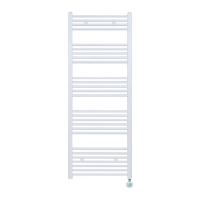

 To Next Page
 General