PAGE 13
PARC
PARCPARC
PARC
PARC
PARCPARC
PARC
MOW
MOW MOW
MOW
MOW
MOW MOW
MOW
-
--
-
-
--
-
BIG
BIGBIG
BIG
BIG
BIGBIG
BIG
MOW
MOW MOW
MOW
MOW
MOW MOW
MOW
Con
ConCon
Conf
ff
figu
iguigu
igura
rara
rat
tt
tion: M
ion: Mion: M
ion: Me
ee
en
nn
nus
us us
us (1)
(1)(1)
(1)
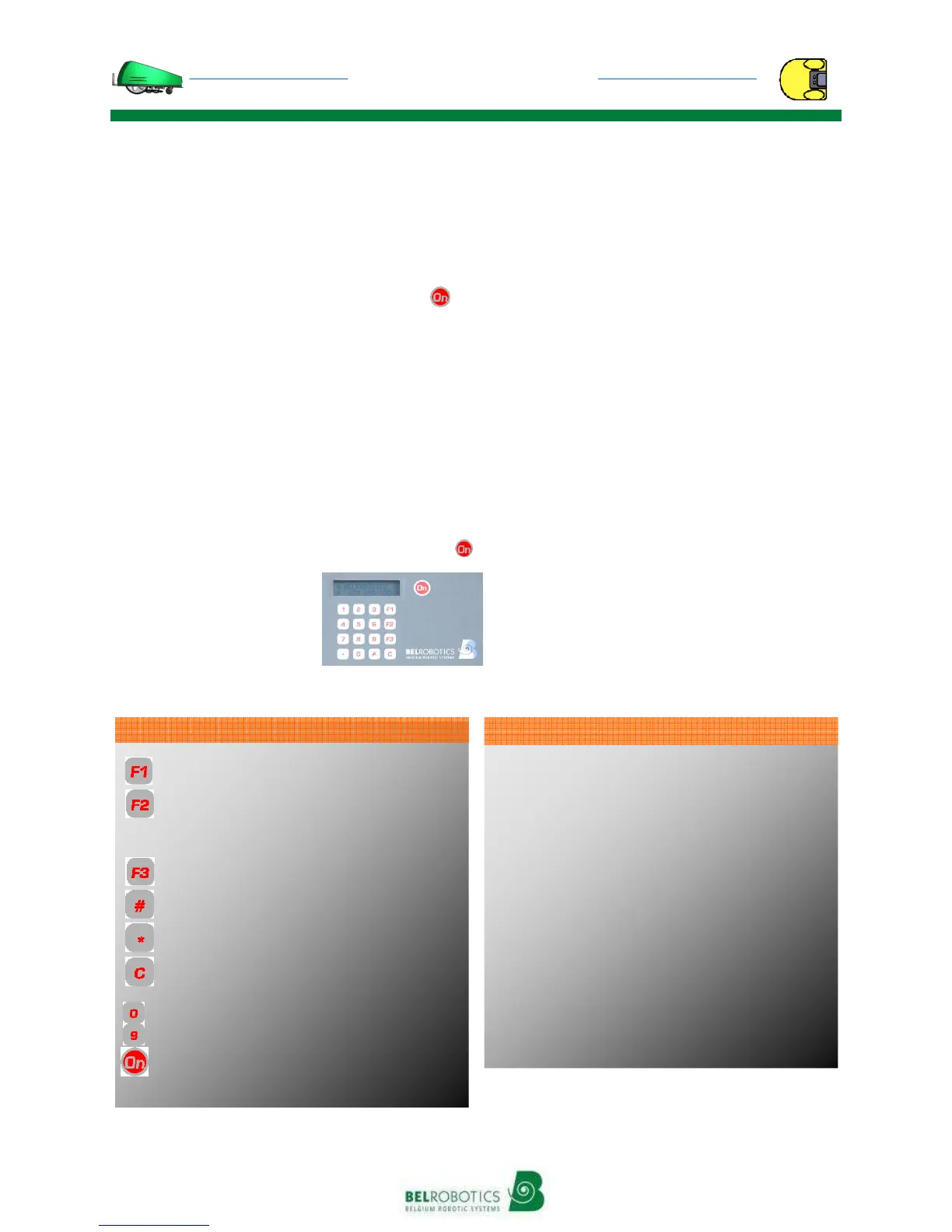
The keypad includes 16 keys (10 numbers
and 6 action keys) and 1 activation key
:
• ‘F1’: Return to the charging station
• ‘F2’: Return to and wait at the charging
station
• ‘F3’: See debug, or technical indication
• ‘#’: To select the chosen action
• ‘✱’: To enter the code, or the selection of
rest days
• ‘C’: To go back to the previous menu or to
delete
To start up the machine, you have to press
(the screen blinks), then
close the cover again
within 8 seconds. The
BIGMOW-PARCMOW will
start up its cutting heads
then start to work
Functions
2 submenus are found in the “Belrobotics”
menu:
The “Infos” menu (which is addressed to
your technician), for all information about
the operation of your
BIGMOW-PARCMOW ;
The “Settings” menu, to access the user
settings
.
The selection of ✱ enables the user code to
be entered and the machine to be activated
for a chosen period. After this period, the
machine stops and the code has to be
re-entered. Before a delayed start, it is
therefore advised that you re-enter the
code. Without this code, the machine will
not operate
.
Use of the keypad
Menu
Infos
Statistics
History
Version
Serial
Settings
Rests settings
Clock
New code
Language
Options
Suppress Rests
‘’ + ‘ _ _ _ _’ user code
Structure of the menus
: Return to the charging station
: Return to and wait at the charging station
: go up in the menus
: See debug ; go down in the menus
: Selection
: Code entry, rest days
: Go back one level in the menu or delete
: Numeric entries
: Turn on the machine, start up
Keypad keys


 To Next Page
 Loading...