5
Operation Details
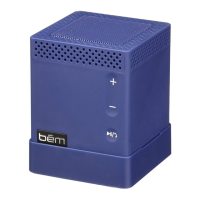
Power on / Power off
Slide the power switch to “on” to turn on the Speaker Mojo. The
Bluetooth indicator will light up to signify the unit is on and ready
to be paired.
Slide the power switch to “off” to turn off the unit and the
Bluetooth indicator light will go out.
Play modes
• Bluetooth mode: play an audio signal from the connected
Bluetooth device.
• AUX mode: play an audio signal from the connected
“wired” device.
Please note, if an Aux cable is connected to the speaker it will not
play music from Bluetooth© connected devices.
Step 2: Connect it (continued)
Direct Connection
The Speaker Mojo can also be connected to any device that has
a headphone jack or line out using the included aux cable.
Please note the play/pause button only operates when
connected via Bluetooth.


 To Next Page