7
with 5V, 1A power output to charge your device like iPhones,
iPods and smartphones*. Slide the on/off switch on the Power
cradle to “on” to turn on the charging, to “off” to turn off the
charging.
(*Please reference the instructions of device for details. The
charging cable is not included. ) Charging Your Device
Audio Use
Follow the above connection steps to pair a Bluetooth
©
device
with the Speaker Mojo. At this point you can send any kind of
audio signal to your speaker (music, video, gaming, etc.). Just
use your device as normal and the audio will play through your
Speaker Mojo.
Controls
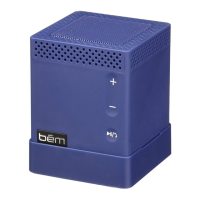
Press the Play/Pause button to play or pause the music when
using a music player through your Bluetooth
©
connected device.
Pressing the + and - buttons will increase or decrease the volume
on the Speaker Mojo. Please note that this will not affect the
volume levels on the connected device.
Connection
Laptop / notebook / PC
As the Bluetooth
©
versions for these types of devices varies
greatly, the connection methods will differ as well. If you
can not connect with the Speaker Mojo using the previous


 To Next Page