Station setup without router
In this setup, all the LS8000 stations only run the KitchenGo Premium KDS app. The KitchenGo Premium
Router app in all stations should be kept disabled.
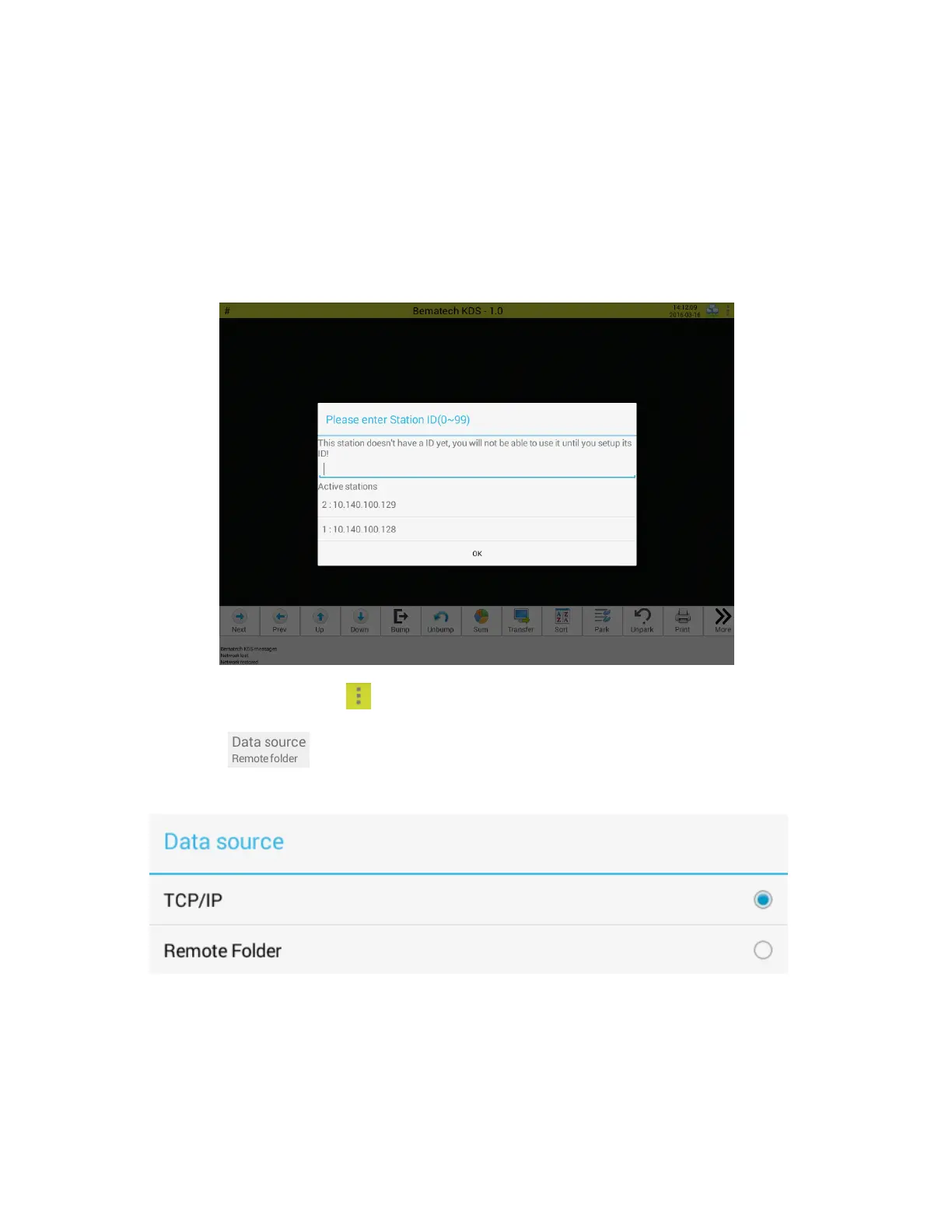
1. Boot up each individual LS8000 station and setup its station ID. Then click OK as shown below:
Note: station ID for each station must be unique in the network.
2. On one of the stations, click on the top right corner of screen and select "Settings".
3. Next, click and select the order source. This setting need to be matched to the
design/setting of POS Software.
TCP/IP:
With "TCP/IP" set as order source, the POS software will interface with KitchenGo Premium Router
through a TCP/IP socket. Users can select the port that KitchenGo Premium Router listens to, as
shown below:


 To Next Page