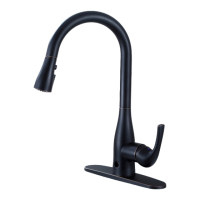
17 16
Problem Cause Solution
Water doesn’t flow
from the faucet when
activated by motion
sensor and/or when
the spray head is
pulled down.
Connections
my not be
properly made.
Double check using the intructions to
ensure all connections are correct.
Water shut off
valves are
not open.
Verify the water shut off valves are open.
This will ensure the faucet is supplied
with water.
Faucet handle
is closed.
Open the handle fully. The handle must
be in the open position for the water to
flow when sensors are active. If water
flows when the handle is closed, the
manual override is opened. Turn the knob
on the control box clockwise until
completely closed.
Batteries have
been depleted
or are installed
incorrectly.
Verify the batteries are charged/good
and in the correct +/- polarity.
Change or reorient batteries.
Filter is
blocked.
Open the override to see if water will flow
in manual mode. If no water flows, close the
water feed to the faucet. Disconnect the
top water feed to the control box and verify
the filter is clean. Close manual override
and try the sensors again.
Sensor is not
working
properly.
Wave hand in front of motion sensor
again within a distance of 2.5 in. to see if the
sensor eye flashes a red light. If the sensor
does not flash a red light, replace the faucet
body. If the sensor flashes a red light but
you do not hear a clicking sound coming
from the control box, replace the
control box.
Spray head is
obstructed.
Remove the spray head and turn the
faucet on. If water flow is restored,
clean the aerator.
Problem Cause Solution
Water drips
from the faucet.
Manual
override might
be slightly open.
Close the manual override on the control
box by turning the knob clockwise until
completely closed.
Water flow is
diminished.
Faucet handle
is not open fully.
Filters may
have debris.
Open the handle fully and test the flow.
If the water flow is still diminished, clean the
filter found in the top part of the
black control box and clean the aerator
on the faucet head.
Water flow doesn’t
automatically stop
after 3 minutes.
Manual
override might
be slightly open.
Verify if manual override on the control
box is closed (turn the knob clockwise until
completely closed). If it’s open,
close it and do the test again. If the manual
override is already closed, wave your hand
in front of the infrared sensor to activate the
water flow and repeat the movement to stop
the water flow.
Water flow stops
while using or water
suddenly flows
without any motion.
Batteries have
been depleted.
Verify the batteries are charged/good
and in the correct +/- polarity.
Change or reorient batteries.
Check if there
are any water
droplets covering
the sensor.
Make sure the sensor is clean
(even water might block its vision)
The infrared sensor
flashes a red light 3
times per second.
Batteries are
running low.
Change batteries.
TROUBLESHOOTING GUIDE
MAINTENANCE


 To Next Page
 Loading...