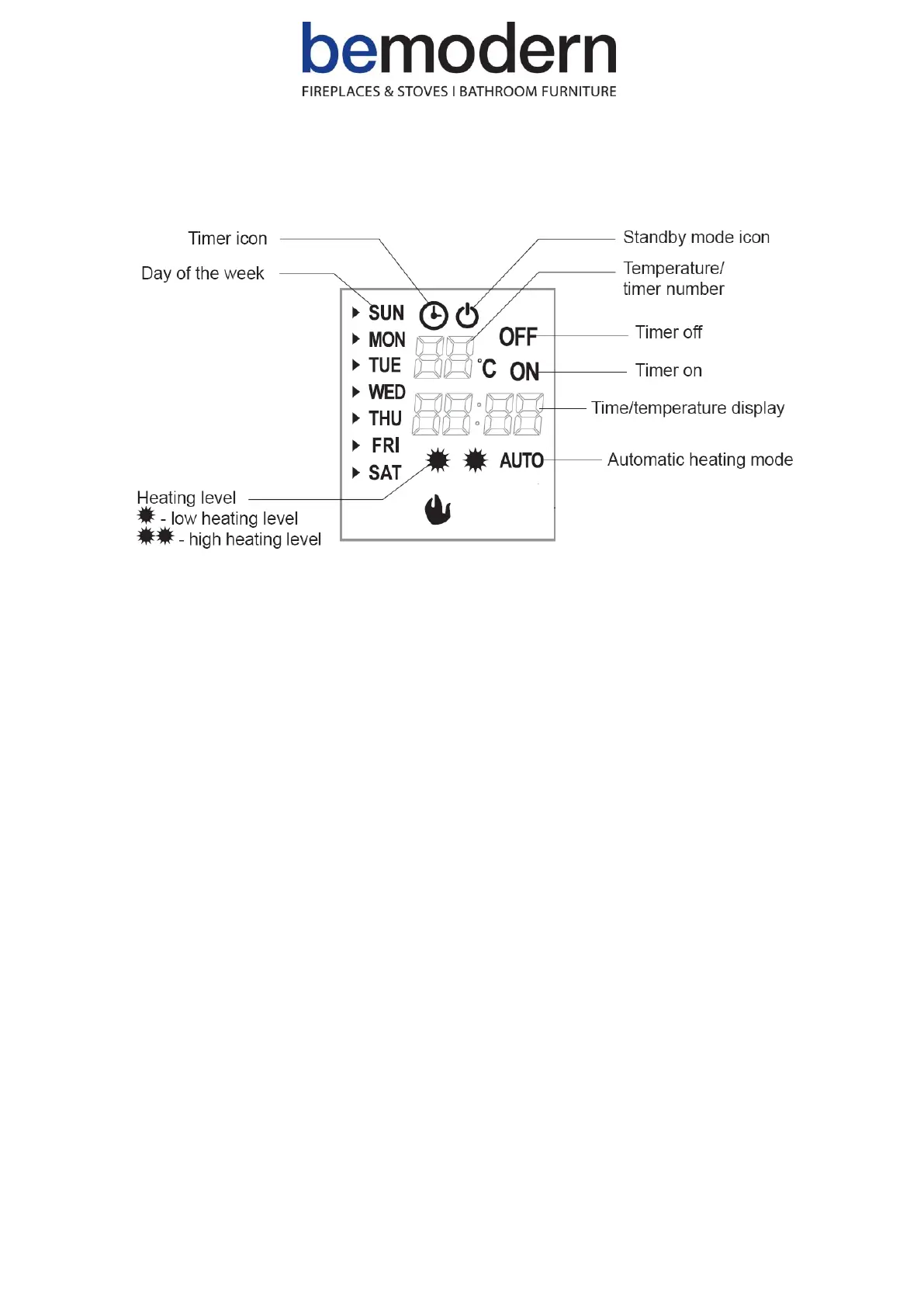
➢ Display
➢ Settings
▪ Setting weekday and time
• Press the DAY / TIME key. When the day is flashing press the ▲ or ▼ key to select the day.
• Press the DAY / TIME key again, then press the + or – key to set the hour.
• Press the DAY / TIME key again, then press the + or – key to set the minute.
• Press the OK key to confirm the setting.
▪ Setting temperature
• NOTE: This setting is only applicable for the temperature in standard heating mode, not for the temperature in
the timer mode. The default set temperature is 20℃.
• NOTE: The heater only starts working when the set temperature is higher than the room temperature.
• Press the + or – key to set the temperature, which ranges from 15 to 30℃.
• After the temperature setting has been completed, the display flashes about 5 seconds, then shows the room
temperature.


 To Next Page