EasyManua.ls Logo

Benetech GM320 - User Manual

Benetech GM320
2 pages
Print Icon
To Next Page IconTo Next Page
Loading...
MODEL: GM320
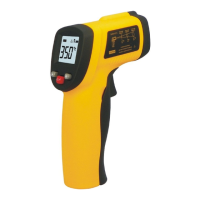
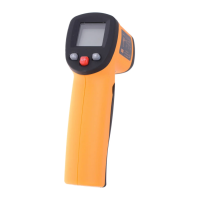
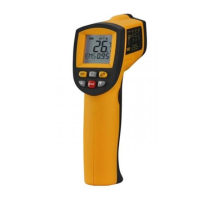
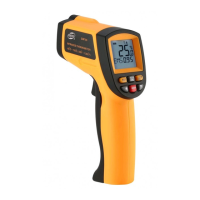
Infrared thermometer
Instruction manual
A. Introduction
This infrared thermometer is used for
measuring the temperature of the object's
surface, which is applicable for various hot,
hazardous or hard to reach objects without
contact safely and quickly.
This unit consist of Optics, Temperature
Sensor Signal amplifier, Processing circuit and
LCD Display. The Optics collected the infrared
energy emitted by object and focus onto the
Sensor. Then the sensor translates the energy
into an electricity signal. This signal will be
turned out to be digital shown on the LCD after
the signal amplifier and processing circuit.
B. Warning & Cautions
1. Warning:
To avoid the potential situation may cause harm
or damage to people, please pay attention to
the following items:
1) Before you use this unit, check on the
plastic housing carefully. If there is any
damage, do not use it
2) Do not point laser directly at eye or
indirectly off reflective surfaces.
3) Do not use this unit in the environment of
explosive gas, steam or dusty.
2. Caution:
To avoid the damage of the unit or the target,
please protect from the following situations:
1) EMF (electro-magnetic fields) from arc
welders, or induction heaters.
2) Thermal shock caused by high temperature
changes allow 30 minutes for unit to
stabilize before use.
3) Do not leave the unit on or near objects of
high temperature
C. Distance to Spot size
1) When take measurement, pay attention to
the D stance to Spot Size. As the Distance (D)
from the target surface increases, the spot
size (S) of the area measured by the unit
becomes larger. The Distance to Spot size of
the unit is 12:1
***This unit is equipped with a laser, which is
used for aiming.
2) Field of view: Make sure the target is larger
than the unit's spot size. The smaller the
target the closer measure distance. When
accuracy is critical, make sure the ta get is at
least twice as large as the spot size.
(Page 1) (Page 2) (Page 3)
www.Tools.in.th
www.Tools.in.th
Question and Answer IconNeed help?

Do you have a question about the Benetech GM320 and is the answer not in the manual?

Summary

Introduction to Infrared Thermometer

Safety Warnings and Precautions

General Warnings for Safe Use

Advises checking for damage, avoiding laser eye exposure, and not using in explosive environments.

Precautions for Unit and Target Protection

Warns against EMF interference and advises protection from thermal shock and high temperatures.

Distance to Spot Size Ratio

Explains the 12:1 ratio and how spot size increases with measurement distance.

Field of View for Accuracy

Ensures the target is larger than the spot size for accurate measurements.

Emissivity and Surface Measurement

LCD Display and Button Functions

LCD Display Icons Overview

Details icons for data hold, scanning, laser, backlight, battery, and temperature units.

Button Functions Explained

Describes the operation of the trigger, laser on/off, Celsius/Fahrenheit switch, and backlight buttons.

Operating the Thermometer

Step-by-Step Usage Guide

Instructions for inserting batteries, turning on, and taking temperature measurements.

Locating Hot Spots

Method for finding hot spots by scanning across the target area.

Maintenance and Specifications

Lens and Case Cleaning Procedures

Guidance on cleaning the optical lens and the unit's case using appropriate methods.

Summary

Introduction to Infrared Thermometer

Safety Warnings and Precautions

General Warnings for Safe Use

Advises checking for damage, avoiding laser eye exposure, and not using in explosive environments.

Precautions for Unit and Target Protection

Warns against EMF interference and advises protection from thermal shock and high temperatures.

Distance to Spot Size Ratio

Explains the 12:1 ratio and how spot size increases with measurement distance.

Field of View for Accuracy

Ensures the target is larger than the spot size for accurate measurements.

Emissivity and Surface Measurement

LCD Display and Button Functions

LCD Display Icons Overview

Details icons for data hold, scanning, laser, backlight, battery, and temperature units.

Button Functions Explained

Describes the operation of the trigger, laser on/off, Celsius/Fahrenheit switch, and backlight buttons.

Operating the Thermometer

Step-by-Step Usage Guide

Instructions for inserting batteries, turning on, and taking temperature measurements.

Locating Hot Spots

Method for finding hot spots by scanning across the target area.

Maintenance and Specifications

Lens and Case Cleaning Procedures

Guidance on cleaning the optical lens and the unit's case using appropriate methods.

Benetech GM320 Specifications

General IconGeneral
TypeInfrared Thermometer
Response Time500 ms
DisplayLCD
Power Source9V Battery
Resolution0.1°C/0.1°F
Distance to Spot Ratio12:1
Spectral Response8-14μm
Auto Power OffYes
Temperature Range-50°C to 380°C (-58°F to 716°F)
Emissivity0.1 to 1.0 (adjustable)

Related product manuals