12 How to assemble your monitor hardware
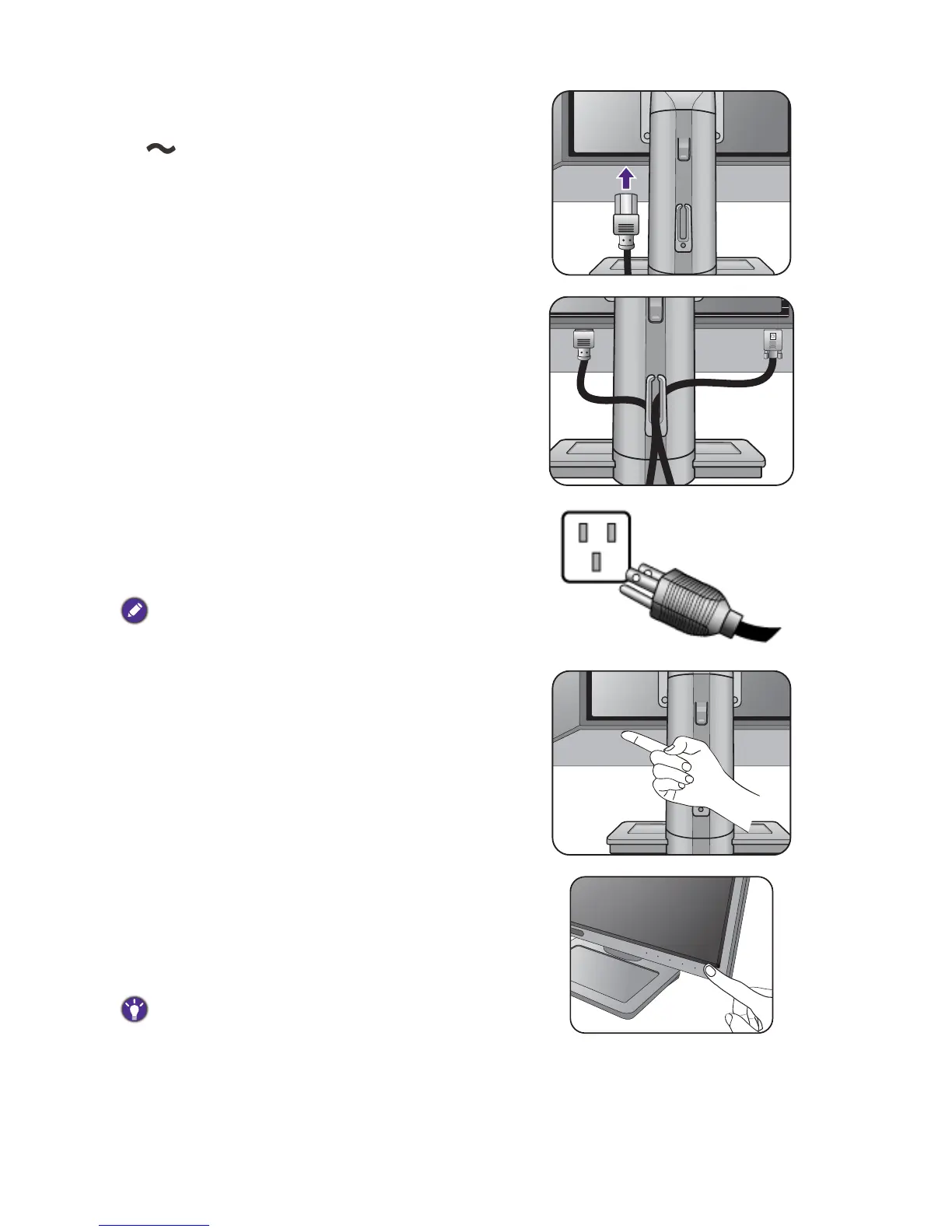
4. Connect the power cable to the monitor.
Plug one end of the power cord into the socket labelled
on the rear of the monitor. Do not connect the
other end to a power outlet just yet.
5. Route the cables via the cable clip.
6. Connect-to and turn-on the power.
Plug the other end of the power cord into a power
outlet and turn it on.
Picture may differ from product supplied for your region.
Switch the power switch next to the AC power input
jack to ON.
Turn on the monitor by pressing the power button on
the monitor.
Turn on the computer too, and follow the instructions
in Getting the most from your BenQ monitor on page
19 to install the monitor software.
To extend the service life of the product, we recommend
that you use your computer's power management function.



 To Next Page