Introduction 13
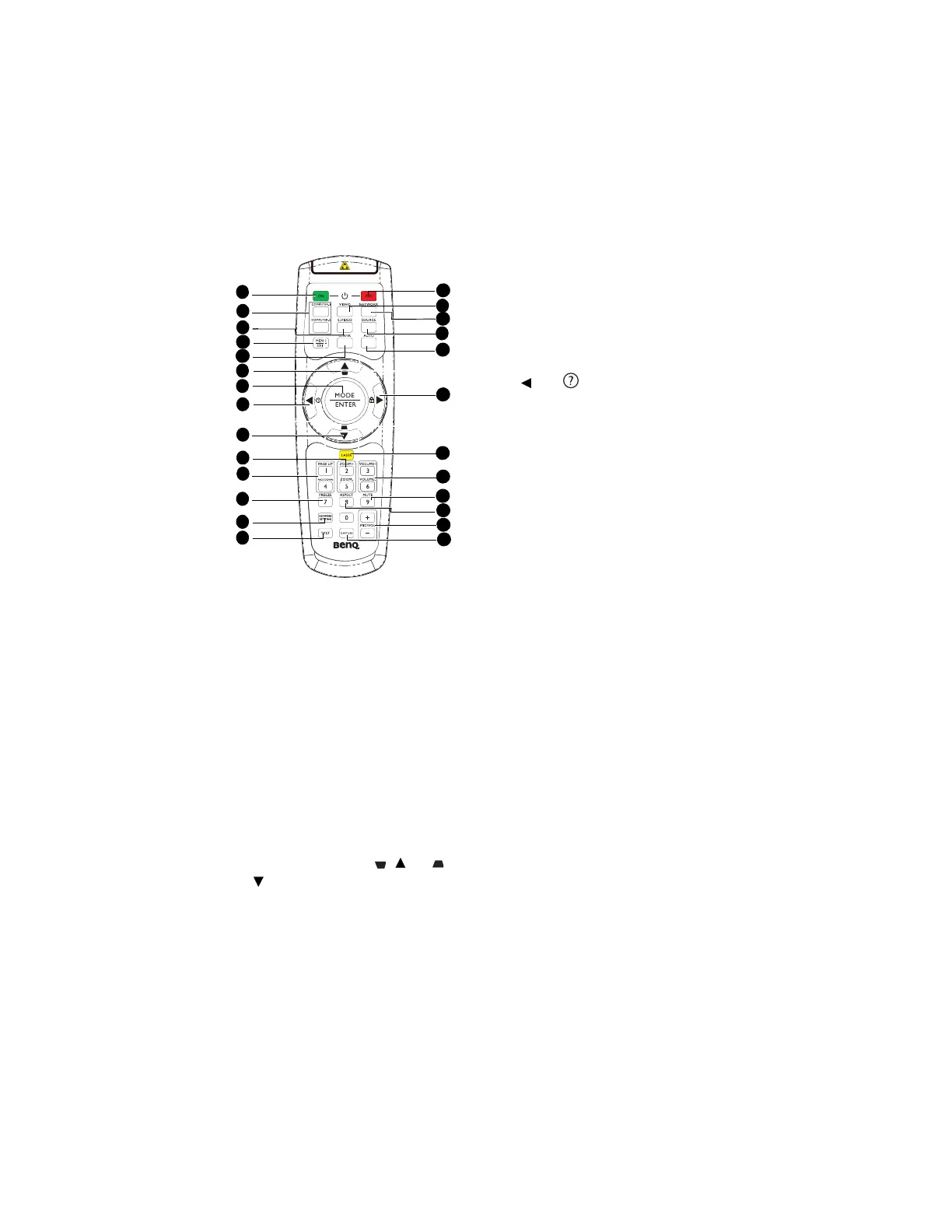
Turns on the projector. See "Starting up the
projector" on page 30 for details.
Displays RGB (PC)/Component video
(YPbPr/ YCbCr) signal.
Displays S-video signal.
Turns on the On-Screen Display (OSD)
menu. Goes back to previous OSD menu,
exits and saves menu settings. See "Using
the menus" on page 33 for details.
Used to hide the screen picture. See "Hiding
the image" on page 44 for details.
6. Keystone/Arrow keys ( / Up, /
Down)
Manually corrects distorted images
resulting from an angled projection. See
"Correcting keystone" on page 32 for
details.
Selects an available picture setup
mode. See "Selecting a picture mode" on
page 39 for details.
Activates the selected On-Screen
Display (OSD) menu item. See "Using
the menus" on page 33 for details.
Starts the FAQ function. See "Utilizing
FAQ function" on page 44 for details.
Magnifies or reduces the projected
picture size. See "Magnifying and
searching for details" on page 37 for
details.
Page up/down arrows when connected
through USB to a PC. See "Remote
paging operations" on page 43 for details.
Freezes the projected image. See
"Freezing the image" on page 44 for
details.
Enables Network Settings OSD menu.
Displays the test pattern. See "Test
Pattern" on page 72 for details.
Turns off the projector. See "Shutting
down the projector" on page 69 for
details.
Displays vidoe signal.
Enables the network mode.
Displays the source selection bar. See
"Switching input signal" on page 36 for
details.
1
19
6
7
6
21
17
4
18
9
24
22
20
15
2
3
5
10
11
25
8
12
13
14
16
23



 To Next Page