Connection26
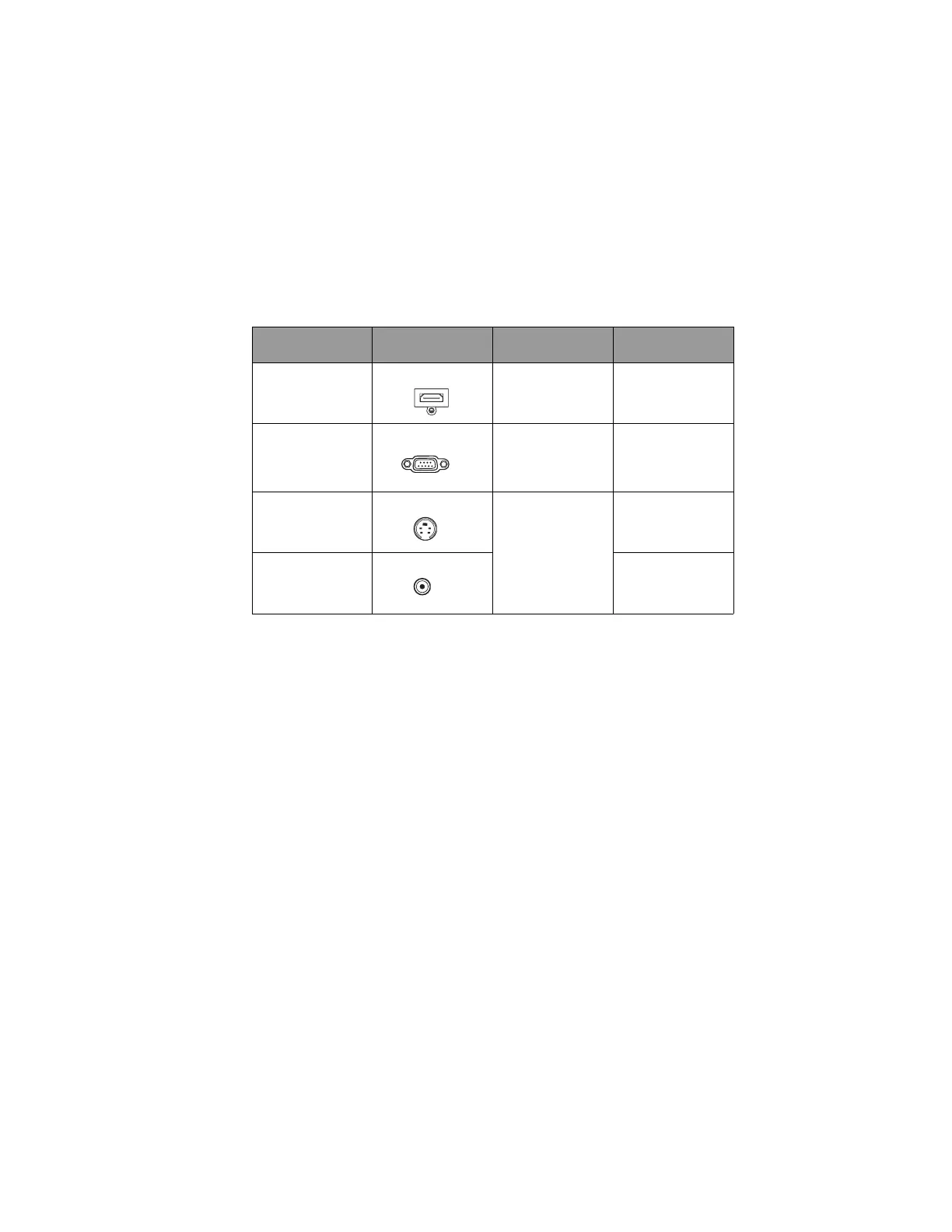
Connecting Video source devices
You need only connect the projector to a Video source device using just one of the above
connecting methods, however each provides a different level of video quality. The method
you choose will most likely depend upon the availability of matching terminals on both the
projector and the Video source device as described below:
Te r m i n a l
name
Terminal appearance Reference Picture quality
HDMI
HDMI "Connecting an
HDMI source device"
on page 27
Best
Component Video
COMPUTER
"Connecting a
Component Video
source device" on
page 28
Better
S-Video
S-VIDEO "Connecting an S-
Video/composite
source device" on
page 29
Good
Video
VIDEO
Normal



 To Next Page