Operation60
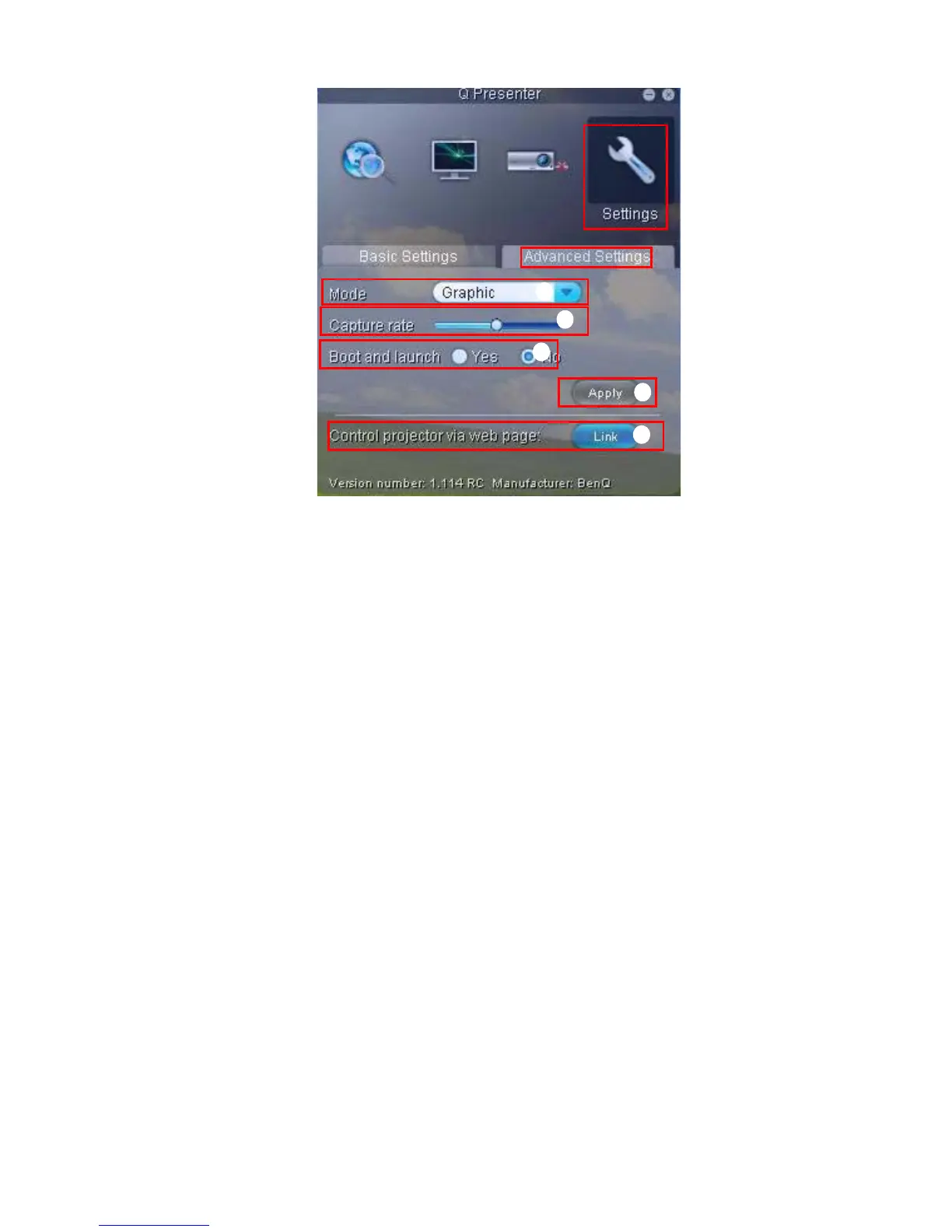
vii. You can select Video or Graphic display mode. Graphic Mode: worse image
quality but faster tramsmission speed. Video Mode: better image quality but
slower transmission speed. However, the actual transmission performance was
determined by the status of network usage at that time.
viii.You can adjust the capture rate. The network bandwidth may also affect the
performance.
ix. You can select whether to automatically open the Q Presenter application when
the computer is powered on.
x. Once set, press Apply to save the changes.
xi. You can link to the BenQ remote network operation page on page 48.
ix
x
xi
vii
viii



 To Next Page