Maintenance 89
11. Restart the projector.
Do not turn the power on with the lamp cover removed.
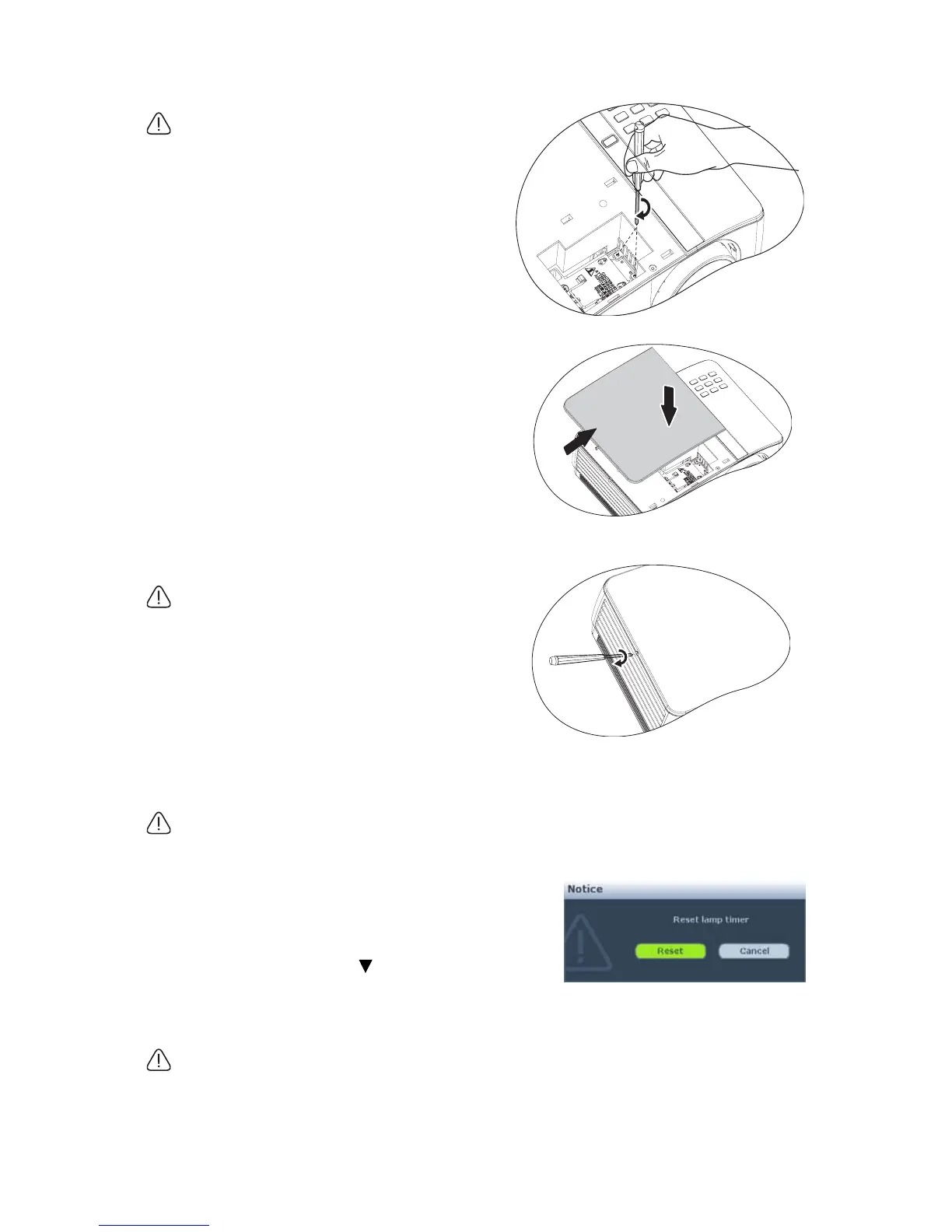
Resetting the lamp timer
12. After the startup logo, open the On-Screen
Display (OSD) menu. Go to the SYSTEM
SETUP: Advanced > Lamp Settings menu.
Press MODE/ENTER. The Lamp Settings
page displays. Press to highlight Reset
lamp timer and press MODE/ENTER. A
warning message displays asking if you want to reset the lamp timer. Highlight Reset
and press MODE/ENTER. The lamp time will be reset to '0'.
Do not reset if the lamp is not new or replaced as this could cause damage.
7. Tighten the screws that secure the lamp.
• Loose screw may cause a bad connection,
which could result in malfunction.
• Do not over tighten the screws.
8. Ensure the handle is fully laid flat and
locked in place.
9. Replace the lamp cover by sliding it into
place.
10. Tighten the screw that secures the lamp
cover.
• Loose screw may cause a bad connection,
which could result in malfunction.
• Do not over tighten the screw.



 To Next Page