EasyManua.ls Logo

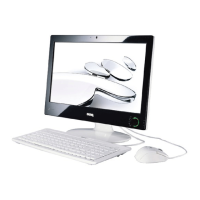
BenQ nScreen i91 series - User Manual

BenQ nScreen i91 series
57 pages
Print Icon
To Next Page IconTo Next Page
Loading...
nScreen
i91/i221 Series
User Manual

Table of Contents

Question and Answer IconNeed help?

Do you have a question about the BenQ nScreen i91 series and is the answer not in the manual?

Summary

Overview

Getting started

Touring your nScreen

Customizing your nScreen

Using the nScreen USB handset (optional)

Using nScreen in Windows XP

Connecting to a wireless network

Instructions for enabling and connecting to a wireless LAN (WLAN).

Using the built-in webcam

Details on activating and using webcam software for capture, chat, and effects.

Viewing pictures using AirFrame

How to view pictures stored locally or on photo sharing sites via AirFrame.

Using BIOS setup

Recovering your system using QDataTrove

Backing up your system

Guides on creating system backups to files or discs.

Restoring your system

Steps to restore the nScreen from backups or restore points.

Creating recovery discs

Steps to create factory recovery CDs/DVDs and bootable USB drives.

Protecting your nScreen from viruses and security threats

Replacing the memory

Procedure for memory module replacement

Step-by-step guide for safely removing and installing memory modules.

Installing a hard disk

Procedure for hard disk installation

Instructions for physically installing a hard disk drive into the nScreen.

FAQ and troubleshooting

Power and connection troubleshooting

Addresses issues with power not starting and network connectivity problems.

System performance and display troubleshooting

Solutions for slow system performance and disk space errors.

Service and support

Appendix: Safety and Cleaning

General safety information

Essential safety precautions for setting up and operating the nScreen.

Power Adapter Safety and Waste Disposal

Safety instructions for multiple countries

Summary

Overview

Getting started

Touring your nScreen

Customizing your nScreen

Using the nScreen USB handset (optional)

Using nScreen in Windows XP

Connecting to a wireless network

Instructions for enabling and connecting to a wireless LAN (WLAN).

Using the built-in webcam

Details on activating and using webcam software for capture, chat, and effects.

Viewing pictures using AirFrame

How to view pictures stored locally or on photo sharing sites via AirFrame.

Using BIOS setup

Recovering your system using QDataTrove

Backing up your system

Guides on creating system backups to files or discs.

Restoring your system

Steps to restore the nScreen from backups or restore points.

Creating recovery discs

Steps to create factory recovery CDs/DVDs and bootable USB drives.

Protecting your nScreen from viruses and security threats

Replacing the memory

Procedure for memory module replacement

Step-by-step guide for safely removing and installing memory modules.

Installing a hard disk

Procedure for hard disk installation

Instructions for physically installing a hard disk drive into the nScreen.

FAQ and troubleshooting

Power and connection troubleshooting

Addresses issues with power not starting and network connectivity problems.

System performance and display troubleshooting

Solutions for slow system performance and disk space errors.

Service and support

Appendix: Safety and Cleaning

General safety information

Essential safety precautions for setting up and operating the nScreen.

Power Adapter Safety and Waste Disposal

Safety instructions for multiple countries

BenQ nScreen i91 series Specifications

General IconGeneral
Response Time5ms
Aspect Ratio16:9
ProcessorIntel Atom N270 (1.6 GHz)
Operating SystemWindows XP Home
Memory1GB DDR2
Storage160GB HDD
GraphicsIntel GMA 950
Screen Size18.5 inches
Resolution1366 x 768
Brightness250 cd/m²
Contrast Ratio1000:1
Viewing Angle170° (H) / 160° (V)
ConnectivityWi-Fi 802.11b/g
Webcam0.3MP