24 How to adjust your monitor
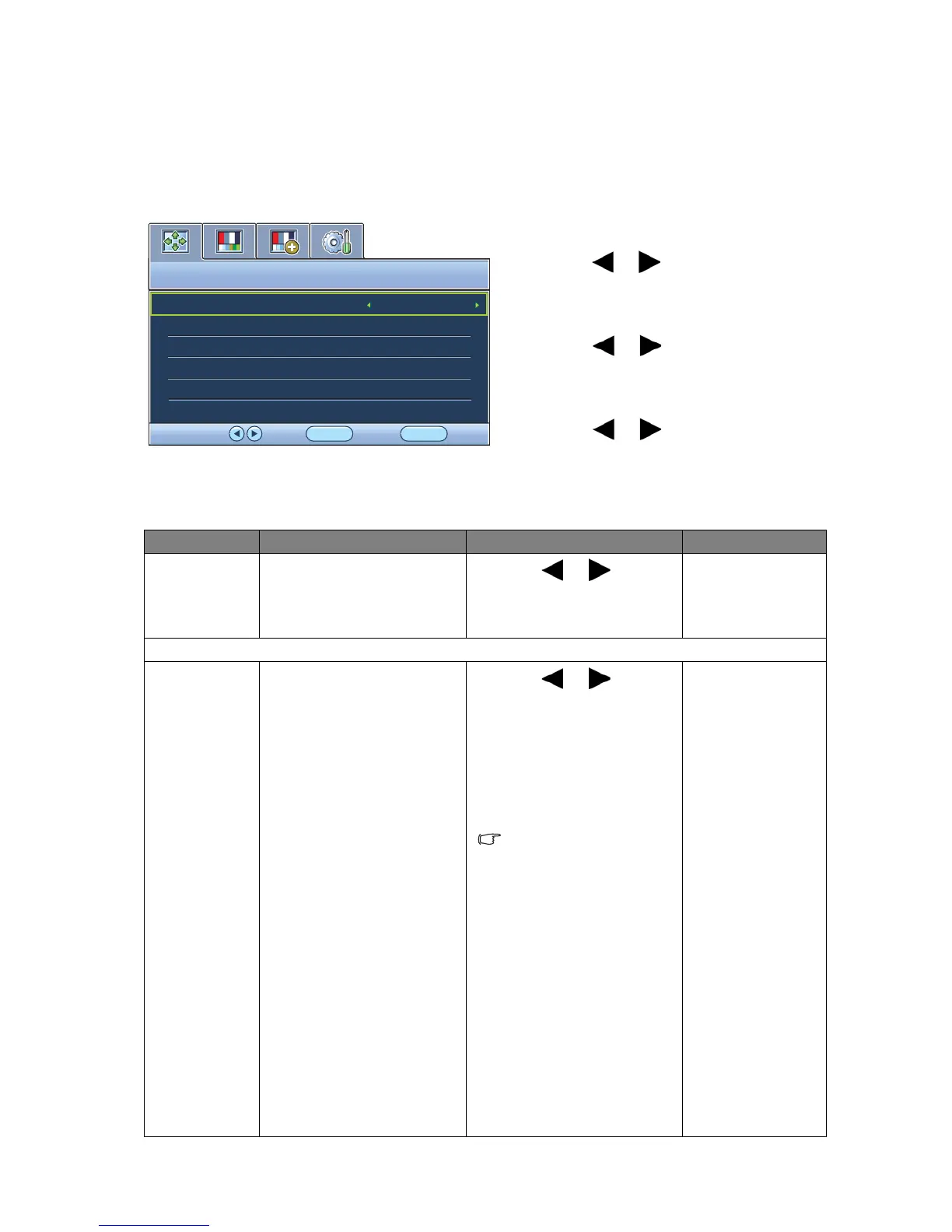
System menu
Available menu options may vary depending on the input sources, functions and settings. Menu
options that are not available will become grayed out.
1. Press the MENU key to display the main
menu.
2. Press the or keys to select SYSTEM
and then press the ENTER key to enter the
menu.
3. Press the or keys to move the
highlight to a menu item and then press
the ENTER key to select that item.
4. Press the or keys to make
adjustments or selections.
5. To return to the previous menu, press the
MENU button.
Item Function Operation Range
Input Use this to change the
input to that appropriate
to your video cable
connection type.
Press the or keys to
change the settings.
• DVI
• D-sub
OSD Settings - Press ENTER to enter the OSD Settings menu.
Language Sets the OSD menu
language.
Press the or keys to
change the settings.
The language options
displayed on your OSD
may differ from those
shown on the right,
depending on the product
supplied in your region.
• English
• Français
• Deutsch
• Italiano
• Español
• Polski
• 日本語
• Česky
• 繁體中文
• Magyar
• 简体中文
• SICG/BiH/CRO
• Română
• Nederlands
• Русский
• Svenska
• Português



 To Next Page