Bluetooth pairing
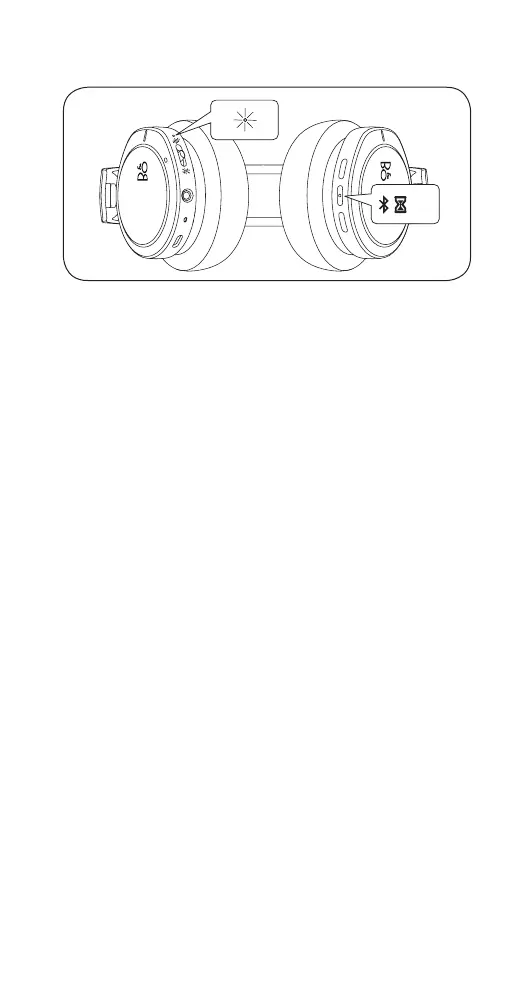
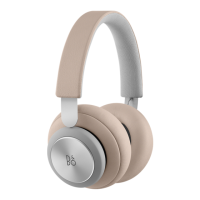
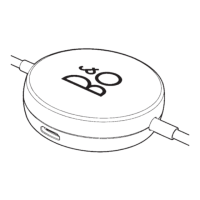
EN Press and hold the middle button on the right headphone for
5 seconds to initiate Bluetooth pairing. Release the button
when a sound is heard and the indicator light flashes blue.
Select Beoplay H8i in the Bluetooth settings on your device.
DA Tryk på den midterste knap på den højre hovedtelefon, og
hold den nede i 5 sekunder for at påbegynde Bluetooth-
parring. Slip knappen, når der høres en lys, og
indikatorlampen blinke blåt. Vælg Beoplay H8i under
Bluetooth-indstillinger på din enhed.
DE Halten Sie die mittlere Taste am rechten Kopfhörer 5
Sekunden lang gedrückt, um die Bluetooth-Kopplung zu
initiieren. Lassen Sie die Taste los, wenn ein akustisches
Signal ertönt und die Anzeigeleuchte blau blinkt. Wählen
Sie den Beoplay H8i-Kopfhörer in den Bluetooth-
Einstellungen auf Ihrem Gerät aus.
ES Mantenga pulsado el botón medio situado en el auricular
derecho durante 5 segundos para iniciar el emparejamiento
Bluetooth. Suelte el botón cuando escuche un ruido y la luz
del indicador parpadee de color azul. Seleccione Beoplay
H8i y la configuración del Bluetooth de su dispositivo.
FR Appuyez et maintenez enfoncé le bouton du milieu sur le
casque droit pendant 5 secondes pour lancer le jumelage
Bluetooth. Relâchez le bouton lorsqu’un son est émis et le
voyant clignote en bleu. Sélectionnez Beoplay H8i dans les
paramètres Bluetooth de votre appareil.
IT Tenere premuto il pulsante centrale sulla cua destra per 5
secondi per avviare l’accoppiamento Bluetooth. Rilasciare il
pulsante quando si sente un suono e la luce dell’indicatore
lampeggia in blu. Selezionare Beoplay H8i nelle impostazioni
Bluetooth del dispositivo.
9


 To Next Page