39
With the tt and ss buttons and the
four coloured buttons, you can wind
and rewind the tape, cue forwards or
backwards through the tape or play
the tape in slow motion.
Unless otherwise instructed, the video
tape recorder plays the tape through
to the end, rewinds the tape back to
the beginning, and stops automatically.
Press the standby button • to switch off
the BeoVision Avant video tape
recorder. If the video tape recorder is
left unused for more than 8 minutes, it
switches off automatically.
Counter positions on the tape …
To find an exact counter position on the tape you
are playing, press LIST to find COUNTER in the
Beo4 display, then key in the counter position you
want to find. The counter position will be read
out as Time left or Time used.
Please refer to pages 52-54, Preferences for the
video tape recorder, to find more information
about the Time left, and Time used counter
position indications.
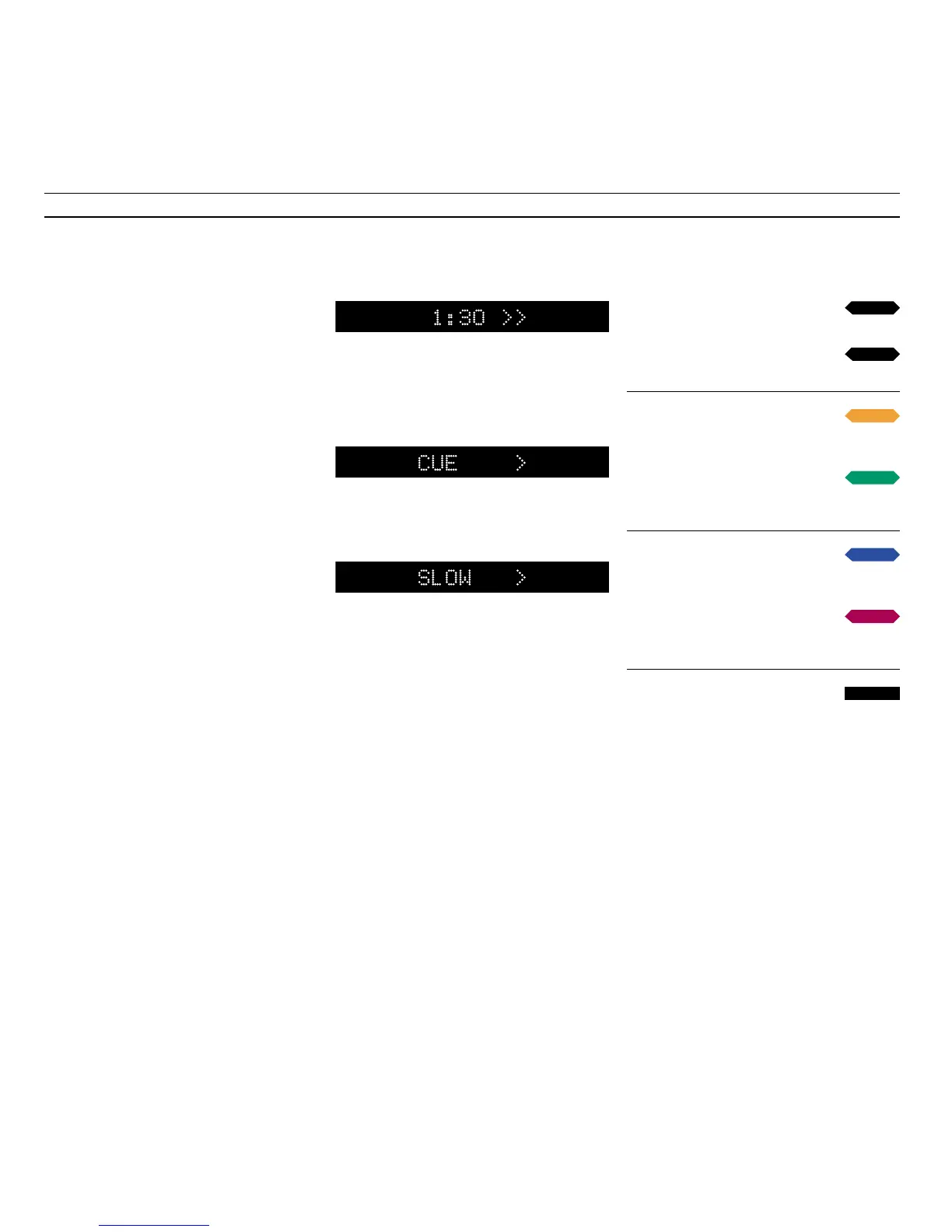
The display indicates that a tape is being fast
forwarded with the counter position shown. The
displayed counter indication can be read out as
Time left, how much playing time is left on the
tape, or Time used, how long the tape has been
playing.
The display indicates that the video tape recorder
is cueing, winding forwards through the tape
with a picture on the screen, double arrows >> or
<< indicate the fast cue function.
The display indicates that the video tape recorder
is playing in slow motion – forwards, double
arrows >> or << indicate accelerated slow motion.
Press to wind forward
Press again to accelerate the speed
Press to rewind the tape
Press again to accelerate the speed
Press to cue forward through the
tape
Press again to accelerate the speed
Press to cue backwards through the
tape
Press again to accelerate the speed
Press to play the tape in slow
motion
Press again to accelerate the speed
Press to play the tape backwards in
slow motion
Press again to accelerate the speed
Press to switch to standby
tt
ss
•



 To Next Page