Video playback
Please note…
We recommend that you read the section,
‘Preferences for the video tape recorder’ on pages
52-54, as it gives relevant information about the
functions performed by the video tape recorder.
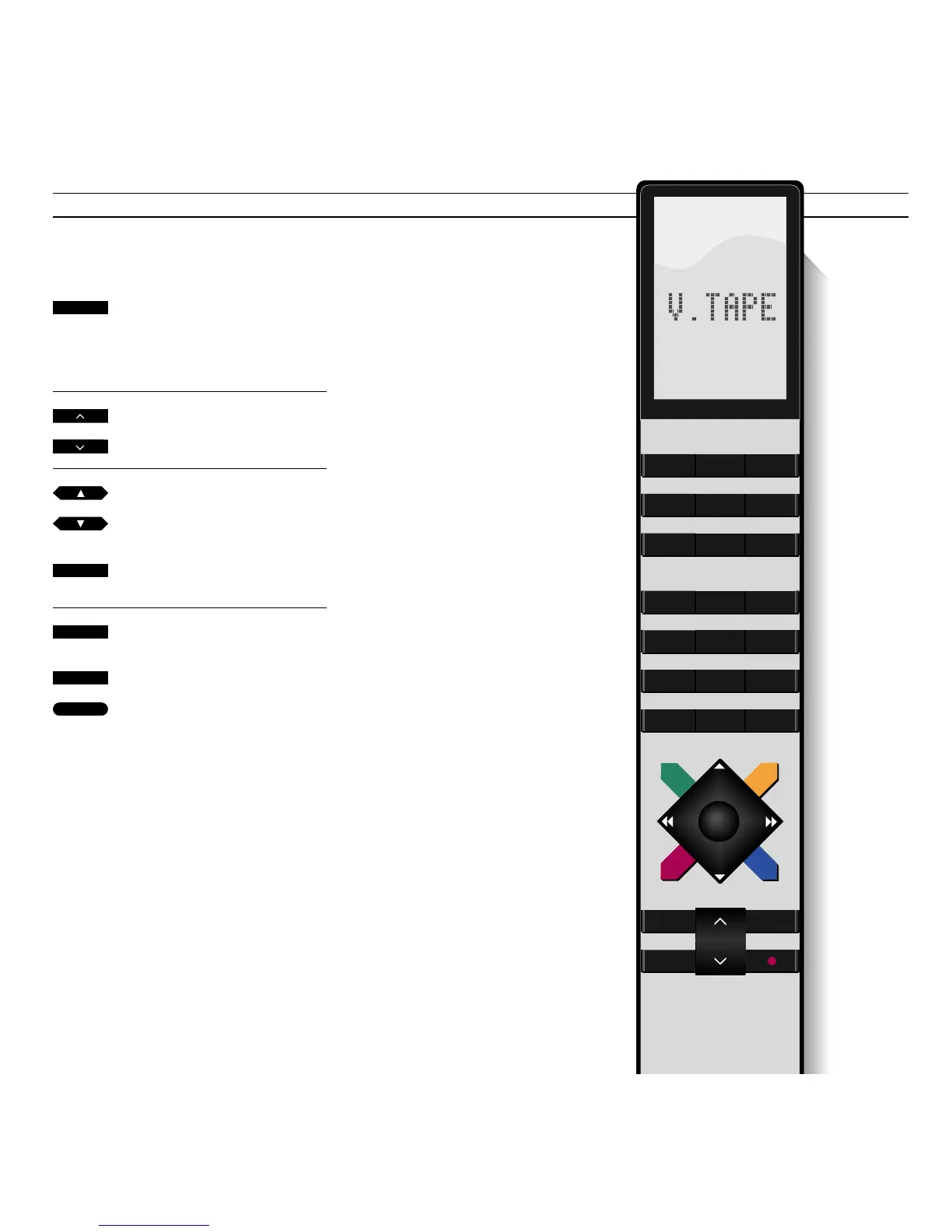
Use the Beo4 remote control to
operate your BeoVision Avant video
tape recorder.
While you are playing a tape, you can
turn the volume up or down as you
like; or mute the speakers.
You can select which tracks to play on
the video tape by keying in the
number directly or stepping from track
to track*.
Whatever operation you are perform-
ing, pressing the STOP button twice
always stops the video tape recorder,
pressing the GO button starts or
resumes playback.
*Note: The track search functions require that the
recording was carried out with the track marker
function cut in. To cut in this function, find the
item Marker in the video tape recorder’s Basic
Setup menu, described on pages 52-54,
Preferences for the video tape recorder, and set it
to On.
Press to start playing the tape you
have loaded
The picture appears on the screen
within a few seconds
Press to raise the volume
Press to lower the volume
Plays the next track on the tape
Plays the current track again – press
twice to play the previous track
Press to find and play a specific
track number on the tape, e.g. 3*
Pauses the tape with a still picture
on the screen
Press again to stop playback
Press any time to start/resume
playing the tape
V TAPE
3
STOP
STOP
or
or
then
GO



 To Next Page