Pictorial Overview
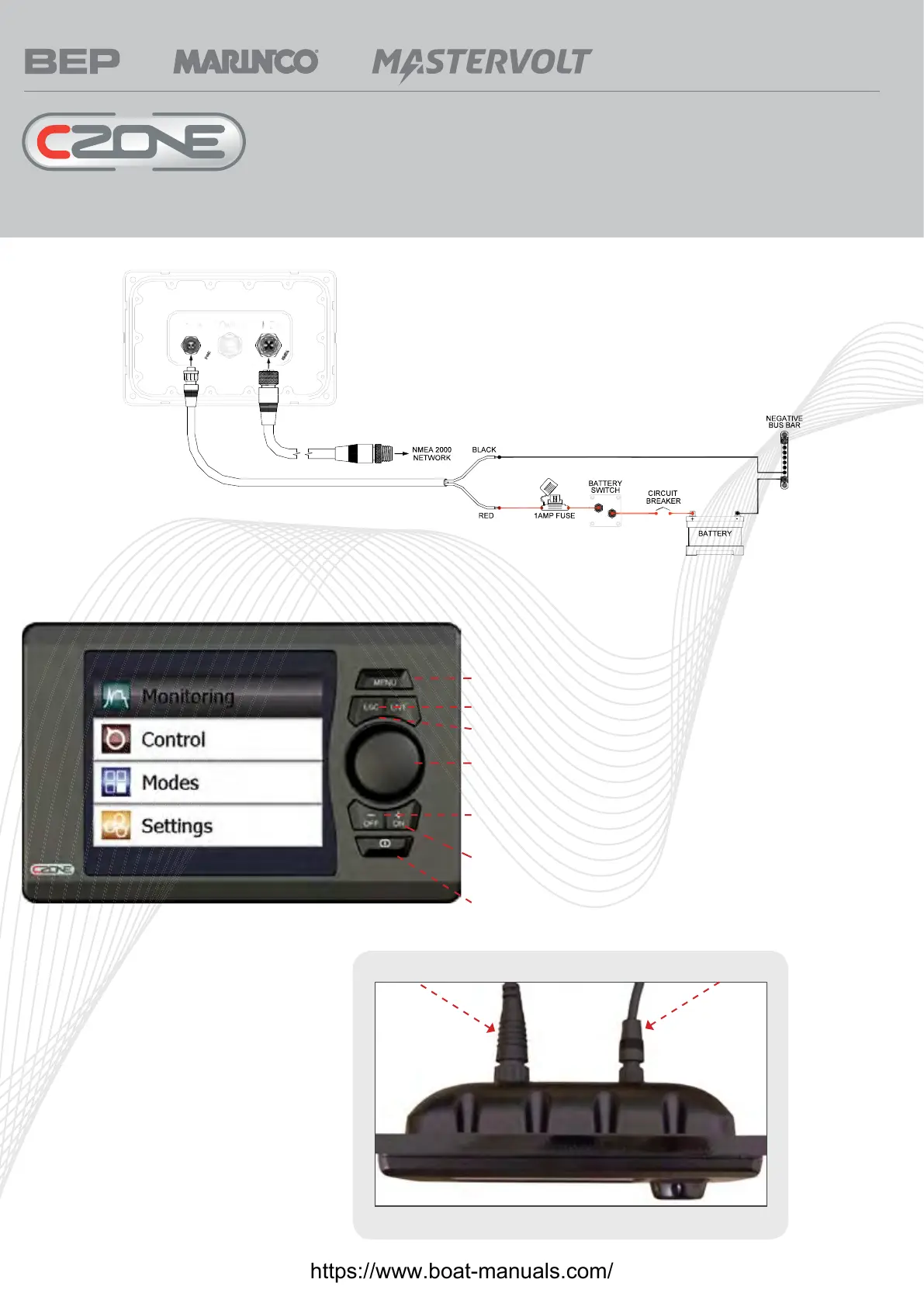
Menu – returns user to main menu page (as shown below)
ESC – Escape key, returns to previous screen
Ent – Enter key, navigates to next screen or confi rms prompt
Rotary Knob – Scrolls cursor bar up and down through menu lists,
used to navigate alpha numeric lists in confi guration pages
Off (-) – Turns circuit off, decreases values in set up screens such as
backlighting level
ON (+) – Turns circuits on, Increases values in set up screens such as
backlighting level
Power Key – Turns display off and on
Main Menu page
NMEA 2000 connector Power connector
Top View (mounted in panel)
Connections
For more information contact BEP | ph: +64 9 415 7261 | email: enquiries@bepmarine.com | www.bepmarine.com
https://www.boat-manuals.com/



 To Next Page