GB
NOTE!
Disconnect the cooling unit from the battery when the engine is not running to prevent it from
discharging�
Connect the cooling unit to 230 V
Connect the 100 - 240 V AC connection cable to the 230 V AC mains�
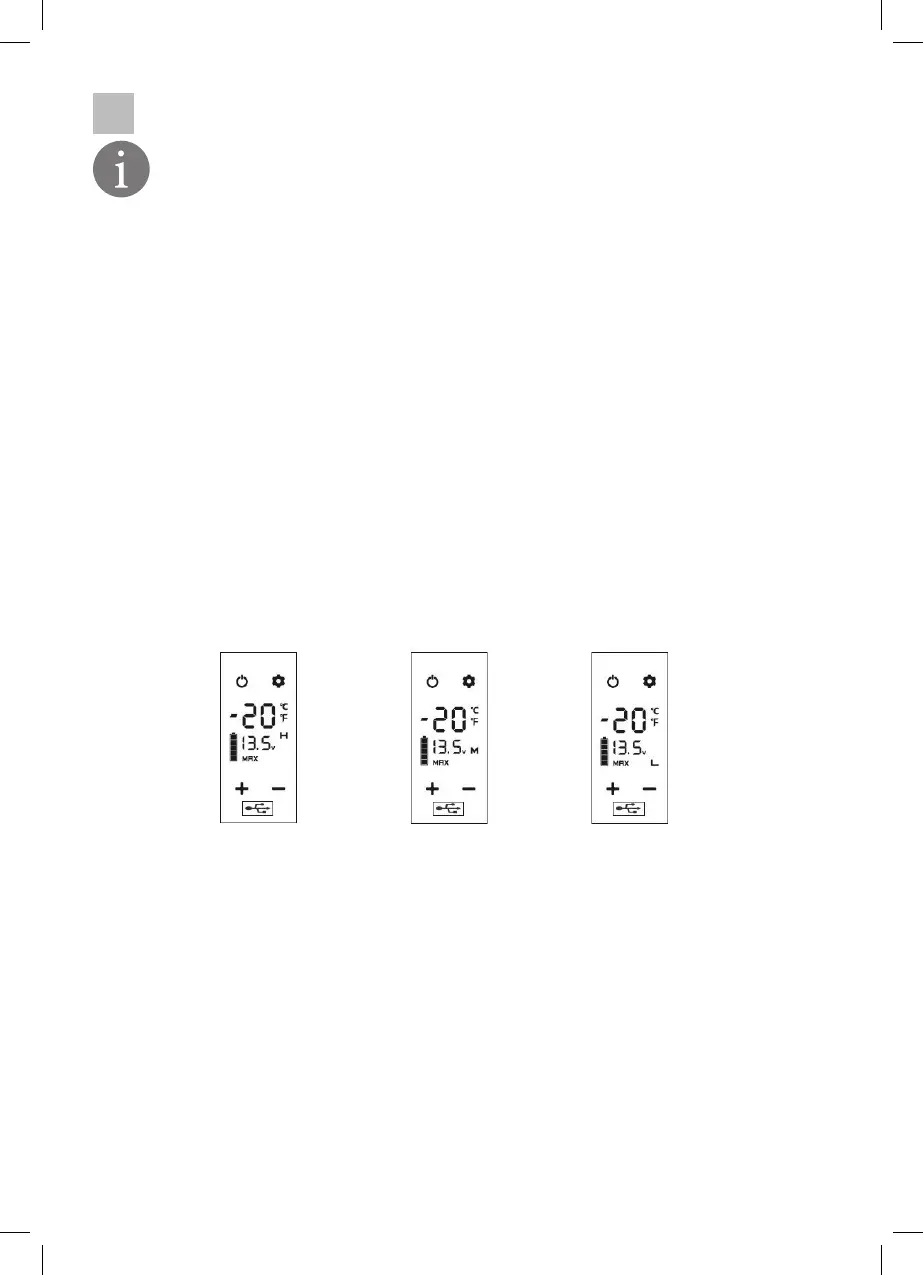
EXPLANATION OF THE OPERATING DISPLAY:
• ON/OFF: Press the ON-OFF key () to start the machine� Press the ON-OFF key again to switch
off the machine
• Press the „+“(Up) key or the „-“(Down) key to adjust the target temperature� Press the „+“ key
to increase the temperature or the „-“ key to decrease it�
• USB output () for charging an electrical appliance�
• Press the „Settings“ key (insert icon) to select the cooling mode of the machine�
1� ECO (Energy Saving Mode)
2� MAX (maximum cooling mode)
The „MAX“ mode is the default setting�
• Press and hold the „Settings“ key to adjust the level of battery protection� As soon as the cur-
rently set level (default M) flashes, you can change the level by briefly pressing the „Settings
key“�
When the unit is connected to the car, we recommend setting the battery protection to „H“�
The „M“ and „L“ levels are recommended when the unit is connected to the spare battery�
Cars have different output voltages� Most cars cut off the power supply as soon as the engine
is switched off� If your cooler is still running when the engine is switched off, it is recommen-
ded to set the battery protection to level (H)� Otherwise the battery of your car may run down
and the power may not be sufficient to start the car�
If you take the cooling unit out of service:
- Press the Off key until the display goes off�
- Pull out the connector plug�
1� H (High) 2� M (Medium) 3� L (Low)
20


 To Next Page