
 Need help?
Do you have a question about the Bergstrom NITE Kenworth T680 and is the answer not in the manual?
Outlines steps before starting installation, like checking parts and tools.
Discusses health, safety, environmental concerns, and liability disclaimer.
Explains warning, caution, and note symbols used in the manual.
Details warnings and precautions for handling refrigerants and oils.
Lists critical safety precautions for installation and operation.
Explains EPA technician training and certification requirements for servicing AC systems.
Steps to prepare the workspace, including battery disconnection and clearing items.
Instructions for locating and removing floor insulation for unit placement.
Guidance on using a template to mark the truck floor for cutting openings.
Instructions for drilling starter holes and cutting the truck floor.
How to position the template and mark mounting holes for stability.
Steps to modify the condenser air inlet component for installation.
Measuring and notching the deflector for flat mounting on the truck floor.
Securing the modified deflector into the condenser opening.
Drilling a hole for the wiring grommet to route cables.
Fastening the wiring grommet and sealing voids with sealant.
Cutting an opening for the recirculation grill and optional heater duct.
Attaching the recirculation air grill using screws.
Connecting the new duct adapter to the original equipment (OE) duct.
Removing original equipment duct sections as shown in the diagram.
Cutting the new duct adapter using a hole saw.
Positioning the adapter onto the original equipment duct.
Removing a specific section from the original equipment duct.
Securing the adapter onto the original equipment duct with screws and silicone.
Reinstalling the duct assembly after specific steps, including gravity door install.
Installing foam seal around the flange bracket and elbow.
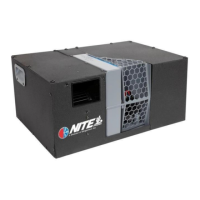
Mounting the duct elbow bracket to the Phoenix unit.
Installing one half of the elbow support ring, not fully tightening screws.
Inserting the elbow into the support ring and installing the second half.
Tightening all screws after the elbow assembly is installed.
Attaching the mounting feet to the Phoenix unit at pre-dimpled locations.
Securing the Phoenix unit using self-drilling screws.
Steps to prepare for installing the Phoenix controller.
Removing the original equipment control panel.
Determining the controller mounting location on the OE panel.
Drilling starter holes for cutting out the controller area.
Attaching the control panel to the sleeper after removing the cover.
Securing the controller to the control center using a torque head screw.
Routing and connecting the controller harness to the control center.
Explains the purpose of the gravity door in preventing cool air backflow.
Instructions for installing the provided gravity door, modifying OE duct.
Marking holes on the OE duct using specific dimensions from a drawing.
Installing a door stop by drilling a hole and inserting a button.
Sliding the preassembled door into the OE duct and ensuring free swing.
Reinstalling OE ducts and connecting the adapter/elbow to flexible duct.
Installing the drip tube underneath the truck.
Discusses options for battery boxes (steel, clamp-on) and their installation.
Important note about disconnecting truck batteries before wiring.
Detailed steps for installing steel battery boxes onto the truck frame.
Securing batteries within the box using hold-down brackets and bolts.
Explains how batteries are wired (series/parallel) for 6V or 12V systems.
Instructions for creating and installing all necessary electrical cables.
Detailed steps and diagram for wiring a 6-volt, 4-battery system.
Detailed steps and diagram for wiring a 12-volt, 4-battery system.
Routing and securing the power harness from the unit to the batteries.
Information about a new power connector used starting 6/26/2017.
Mounting the Battery Management System (BMS) and connecting grounds.
Connecting power cables from the Phoenix unit to the NITE batteries via fuse holder.
Caution about not connecting the positive truck battery cable yet.
Directs users to follow specific steps based on the type of separator used (Kissling vs. Terra Power).
Instructions for mounting the separator enclosure and routing cables.
Routing battery cables from truck batteries to the separator.
Connecting NITE batteries to the battery separator.
Details the BMS wiring harness connections, splits, and routing.
Instructions for installing a Y connector for specific system builds.
Installing a resistor plug into the Y connector.
Connecting the CAN bus harness from the BMS to the Phoenix unit.
Connecting the BMS to the truck starting batteries via a 2-wire harness.
Connecting the CAN bus cable and digital controller harness to the unit.
Connecting the BMS to the battery separator solenoid using a 3-wire harness.
Installing the separator enclosure cover and mounting bracket.
Securing the separator to the bracket using screws and lock washers.
Assembling and attaching the separator unit to the enclosure cover.
Drilling a 2-inch hole in the bottom of the separator enclosure.
Mounting the completed separator enclosure onto the truck.
Connecting truck battery cables to the separator and BMS.
Connecting NITE batteries to the auxiliary terminal of the battery separator.
Installing the complete separator assembly.
Ensuring all battery cable connections are properly torqued.
Details the BMS wiring harness connections, splits, and routing.
Instructions for installing a Y connector for specific system builds.
Installing a resistor plug into the Y connector.
Connecting the CAN bus harness from the BMS to the Phoenix unit.
Connecting the CAN bus cable and digital controller harness to the unit.
Connecting the BMS to the truck starting batteries via a 2-wire harness.
Connecting the BMS to the battery separator solenoid using a 2-wire harness.
Details the Deutsch connector kit for Terra Power switch wiring.
Instruction guide for DEUTSCH HDT-48-00 crimping tool.
Details wire preparation, stripping dimensions, and contact crimping procedures.
Guidelines for maintaining the DEUTSCH crimping tool.
Instructions for cutting wires and crimping terminals for Deutsch connectors.
Installing sealing plugs into unused terminal locations on the connector.
Connecting separator control wires to the Deutsch connector.
Sliding the terminal lock into place on the Deutsch connector.
Connecting the assembled connector to the Terra Power switch.
Information on disabling the Phoenix system using a 12-volt input.
Final checks, tightening connections, and zip-tying cables.
Instructs to proceed to Section 3 if installing Espar heater.
Warns about voiding factory warranty if wiring existing heater to SSI controller.
Taking out the parts for the heating unit.
Choosing and preparing the mounting location for the heater unit.
Drilling the outlet hole for the heater, intake, exhaust, and pickup tube.
Installing the heat vent in the sleeper for heat distribution.
Attaching the mounting plate to the heater unit.
Attaching the gasket and connecting the fuel line to the heater.
Connecting the clear pickup tube to the fuel intake tube.
Identifying the intake and exhaust ports on the heater unit.
Attaching the exhaust hose to the exhaust tube.
Attaching the intake hose to the intake tube.
Preparing to mount the heater unit over the drilled hole in the cab floor.
Feeding exhaust, intake, and fuel lines through the cab floor hole.
Mounting the heater unit to the cab floor using self-tapping screws.
Connecting the heat line to the sleeper vent using clamps.
Connecting the wiring harness plug to the bottom of the heating unit.
Running power and fuel pump wires through the floor grommet.
Explains how the Espar heater can be controlled by the SSI controller.
Connecting the Espar heater control harness to the SSI unit.
Attaching the intake air tube and exhaust hose to the truck structure.
Assembling the fuel pump mount and connecting fuel hoses.
Drilling the fuel tank, inserting the pickup tube, and mounting the fuel assembly.
Preparing and attaching the fuel pump harness wires to the plug.
Instructions for powering the heater from the Phoenix unit.
Instructions for powering the heater from auxiliary batteries directly.
Running the heater unit power cable to the NITE batteries.
Attaching connectors to the heater power cable wires.
Connecting heater wires to the NITE batteries and fuse holder.
Wiring diagram for units manufactured after June 26, 2017.
Schematic for Phoenix Western Star harness.
Wiring diagram for units manufactured between Feb 8, 2012, and June 26, 2017.
Detailed wiring schematic for units manufactured in the specified period.
Wiring diagram for units manufactured before Feb 8, 2012.
Detailed wiring schematic for older units.
Basic operation of the controller, including starting, modes, and blower speed.
Adjusting the temperature set point and temperature range.
How to view and reset system runtime hours.
Instructions for changing the temperature unit display from Fahrenheit to Celsius.
Steps to enter the service mode for diagnostics and fault code viewing.
Accessing and scrolling through service screens like voltage and amperage.
Understanding the 'Check Filter' light and how to reset it.
Explains how the BMS-100 monitors battery state, charge, and health.
Lists the components included in the BMS-100 kit.
Dangers of hazardous voltage and precautions for BMS installation.
Instructions for connecting the BMS to the negative post of auxiliary batteries.
Connecting auxiliary loads and starting battery ground to the threaded post.
Connecting the BMS wiring harness to the mating connector.
Common troubleshooting steps for BMS connectivity and reporting issues.
 General
| Brand | Bergstrom |
|---|---|
| Model | NITE Kenworth T680 |
| Category | Temperature Controller |
| Language | English |

 To Next Page