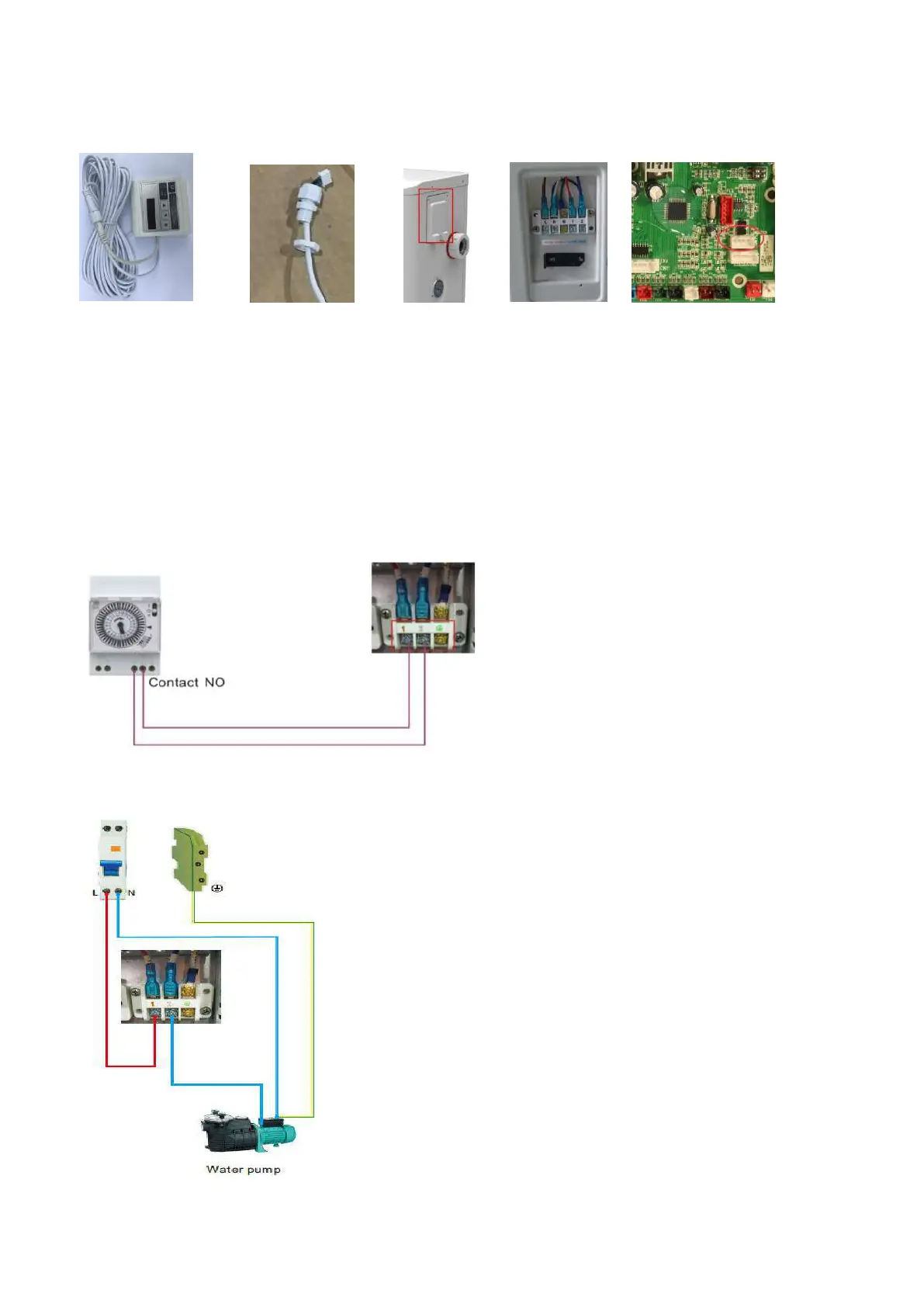
6.3 Installation of the display deportee
Photo(1) Photo(2) Photo(3) Photo(4) Photo(5)
- The end with plug connects with the control panel (photo1)
- The other end of the signal wire. (photo2)
- Open the cover of the terminal boxl and pass through it the cable of the remote screen. (photo3,4)
- Insert the wiring into the designated position (code:COM 1 or COM-L) on the PC board. (photo5)
6.4 Connection to pilot the water pump
Dry contact timer connection
Dry contact pump connection



 To Next Page