18
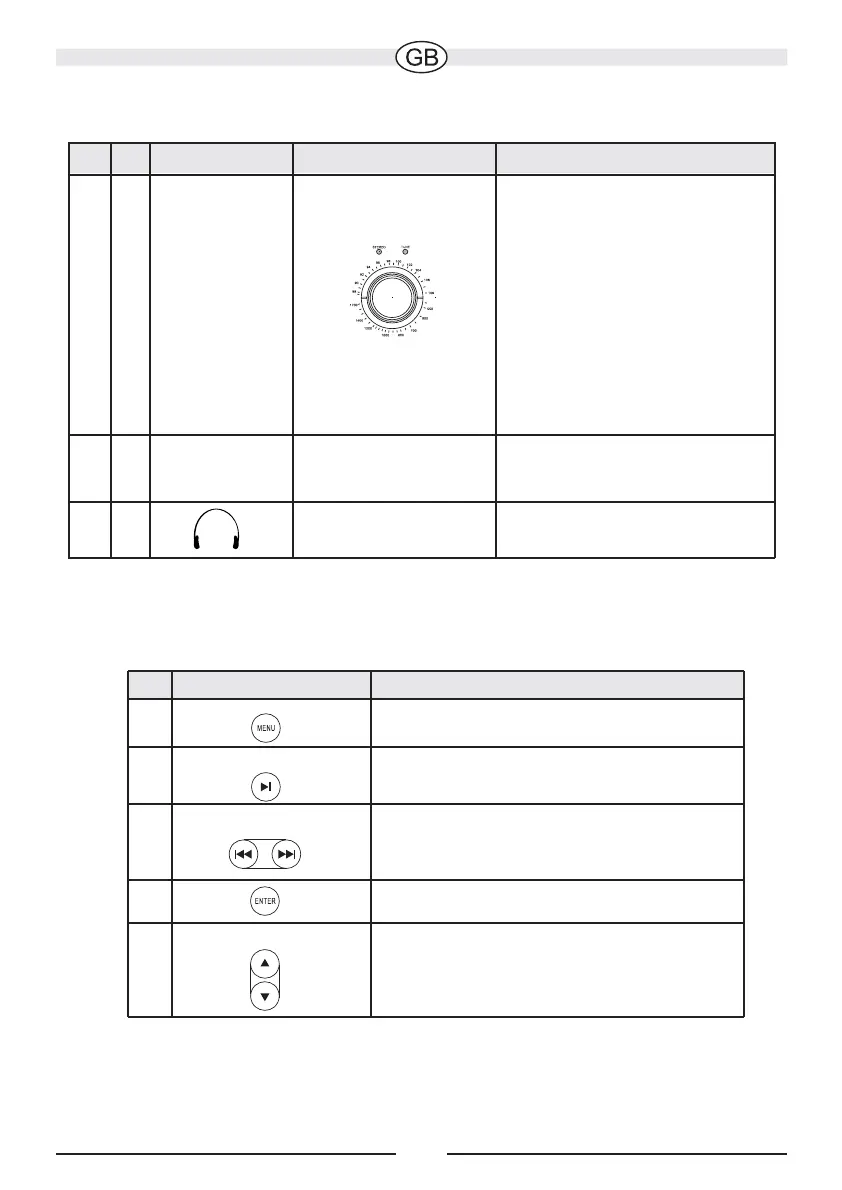
Front panel of the ITR 10 (fig. 3)
Fig. No. Description Function Notes
3
1
LINE 1
34
35
TUNING
The radio setting is controlled
with the illuminated display
“TUNE” (fig. 3, pos. 2.
It shines the brightest to
indicate optimum reception.
If the radio station is being
broadcast in stereo “STEREO”
appears in the display
(fig. 3, pos. 3).
Connection of an MP3 player
or similar device via a cable
with 3.5 mm stereo jack
iPod-functions on the remote control (fig. 4)
No.
Description
Function
5
Menu
Play / Pause
6
Skip prev. / Skip next
7
Enter
8
Up / Down
9
Set the radio stations
with the adjusting
knob.
The upper scale
displays the frequency
for FM and the lower
scale for MW.
Connection of another
audio source
Connection of
headphones
Jump to the higher level selection menu
Playback / pause
Skip to the previous / next track
Selection of the current menu point
Vertical navigation through the
current iPod menu



 To Next Page