Remove the power source from the system that controls the combined LADDER/GANGWAY.
Install the receiver/adaptor far away from heat sources and electromagnetic disturbances.
Connect the connector cable of the Besenzoni Unit Control to the electronic
control unit of the combined ladder/gangway:
Option 1: In the case in which the electronic control unit is already equipped with double input
(from 2018 onwards) leave the electronic board connected
fi g.
C
on the control panel
of the combined ladder/gangway
fi g.
D
.
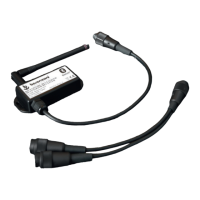
Connect the receiver / adapter fi g.
A
directly to the combined ladder/gangway
electronic board shown in
fi g.
C
in the free socket on the electronic board.
Option 2: In the event that the electronic control unit does not have a double input,
use the cable
fi g.
B
to connect both the and the control panel fi g.
D
.
Take note of the password on the label attached to the front of the .
Restore power to the system.
ADD ONE MORE : If you want to add the management of a second device
(eg to move both the Besenzoni combined ladder/gangway and passerelle) you can do this simply
by entering the drop-down menu in the settings section and clicking on “add new device”;
select the device corresponding to the name indicated on the label of the 2nd
.
Activate the device’s Bluetooth.
Activate localization in case of problems in the research
of the
.
Open the App on your device.
Click Settings from the dropdown menu in the top left-hand corner.
Choose and set an unlock code which you will also use in the future.
Deactivate the Demo mode and tick “Start in Command View”.
Click “Set Device Code” and insert the 5 digit security code shown
on the
label.
Click “Select device” and select the device that corresponds to the name
shown on the
label: e.g. Name: Besenzoni1010.
Click the Dropdown menu button.
Click Command and then the screen to start the App.
The commands to control the combined LADDER/GANGWAY will appear in the next screen.
In order to correctly control the combined LADDER/GANGWAY, you must press
and hold the selected command, otherwise an Error message
will show up on the device’s screen.
To restart the controlling operation, press and hold the command again.
INSTALLATION PROCEDURE AND ACTIVATION PROCEDURE
NOTE
Settings: by selecting Launch Commands when you next open the App, once you have inserted
your unlock code, you will have immediate access to the commands section.
Controlling the ladder/gangway via the App still allows you to use the remote control
that you have been supplied with.
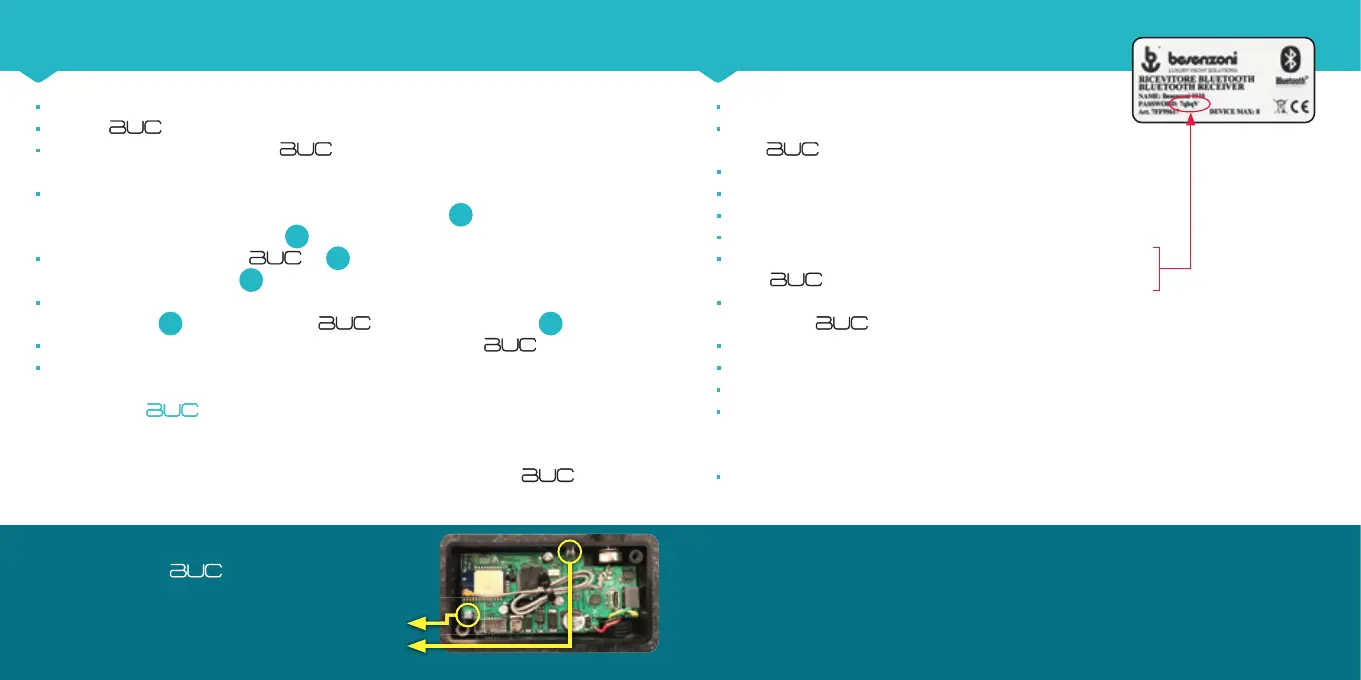
PROCEDURE FOR RESETTING MEMORIZED DEVICES:
1) Open the lid of the
by removing the 4 screws
2) Press the S1 button indicated in the image for 2 seconds
until the blue LED goes out
3) Close the receiver cover.
S1
Led blu


 To Next Page
 Loading...