Need help?
Do you have a question about the Best Buy BE-MLFM and is the answer not in the manual?
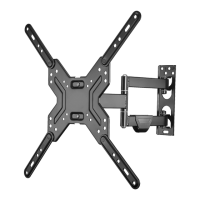
Details the product's capabilities, including TV size, weight support, and adjustability.
Lists compatible VESA mounting hole patterns for TVs to ensure compatibility.
Provides the physical measurements of the TV wall mount.
Lists all necessary tools for assembling and installing the TV wall mount.
Identifies the physical components included in the package for verification.
Details the screws, washers, and other hardware provided in the TV hardware bag.
Guides users to identify if their TV has a flat, obstructed, or irregularly shaped back.
Instructs on choosing the correct screws, washers, and spacers based on TV back type.
Details how to attach mounting hardware to TVs, covering flat and irregular back types.
Guides users on measuring and marking the correct wall location for the mount.
Provides instructions for mounting the wall plate to wood studs or concrete walls.
Explains how to safely attach the TV brackets to the mounted wall plate.
Details how to organize and secure cables along the mounting arm.
Guides users on adjusting arm tension, rotation, and tilt angles for optimal viewing.
Defines key terms used throughout the warranty statement.
Outlines what the warranty covers, its duration, and specific items not covered.
Provides instructions on how to contact Best Buy for warranty claims and service.
 General
| Brand | Best Buy |
|---|---|
| Model | BE-MLFM |
| Category | TV Mount |
| Mount Type | Full Motion |
| Material | Steel |
| Color | Black |
| Weight Capacity | 88 lbs |
| Tilt Range | +5° to -15° |

 To Next Page