Need help?
Do you have a question about the Best Buy essentials BE-MSTILT and is the answer not in the manual?
Important safety precautions and technical details for the TV mount.
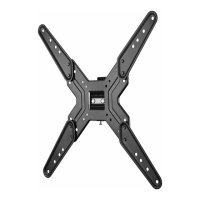
Highlights the key capabilities and design aspects of the TV mount.
Details the compatible VESA mounting hole patterns for TVs.
Provides the physical measurements of the TV wall mount.
Lists the tools required for assembling and installing the TV mount.
Shows all the parts and hardware included in the package.
Lists and illustrates the individual physical components of the TV mount.
Details the labels, hardware types, and quantities included in the TV hardware bag.
Guides users to identify the TV's back panel type to select correct hardware.
Instructs on choosing the correct screws, washers, and spacers based on TV back type.
Explains how to attach the TV plate to the back of the TV using appropriate hardware.
Step-by-step guide for attaching the TV plate to TVs with a flat rear panel.
Guide for attaching the TV plate to TVs with non-flat or obstructed backs using spacers.
Provides instructions and calculations for finding the optimal wall mounting position.
Detailed steps for securely mounting the wall plate onto a wood stud wall.
Instructions for mounting the wall plate onto concrete or concrete block walls.
Guides on how to safely hang the TV onto the mounted wall plate.
Instructions for tilting and rotating the TV to the desired viewing angle.
Clarifies terms used within the warranty statement for clarity.
Specifies the duration of the limited warranty period.
Outlines the conditions and terms under which the warranty provides coverage.
Provides instructions on how to contact customer support for warranty claims.
States the geographical regions where the warranty is applicable.
Lists exclusions and conditions not covered by the product warranty.
 General
| Brand | Best Buy |
|---|---|
| Model | essentials BE-MSTILT |
| Category | Racks & Stands |
| Language | English |

 To Next Page