
 Need help?
Do you have a question about the BESTEASY BE-G42S and is the answer not in the manual?
Covers risks associated with hot print heads and static electricity.
Details on safe power, adapter, and cable usage to prevent injury.
Guidance on proper disposal and recycling of electronic equipment.
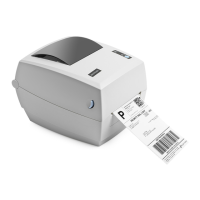
Lists all items included in the printer package.
Instructions for loading paper rolls into the printer.
Guidance for loading larger paper rolls externally.
Instructions for connecting interface cables, specifically USB.
Explains the function of Power On/Off and FEED buttons.
Details the meaning of indicator light colors and actions (ready, pause, error).
How to turn the printer on and off using the power switch.
How to use the FEED button for paper feeding and calibration.
Steps and conditions for performing printer calibration.
Details the pinout and signal names for the USB interface.
How to clean the media sensor to ensure proper label detection.
Steps for cleaning the thermal print head to maintain print quality.
Instructions for cleaning the printer's rollers and paper path.
Steps to prepare for installing the label printer utility software.
Overview of how to use the label printer utility software.
Overview of supported operating systems for the Windows driver.
Instructions on downloading the Windows driver application.
How to access and configure printing preferences in Windows.
Introduction to Mac driver installation manual.
Information on preparing the macOS driver installation file.
Introduction to Linux driver installation manual.
Lists supported Linux operating systems for the driver.
 General
| Connectivity Technology | Bluetooth |
|---|---|
| Printing Technology | Thermal Transfer |
| Special Feature | Portable |
| Print Method | Thermal |
| Print Resolution | 203 dpi |
| Print Speed | 20 mm/s |
| Hardware Interface | USB |
| Memory | Unknown |
| Connectivity | Bluetooth |
| Display | No |
| Power Source | Battery Powered |

 To Next Page
