2
3
WARNING!
Read BEFORE Testing
Installation
2
cont.
Installation
2
cont.
Testing Your New Thermostat
3
• Do not short (or jumper) across terminals on the gas valve or at the heating or
cooling system control board to test the thermostat installation. This could
damage the thermostat and void the warranty.
• Do not select COOL mode if the outside temperature is below 50˚ F (10˚ C).
This could damage the controlled cooling system and cause personal injury.
• This thermostat includes an automatic compressor protection feature to
avoid potential damage to the cooling system from short cycling. This
thermostat automatically provides a 5-minute delay after turning off the
cooling or heating system output to protect the compressor.
NOTE: Test your thermostat prior to programming any user settings. Pressing
the RESET button will erase any user entries previously programmed and return
them to their default values.
1. Place the system switch in the HEAT position.
2. Press the button on the keypad until the set point temperature setting is a
minimum of 3 degrees higher than the current room temperature. The heating
system should start within several seconds. The fan may not turn on
immediately due to the heating system built-in fan delay.
3. Place the system switch in the OFF position. The heating system should stop
within several seconds with conventional heating or cooling systems. On heat
pump systems you must wait 5 minutes for the automatic compressor short
cycle protection period to expire, or press the RESET button to bypass this
feature for initial testing purposes. Pressing the RESET button will erase any
user program settings.
4. Place the system switch in the COOL position.
5. Press the button on the keypad until the set point temperature is a minimum
of 3 degrees lower than the current room temperature.
6. The cooling system should start within several seconds. Place the system
switch in the OFF position. The cooling system should stop within a few seconds.
7. Place the fan switch in the ON position. The system blower should start.
8. Place the fan switch in the AUTO position. The system blower should stop.
NOTE: If the thermostat was powered (batteries installed) prior to accomplishing
steps 14 through 16, you will need to reset the thermostat to register thermostat
switch configurations prior to programming any user settings. Gently press
the RESET button on the front of the thermostat using a paperclip or a small
pencil tip.
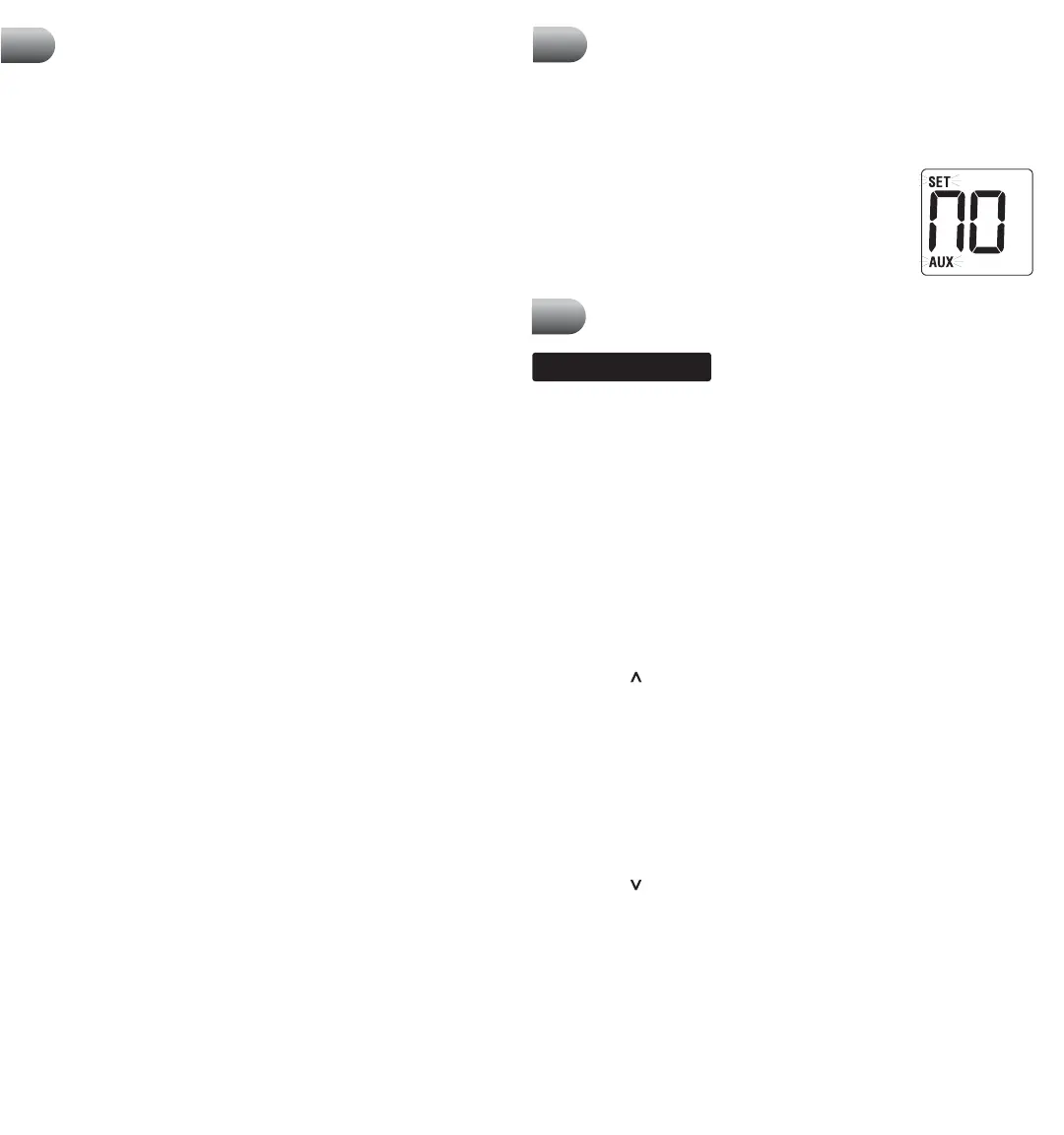
NOTE – MODEL BT21NP: If the thermostat is
configured for a conventional system and the system
switch is in the EMER position, the unit will still
function in a conventional 2 stage HEAT mode, but
the display will flash NO AUX SET.
Installing New Thermostat
NOTE: If installing this thermostat in a new installation, locate the thermostat
4 to 5 feet above the floor in accordance with applicable building codes. Install the
thermostat in a location that provides good airflow characteristics and avoid areas
behind doors, near corners, air vents, direct sunlight or heat generating devices.
Installation in these areas could impact thermostat performance. Wiring must
conform to all building codes and ordinances as required by local and national
code authorities having jurisdiction.
1. Always turn off power to the air conditioning or heating system prior to
installing thermostat.
2. Place system switch on front of thermostat to the OFF position.
3. Place fan control switch on front of thermostat to the AUTO position.
4. Remove front of thermostat body from sub-base by pressing release latch on
bottom of thermostat.
5. Place the thermostat sub-base against wall in the desired thermostat location.
6. Guide thermostat wires through hole in sub-base and continue to hold
against wall.
7.
Mark placement of mounting holes as appropriate and drill using a 3/16" drill bit.
8. Gently tap supplied plastic anchors into the holes in the wall.
9. Place the thermostat sub-base against the wall in the desired location, making
sure the mounting holes are aligned and the thermostat wires are inserted
through the opening in sub-base.
10. Fasten sub-base to wall using supplied screws.
11.
Connect wires to quick wiring terminal block using the new terminal designations.
Refer to Wiring Diagram in section 9 of this manual for assistance.
12. Make sure all of the wire connections are secure and are not touching
any other terminal to prevent electrical shorts and potential damage to
the thermostat.
13. Turn the front thermostat body over, exposing the rear view of the circuit board.
14. Locate the internal ˚F / ˚C switch on the circuit board. Using your fingers, flip
the switch toward the preferred temperature ˚F / ˚C scale.
15. Locate the internal fan option switch, HG (Gas) / HE (Elec) on the circuit board.
This switch controls the heating system fan delay. Select gas for gas or oil fired
systems. This will allow the furnace to run for a few seconds before initiating
the fan. Select electric for electric heat systems that require the fan to come on
immediately. Using your fingers, flip the switch toward HG (Gas) or HE (Elec).
NOTE: (BT21NP) For heat pump systems, the fan option switch should be set
according to the second stage heating system type.
16. Locate the internal NORM / HP switch on the circuit board. This switch
configures the thermostat for conventional (NORM) heating and cooling systems
or heat pump (HP) systems. Using your fingers, gently flip the switch toward
NORM or HP.
17. Attach front body of thermostat to sub-base of thermostat, being careful to
align the terminal pins on the front body with the terminal block on the sub-base.
18. Open front thermostat door and open battery compartment door.
19. Install two new "AA" alkaline batteries. Locate the positive (+) ends of the
batteries and match them with the positive (+) terminals located in the battery
compartment. Close battery compartment.
20. Restore system power so you can test installation.


 To Next Page
 Loading...