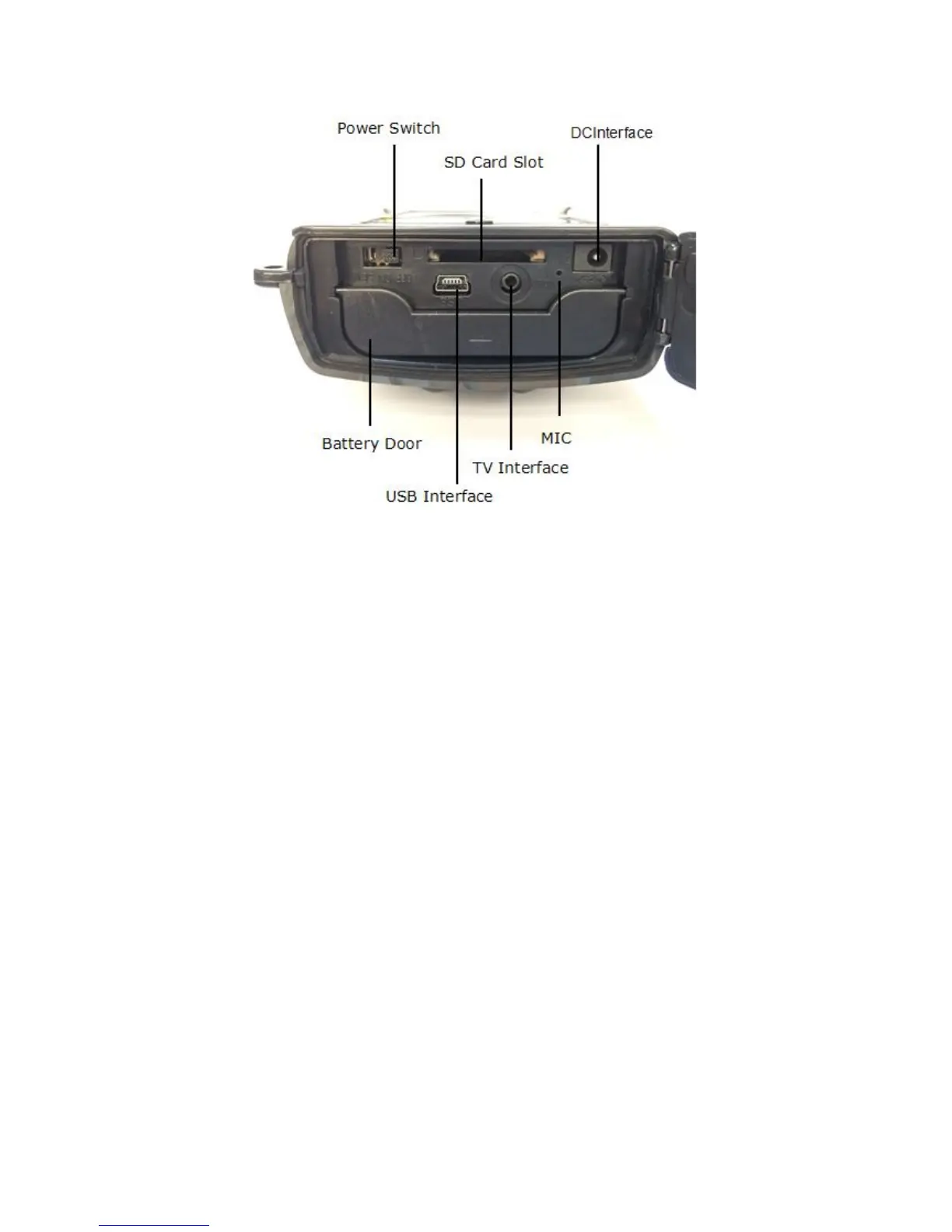
1.3.3-2 Bottom View
Quick Start
If you are not familiar with the operation of this camera, the following
instructions will help you get a quick overview. Before doing any operation,
please make sure you have loaded batteries and plugged the SD card correctly.
Attention: If the SD card is not inserted correctly or its write-protect is
enabled,the device will turn off automatically.
Power supply
♦ To insert batteries in the device, first open the base plate
by pulling down the lock hole.
♦ Then press the arrow marking on the battery compartment cover
to open the compartment.
♦ Insert 4 x 1.5 V AA batteries into the battery slots .
Please pay close attention to the polarity, which is marked next to
the battery compartment. Otherwise the device will not work and
can be damaged.
♦ Close the battery compartment cover and push against the arrow marking


 To Next Page