EasyManua.ls Logo

BESTTEN USR-2A1R-1B - User Manual

BESTTEN USR-2A1R-1B
2 pages
Print Icon
To Next Page IconTo Next Page
Loading...
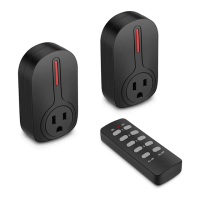
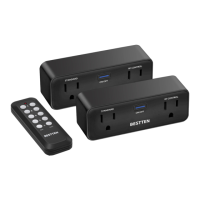
This set consists of two remote controlled sockets, one remote
control and one 23A (12V) alkaline battery.
- Each socket receiver can be switched via the remote control or
switched manually on the socket.
- Individual ON and OFF functions on the remote control.
- Easy to use and operate - use one remote control to control a
single socket or program more than one BESTTEN remote
control socket or lamp holder to this remote.
- Very low standby power consumption reduces energy costs
when not in use.
- The socket will remain off after a power interruption reducing fire
risk and saving power.
- Self-learning function, extra remote control or socket can be
purchased and matched to existing units. If you have this
requirement, please contact Bestten Customer Service for more
details.
- Install a Bestten 23A (12V) alkaline battery in the remote control,
making sure the polarity +/- is correct.
- Plug the socket into a power outlet, and plug a device into it.
- Please use the first two pairs of buttons marked 1 and 2 on the
remote to control the socket.
Product:
Features:
Installation:
Product illustration:
Remote ControlSocket
INDOOR WIRELESS REMOTE CONTROL OUTLET
BESTTEN
R
Model: USR-2A1R-1B
5
5
Self-Learning Operation:
If any additional BESTTEN remote control socket is to be paired to
your remote, please follow the steps bellow:
- Plug the socket into a power outlet
- Press and hold the ON/OFF button on the socket until the indicator
light on the unit begins to blink;
- Release the button and press the ON or OFF button for any desired
number on the remote.
- Programming is complete when the indicator light on the socket
stops blinking.
- You can use any desired button to control a single socket or control
all sockets simultaneously.
User Manual
Question and Answer IconNeed help?

Do you have a question about the BESTTEN USR-2A1R-1B and is the answer not in the manual?

Summary

Product Description and Features

Product Details

This set includes two remote controlled sockets, one remote control, and one 23A (12V) alkaline battery.

Key Features

Sockets can be switched manually or via remote, offering individual ON/OFF functions and low standby power.

Installation Guide

Install battery, plug socket into a power outlet, and plug a device into the socket.

Self-Learning Operation

Pairing a New Socket

Plug socket in, press and hold ON/OFF on socket until indicator blinks, then press remote button.

Important Notes and Troubleshooting

Usage Notes

For indoor use only, avoid high humidity, do not exceed load limits, and ensure proper ventilation.

Troubleshooting Steps

Check connections, ventilation, replace batteries, or contact customer care if the socket is unresponsive.

Technical Specifications

Details working voltage, frequency, load current, load power, control distance, and remote battery type.

BESTTEN USR-2A1R-1B Specifications

General IconGeneral
ModelUSR-2A1R-1B
CategoryRemote Control
Remote Control IncludedYes
ColorWhite
TypeRemote Control
Operating Temperature0~40°C
MaterialPlastic
Power SupplyAC 100-240V