EasyManua.ls Logo

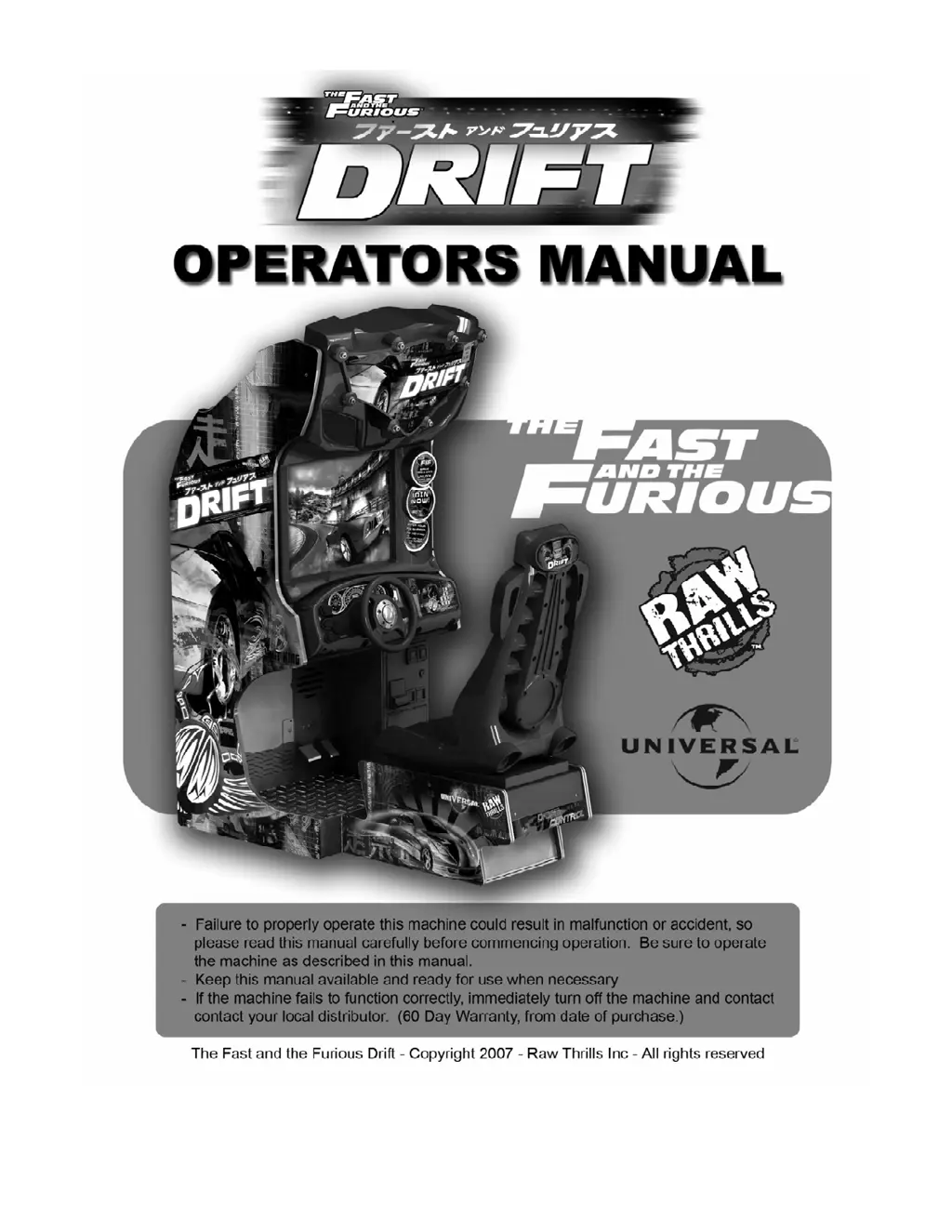
Betson Fast and the Furious Drift - User Manual

Betson Fast and the Furious Drift
48 pages
Print Icon
To Next Page IconTo Next Page
Loading...

Questions and Answers

  • C
    Crystal ChapmanAug 16, 2025
    How to fix Betson Arcade Game Machines when the game will not power up?
    • Z
      Zoe LeeAug 16, 2025
      If your Betson Arcade Game Machine won't power up, there are several potential causes: * The game may not be plugged in; ensure it is plugged into a working receptacle. * The main power switch may be off; turn it on. * The game fuse may be blown; check the fuse. * There might be no power to the receptacle; try plugging the game into a receptacle that you know is powered. * The PC power switch might be off; turn it on. * The PC BIOS might be set incorrectly; consult Appendix B for guidance.
  • R
    robertevansAug 19, 2025
    What to do if Betson Arcade Game Machines game freezes?
    • J
      Jimmy HughesAug 19, 2025
      If your Betson Arcade Game Machine freezes, consider the following potential causes and solutions: * A loose secure dongle: Secure and tighten the dongle. * Poor ventilation: Check the fan operation and airflow. * A loose USB cable: Remove and reinsert the USB cable at both ends. * A failing or bad power supply: Check the power supply output or replace it with a known good one. * A corrupted hard drive: Perform a CRC check and re-image if necessary.
  • Y
    Yolanda RhodesAug 22, 2025
    Why does my Betson Arcade Game Machines game keep resetting?
    • A
      Alexis HarrisAug 22, 2025
      If your Betson Arcade Game Machine resets unexpectedly, here's what might be happening: * Low DC voltage: Check for proper voltage (+5V, +12V) and adjust the cabinet's main power supply. * Incorrect door lamp rating: Use only 5-volt lamps. * Excessive cabinet/PC temperature: Ensure vents and fans are functioning correctly and are not obstructed. * Corrupted hard drive data: Perform a Hard Drive Recovery.
  • B
    Bryan HarrisAug 26, 2025
    What to do if Betson Arcade Game Machines game will not load?
    • M
      Melissa LeeAug 26, 2025
      If your Betson Arcade Game Machine won't load, the issue might be: * A newly installed Hard Drive: Power cycle by unplugging the game and perform a Hard Drive Recovery. * Corrupted Hard Drive data: Perform a Hard Drive Recovery.
  • K
    Kathryn BurkeAug 28, 2025
    Why does my Betson Arcade Game Machines show a “No Signal” message?
    • B
      Brian SnyderAug 28, 2025
      If you're seeing a “No Signal” message on your Betson Arcade Game Machine, it could be due to: * A video cable that is not securely connected: Check and secure the video connector. * The PC not being turned on: Turn on the power to the PC.
  • K
    kwebsterAug 31, 2025
    Why is there no wheel feedback on my Betson Arcade Game Machines?
    • G
      Gerald JohnsonAug 31, 2025
      If you're experiencing no wheel feedback on your Betson Arcade Game Machine, the following could be the cause: * A bad wheel driver board: Replace with a known good one to verify. * A blown fuse on the wheel driver board: Replace the fuse on the wheel driver with the same value fuse. * A loose parallel cable: Secure and tighten the parallel cable. * A loose electrical connection: Check the connection to the motor and wheel driver board. * A bad transformer fuse: Replace with the same value fuse.
  • A
    Angela CruzSep 3, 2025
    How to troubleshoot no sound on Betson Arcade Game Machines?
    • J
      Janet BrewerSep 3, 2025
      If there is no sound coming from your Betson Arcade Game Machine, check these potential issues: * The audio cable may not be connected: Check the audio cable connection. * The speaker may not be connected: Check the speaker connection.
  • S
    Sarah CummingsSep 6, 2025
    What causes no video display on Betson Arcade Game Machines?
    • K
      katherinekhanSep 6, 2025
      If there is no video display on your Betson Arcade Game Machine, it could be due to: * No power to the video display: Check the power to the video display. * Another potential cause: see Game will not power up.
  • M
    murraychristopherSep 9, 2025
    Why are my Betson Arcade Game Machines not linking?
    • M
      Michael SanchezSep 9, 2025
      If your Betson Arcade Game Machines are not linking, consider the following: * The DIP switch may be set incorrectly: Refer to the Networking Setup Section. * The network cable may be bad: Check the connection or replace the cable. * Game operator settings may not be the same: Ensure all settings are the same between linked games.
  • R
    Ronald HendersonSep 12, 2025
    What does “I/O Board Missing” mean on Betson Arcade Game Machines?
    • M
      Mark SmithSep 12, 2025
      If your Betson Arcade Game Machine displays an “I/O Board Missing” message, it may be caused by: * A USB connector not connected: Check the USB connector from the PC to the I/O board and perform Hard Drive Recovery.

Summary

Safety and Warnings

General Safety Precautions

Covers warnings for operation, power, grounding, and handling.

Epilepsy Hazard Advisory

Warns about photosensitive epilepsy and symptoms.

Product Specifications

Operating and Environmental Requirements

Details electrical, temperature, and humidity needs for operation.

Shipping Dimensions and Weight

Provides cabinet and seat shipping dimensions and weights.

Installation and Initial Setup

Pre-Operation Inspection and Checks

Outlines checks for shipping damage and initial setup steps.

Seat Assembly and Power Connection

Guides on seat assembly, power connection, and initial power-on.

Network Configuration

Details how to connect and configure network linking between games.

System Menus and Diagnostics

Setup, Test, and Main Menus

Introduces the main menu, navigation controls, and test menu access.

Diagnostic Tests and Procedures

Details tests for switches, sound, wheel, monitor, lamps, and coin meters.

Game Audits and Player Statistics

Covers general, course, vehicle, upgrade, and tune statistics.

Game Configuration and Adjustments

Pricing and Credit Management

Allows adjustment of game pricing, coin values, and credit systems.

System Behavior Adjustments

Configures attract audio, name length, volume, and wheel feedback.

Gameplay Feature Tuning

Modifies game difficulty, bonuses, speed measurement, and autopilot settings.

Utilities and Maintenance

System Utilities and Data Management

Provides tools for CRC checks, clearing data, and factory resets.

Volume Level Adjustment

Adjusts game and attract mode volume levels.

Troubleshooting and Appendices

Common Troubleshooting Solutions

Lists common problems, their causes, and solutions for game operation.

Hard Drive Recovery Procedure

Procedure for restoring data on the hard drive using a recovery CD.

BIOS and Display Settings Guide

Guides on power management BIOS settings and monitor display adjustments.

Copyright and License Information

Legal Notices and Trademarks

Legal notices, trademarks, and parental advisory for the game.

Betson Fast and the Furious Drift Specifications

General IconGeneral
Release Year2007
Players1
Voltage110V
ControlsSteering Wheel, Pedals, Shifter
TypeArcade Racing Game
GameplayRacing with Drift Mechanics

Related product manuals