20
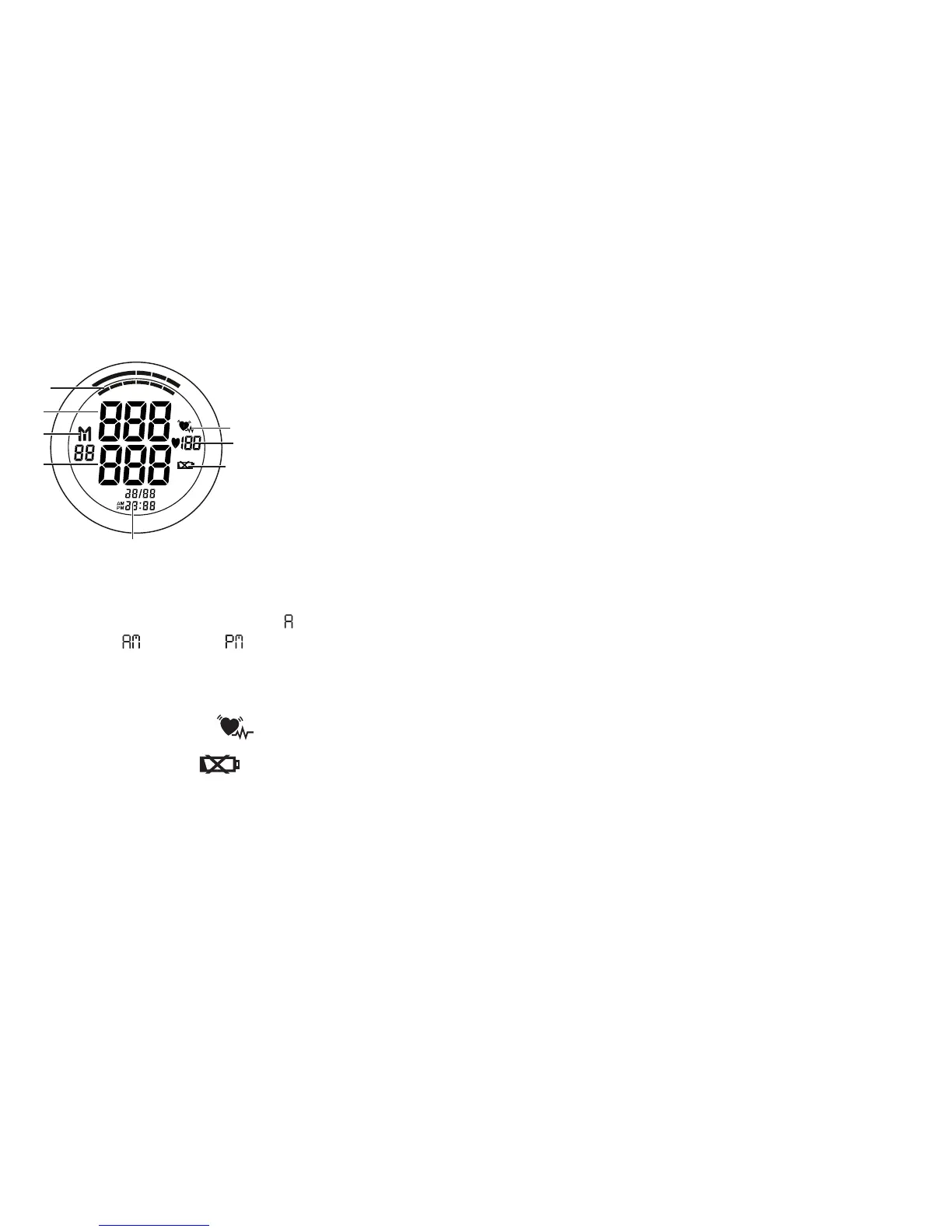
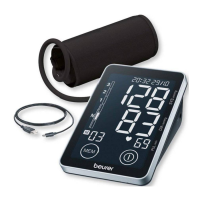
Icons in the display:
S YS
mm H g
DIA
mm H g
P U L
/min
1
7
6
8
2
4
3
5
1. Time and date
2. Diastolic pressure
3. Memory display, average value (
),
morning (
), evening ( ),
number of memory space
4. Systolic pressure
5. WHO classification
6. Arrhythmia recognition
7. Measured pulse
8. Change battery icon
PC interface
The Beurer blood pressure monitor also allows you to trans-
fer your measured values to the PC.
To do this you require a USB cable (included in delivery) and
the Beurer “Health Manager” PC software.
The software can be downloaded free of charge from
www.beurer.com/service/download.
System requirements for the Beurer “Health Manager”
computer software
1. Supported operating systems:
•
Windows XP SP3
•
Windows Vista SP1 or later
•
Windows 7
•
Windows 8
•
Windows 7 SP1
2. Supported architectures:
•
x86 (32 bit)
•
x64 (64 bit)
3. Hardware requirements:
•
Recommended: at least Pentium 1 GHz or faster with at
least 1 GB RAM.
•
Free memory on the primary partition of at least:
– x86 – 600 MB
– x64 – 1.5 GB
•
Graphic resolution from: 1024 x 768 pixels.
•
USB port 1.0 or later.


 To Next Page