29
No data transfer may be launched whilst performing a
measurement.
PC
is shown on the display. Begin the data transfer
in the “HealthManager” PC software. During the
data transfer, an animation is shown on the display.
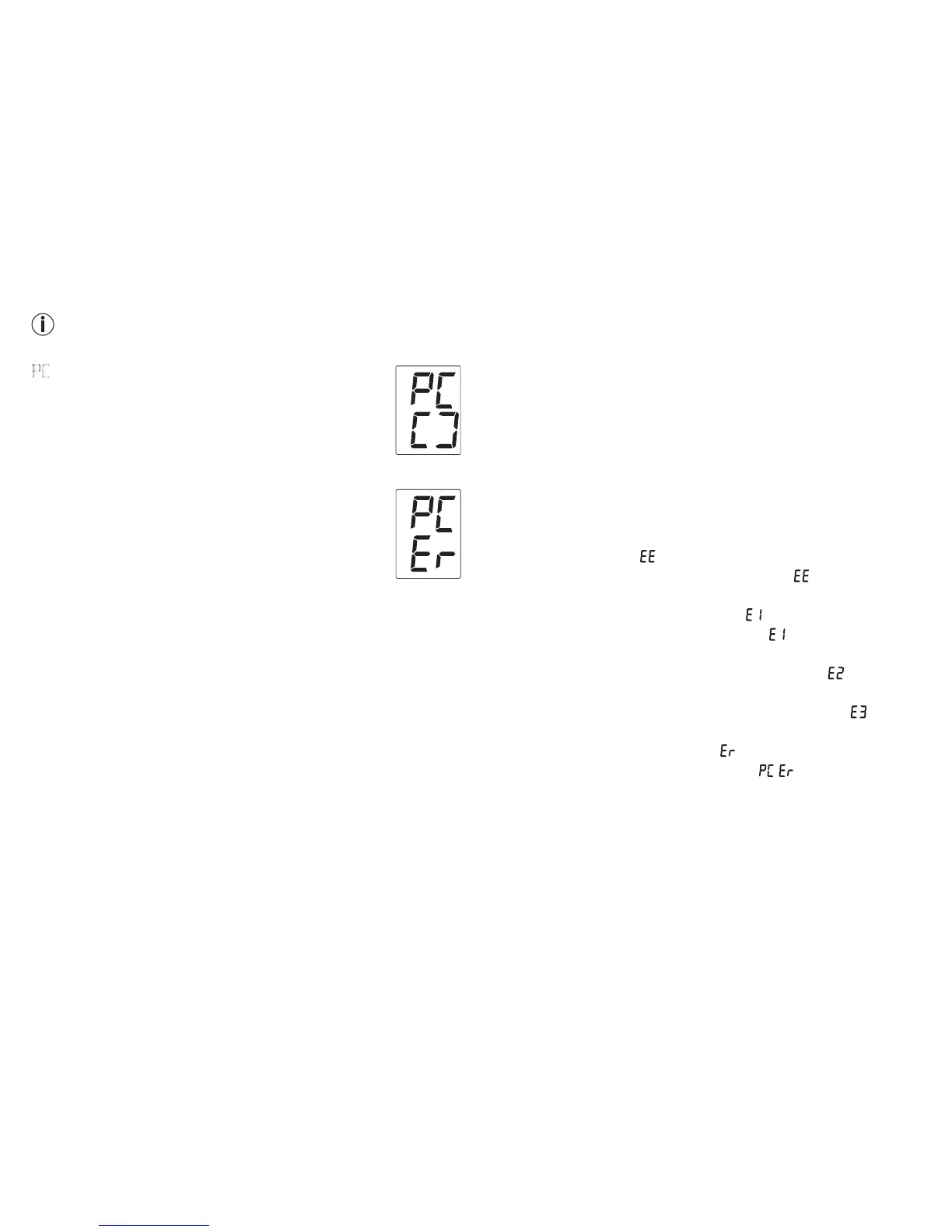
A successful data transfer is displayed as in
figure 1. If the data transfer is unsuccessful, an
error message appears as in figure 2. In this case,
interrupt the PC connection and start the data
transfer again.
After 30 seconds of not being in use or if commu-
nication with the PC is interrupted, the blood pres-
sure monitor switches itself off automatically.
NFC
It is also possible to transfer the measured values saved on the
device onto your smartphone via NFC (Near Field Communi-
cation).
You will need the “Beurer HealthManager” app for this. The
app can be installed from the Play Store.
To transfer the values, unlock your smartphone screen and
hold the back of your phone up to the NFC detection zone of
the blood pressure monitor. If your smartphone has a protec-
tive cover, remove this to ensure that there is no interference
during the transfer. Begin the data transfer in the “Beurer
HealthManager” app.
9. Cleaning and storing the instrument
•
Clean your device and cuff carefully only with a slightly mois-
tened cloth.
•
The frequency of cleaning depends on the contamination
level of the device. Clean the blood pressure device and cuff
as soon as any dirt appears on the device.
•
Do not use detergents or solvents.
•
On no account must you immerse the computer in water,
otherwise liquid can enter it and cause demage.
10. Rectifying faults
Error messages can occur when
•
measurement error ( appears in the display),
•
you move or talk during the measurement ( appears in the
display),
•
the cuff tube is not properly inserted ( appears in the display),
•
inflation takes longer than 15 seconds ( appears in the dis-
play),
•
the inflation pressure is higher than 300 mmHg ( appears
in the display),
•
an error occurs when storing the measured values ( ap-
pears in the display),
•
exceeding measurement range ( appears in the display),
•
the data could not be sent to the PC ( appears in the
display).
In the about cases, you must repeat the measurement. Make
sure that the cuff tube is properly inserted and that you do not
move or talk. Put the batteries back in if necessary, or else
replace them.
f
igure 1
f
igure 2


 To Next Page