EasyManua.ls Logo

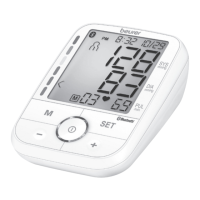
Beurer BM 76 - User Manual

Beurer BM 76
88 pages
Print Icon
To Next Page IconTo Next Page
Loading...
Distributed by/Distribuido por/
Distribué par :
Beurer North America LP
1 Oakwood Boulevard, Suite 255
Hollywood, FL 33020
www.beurer.com
Questions or comments?
Call our US-based customer service toll free at 1-800-536-0366
¿Preguntas o comentarios?
Llame a nuestro servicio al cliente en Estados Unidos gratis al teléfono 1-800-536-0366
Questions ou commentaires?
Appelez gratuitement notre service clientèle situé aux États-Unis au 1-800-536-0366
ENGLISH
Blood Pressure Monitor
Instructions for use .......................... 3
ESPAÑOL
Tensiómetro
Manual de instrucciones ............... 30
FRANÇAIS
Tensiomètre
Mode d’emploi ................................ 58
BM 76

Questions and Answers

  • S
    Sandra YuAug 7, 2025
    How to fix Beurer BM 76 when it was not possible to correctly record the pulse?
    • D
      Deborah GreenAug 7, 2025
      If your Beurer Blood Pressure Monitor displays an error message because it could not correctly record your pulse, repeat the measurement.
  • W
    williamscharlesAug 13, 2025
    What to do if Beurer Blood Pressure Monitor displays an error message when the batteries are almost empty?
    • R
      Robert Shannon Jr.Aug 13, 2025
      If your Beurer Blood Pressure Monitor shows an error message and the batteries are low, replace them.
  • D
    Dana KeithAug 18, 2025
    What to do if Beurer BM 76 Blood Pressure Monitor displays an error message when the pump pressure is higher than 300 mmHg?
    • R
      Robin HillAug 18, 2025
      If the Beurer Blood Pressure Monitor displays an error message because the pump pressure is higher than 300 mmHg, repeat the measurement.
  • C
    Craig GarciaAug 25, 2025
    What to do if Beurer Blood Pressure Monitor displays an error message because the cuff is fastened too tightly or loosely?
    • C
      Christopher CunninghamAug 26, 2025
      If the Beurer Blood Pressure Monitor shows an error message because the cuff is either too tight or too loose, adjust the cuff to the proper tightness.
  • K
    Kenneth MillerAug 30, 2025
    Why does Beurer BM 76 show an error message if I speak or move during the measurement?
    • F
      Frank RobinsonAug 31, 2025
      If your Beurer Blood Pressure Monitor displays an error message, it may be because you moved or spoke during the measurement. To resolve this, do not move or speak while taking a measurement.

Summary

IMPORTANT SAFETY NOTES

Safety Signs and Symbols

Explains safety alert symbols like Warning, Caution, and Notice used in the manual.

Indication for use

Important Information

Information Symbols and Markings

Details the various symbols and their meanings found on the device and packaging.

Package Contents

Device description

Icons in the display:

Explains the various icons displayed on the LCD screen of the device.

Preparing for Measurement

Installing;Replacing Batteries:

Step-by-step guide for inserting or replacing batteries in the monitor.

Setting the hour format, date, time and Bluetooth settings:

Instructions for setting the hour format, date, time, and Bluetooth options.

Measuring Blood Pressure

Positioning the Cuff:

Detailed instructions on how to correctly place the cuff on the upper arm for accurate readings.

Correct Posture:

Guidance on maintaining the proper body posture during measurement for optimal accuracy.

Select a User Memory

How to select and set a user memory for storing measurements.

Performing a Measurement

Step-by-step process for taking a blood pressure measurement with the device.

Bluetooth data transfer

Instructions on how to transfer measurement data wirelessly to a mobile device.

Evaluating Results

Irregular Heartbeat:

Explains the function and meaning of the irregular heartbeat indicator.

Blood Pressure Classifications

Provides a table and explanation for classifying blood pressure readings.

Displaying and Deleting Measurements

User Memory:

How measurements are stored and organized within user memory slots.

Average values

Instructions for accessing and viewing average measurements for different periods.

Individual Measured Values:

How to recall and view specific, single measurement records.

Clearing Memory:

Steps to delete all measurement data from the device's memory.

Copying Stored Measurements using Bluetooth

Guide for transferring measurement data from the device to a compatible smartphone app.

Care and Maintenance

Troubleshooting Guide

Technical Specifications

FCC Statement

Warranty

Limited Lifetime Warranty For Original Purchaser

Details the warranty coverage, duration, and terms for the original purchaser.

Beurer BM 76 Specifications

General IconGeneral
Product TypeBlood Pressure Monitor
Measurement MethodOscillometric
DisplayLCD
Cuff Size22 - 42 cm
Automatic Switch-offYes
Arrhythmia DetectionYes
Number of Users2
Wireless ConnectionNo
WHO ClassificationYes
Average Value CalculationYes
Power SupplyBattery
Memory Spaces60
Battery4 x 1.5V AAA
Pulse Range40 - 199 bpm
Number of Memory Slots60 per user

Related product manuals