EasyManua.ls Logo

Beurer FC 95 - User Manual

Beurer FC 95
7 pages
Print Icon
To Next Page IconTo Next Page
Loading...
BEURER GmbH • Söinger Str. 218 • 89077 Ulm (Germany)
Tel.: +49 (0) 731 / 39 89-144 • Fax: +49 (0) 731 / 39 89-255
www.beurer.com • Mail: kd@beurer.de
D
Gesichtsbürste
Gebrauchsanweisung ................ 2
G
Facial brush
Instructions for use ................... 8
F
Brosse de visage
Mode d´emploi ......................... 14
E
Cepillo facial
Instrucciones de uso ............... 20
I
Spazzola facciale
Istruzioni per l'uso ................... 26
T
Yüz Fırçası
Kullanma Talimatı ..................... 32
r
Электрическая щетка для чистки
лица
Инструкция по применению . 37
Q
Szczoteczka do twarzy
Instrukcja obsługi .................... 43
FC 95

Questions and Answers

  • D
    davismelissaAug 14, 2025
    What to do if my Beurer Personal Care Product will not switch on?
    • B
      brittany52Aug 14, 2025
      When switching on your Beurer Personal Care Product, make sure you press the On/Off button firmly and hold it down long enough. If the device still won't switch on, contact Customer Services.
  • J
    Jeffrey HowardAug 17, 2025
    What to do if my Beurer Personal Care Product does not charge?
    • J
      Jeffrey HartAug 17, 2025
      If your Beurer Personal Care Product isn't charging, first ensure the charger is properly connected to a working socket and that the device is correctly placed on the charger. If it still doesn't charge, contact Customer Services.
  • E
    elizabeth11Aug 20, 2025
    Why doesn't my Beurer Personal Care Product cleanse as well as before?
    • B
      Brian OwenAug 20, 2025
      If your Beurer Personal Care Product isn't cleansing as well as it used to, the brush may be worn. You should replace the brush. If you need replacement brushes, see Replacement Parts and Wearing Parts.
  • S
    shannonowensAug 25, 2025
    Why does my Beurer Personal Care Product device not switch on?
    • M
      Maria JacobsAug 25, 2025
      When switching on your Beurer Personal Care Product, make sure to press the ON/OFF button firmly and hold it down long enough. Also, ensure the device is charged as detailed in the instructions. If the device still won't turn on, contact Customer Services.
  • K
    kenneth71Aug 27, 2025
    What to do if my Beurer Personal Care Product device does not charge?
    • M
      Mark ReevesAug 27, 2025
      Make sure the charger is plugged into a working socket and that the device is correctly placed on the charger. If everything is connected correctly and the device still won't charge, contact Customer Services.
  • Y
    youngwendyAug 30, 2025
    Why does my Beurer Personal Care Product not cleanse as well as before?
    • P
      Paul GuerraAug 30, 2025
      The brush on your Beurer Personal Care Product may be worn. Replace the brush to restore cleansing performance. If you need replacement brushes, they can be reordered (see "11. Replacement parts and wearing parts").
  • J
    Jo HarveySep 3, 2025
    What to do if Beurer Personal Care Product device will not switch on?
    • S
      Samuel MoranSep 3, 2025
      When switching on your Beurer Personal Care Product device, make sure to press the ON/OFF button firmly and hold it down long enough. Also, charge the device as described in the instructions. If the device still won't switch on, further assistance is needed.
  • S
    Stephen CookSep 6, 2025
    Why is my Beurer Personal Care Product device not charging?
    • B
      brandon53Sep 6, 2025
      Make sure the charger is properly connected to a working socket and that the device is correctly placed on the charger. If the device still isn't charging after verifying these connections, further assistance is needed.
  • B
    Brianna BenjaminSep 10, 2025
    What to do if Beurer Personal Care Product device does not cleanse well?
    • W
      Whitney BradleySep 10, 2025
      If your Beurer Personal Care Product device isn't cleansing as effectively as it used to, the brush may be worn. Replace the brush to restore optimal cleansing performance.

Summary

English User Manual

General Safety Warnings

Important safety information and warnings for device usage, including age restrictions and cable damage.

Getting to Know Your Device

Included in Delivery

Details the components included in the product package for the facial brush.

Signs and Symbols

Explanation of symbols and icons used throughout the user manual and on the device.

Intended Use

Warning Notices and Safety Notes

Crucial warnings and safety guidelines related to device usage, handling, and potential hazards.

Device Description

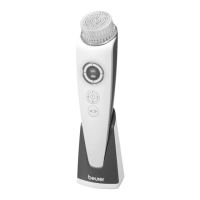
Overview of the Beurer FC 95 facial brush components and their functions.

Initial Use and Charging

Charging the Device

Instructions for charging the facial brush device before its first operation.

Attaching the Brush

Guidance on how to attach and detach the different brush attachments to the device.

Using the Facial Brush

Operating the Device

Steps for operating the device, including speed settings, rotation modes, and application techniques.

Post-Use Care

Instructions for switching off, cleansing the face after use, and applying moisturiser.

Cleaning and Maintenance

Cleaning Brush Attachments

Detailed steps for cleaning the various brush attachments after each use.

Cleaning Device and Charger

Guidelines for cleaning the main device unit and its charger with appropriate materials.

Disposal Guidelines

Replacement Parts

Troubleshooting

Technical Data

Beurer FC 95 Specifications

General IconGeneral
TypeRotating brush
CordlessYes
Product colorViolet, White
LED indicatorsPower
Integrated timer1min
Number of speeds3
Suitable for skin typesUniversal skin
International Protection (IP) codeIPX7
Number of brush heads included4 pc(s)
Battery typeBuilt-in
Power sourceAC/Battery
AC input voltage100-240 V
Battery life (max)0.5 h
Battery recharge time6 h
Number of batteries supported1
Warranty period3 year(s)
Sustainability certificatesCE
Weight and Dimensions IconWeight and Dimensions
Depth45 mm
Height200 mm
Weight120 g

Related product manuals