5
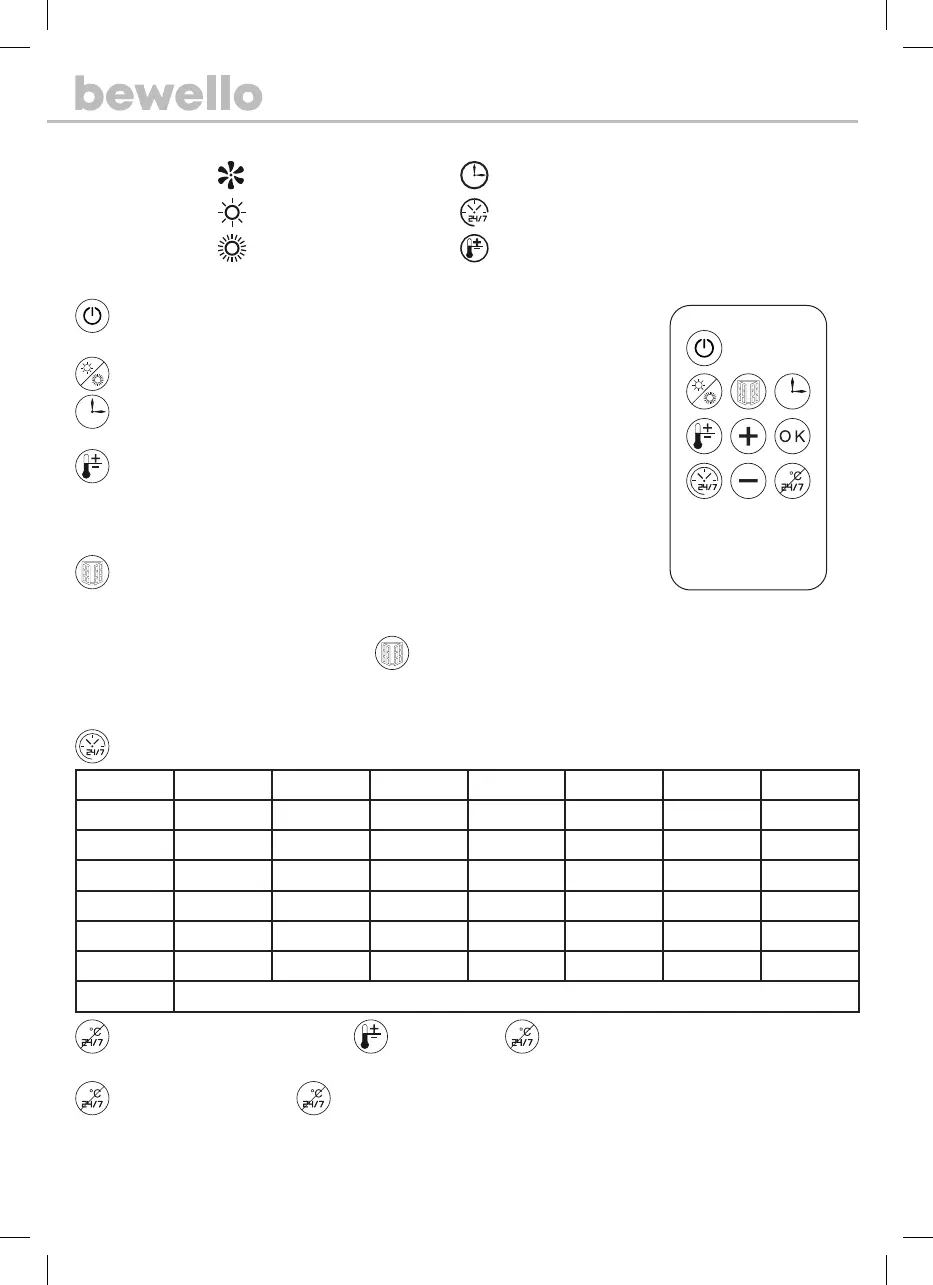
Symbols
Fan
Timer function
Low performance (1000 W)
Weekly timer
High performance (2000 W)
Temperature setting
Remote
O/On switch: Press the button to turn on the device and the fan will start. Press repeatedly.
The device will then turn o and the fan will run for another 30 seconds.
Heating: Press the button to switch between heating modes. (low, high, fan mode)
Timer: You can schedule the product to turn o automatically, as many times as you press the
button, increasing the remaining time by 1 hour till shut down. (1H, 2H, 3H, 4H… 8H).
Temperature setting: Press the button and then use the + and - buttons to set the desired
temperature. (18 – 45 °C) If you set the temperature setting 3 degrees higher than the ambient
temperature, the device automatically switches to high power. To save the settings, press the “OK”
button or wait 5 seconds after the LED ashes.
Open window detection: The following function is only available during heating if the
appliance detects that the ambient temperature has dropped. It is then likely that a door has been
opened and the heating function is not eective. The device suspends the heating.
Date setting: After switching on, press the
button and then use the + and - buttons to set the current date (eg. 01-07).
Press OK to save.
Time setting: After setting the date, the clock setting interface will automatically appear. Use the + and - buttons to set the hour
(0-23) and then the minute (0-59). Press OK to save.
Weekly timer: You can choose from 6 setting options, P1, P2, P3, P4, P5, P6, which contain preset timings.
Mode Monday Tuesday Wednesday Thrusday Friday Saturday Sunday
P1 8:00-17:00 8:00-17:00 8:00-17:00 8:00-17:00 8:00-17:00 8:00-17:00 8:00-17:00
P2 18:00-7:00a 18:00-7:00a 18:00-7:00a 18:00-7:00a 18:00-7:00a 18:00-7:00a 18:00-7:00a
P3 8:00-17:00 8:00-17:00 8:00-17:00 8:00-17:00 8:00-17:00 OFF OFF
P4 18:00-7:00a 18:00-7:00a 18:00-7:00a 18:00-7:00a 18:00-7:00a OFF OFF
P5 OFF OFF OFF OFF OFF 00:00-23:59 00:00-23:59
P6 Free mode Free mode Free mode Free mode Free mode Free mode Free mode
Remark P6: time setting range, 00-24H, the start time should be earlier than the end.
Clear temperature setting: Press the button, then press the button. If a high temperature was previously set,
the appliance will continue heating in high power mode, if a lower temperature was set, it will continue heating in low power mode.
Clear weakly timer: Press the button int he settings to delete. If a high temperature was previously set, the appliance will
continue heating in high power mode, if a lower temperature was set, it will continue heating in low power mode.
Overheating protection: If the device detects a temperature of 51 °C, it is automatically disabled.


 To Next Page
 Loading...