
 Need help?
Do you have a question about the Bexen cardio REANIBEX 100 and is the answer not in the manual?
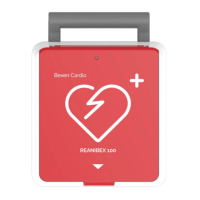
General description of the REANIBEX 100, its automatic analysis, battery operation, and self-tests.
Details the intended users and environments for the REANIBEX 100 AED.
Critical safety warnings, including explosion, electric shock, burns, and interference hazards.
Overview of the REANIBEX 100's physical layout, including indicators and controls like buttons and LEDs.
Details the pads connector and USB-B connector for data transfer.
Information on the battery-powered nature of the device and battery capacity.
Instructions on how to connect the disposable defibrillation pads to the REANIBEX 100.
Step-by-step guide for installing the battery into the REANIBEX 100 device.
Specifies the intended use of the Automatic Defibrillator (AED) mode.
Crucial warnings and precautions to be followed during AED operation.
Steps for preparing the patient and applying pads before AED use.
Detailed step-by-step instructions for using the AED function.
Information on using PC applications for configuring the device.
Description of parameters that can be configured by authorized personnel.
Details on performing manual tests and self-tests to check equipment function.
Information on the device's internal memory capacity and episode storage.
List of events stored with the ECG signal during intervention.
Importance of maintenance for ensuring proper operation and service life.
Recommended steps for routine inspection and maintenance of the equipment.
Guidelines for safely cleaning the REANIBEX 100 after patient use.
Information on battery maintenance, storage, and service/repair procedures.
Guidelines for authorized service and repair of the REANIBEX 100.
Troubleshooting for common issues like power, LED status, and button functionality.
Solutions for specific problems encountered during AED operation, like pad connection errors.
Steps for registering the device with the REANIBEX Data Net application.
Instructions for installing and using the PC application for data synchronization.
Procedure for accessing and logging into the REANIBEX Data Net account.
Steps to connect the device to REANIBEX Data Net using a USB connection.
Guide to updating configuration parameters and software using USB.
Solutions for problems related to REANIBEX Data Net and USB connectivity.
Overview of cybersecurity threats and the guide's purpose for administrators.
Recommendations for secure Wi-Fi network configuration and protocols.
Actions to secure the network environment, including device updates and firewalls.
Guidelines for securely storing and managing credentials and certificates.
Practices to secure computers, smartphones, routers, and firewalls connected to the network.
Recommendations for physically securing devices and environments.
Cybersecurity maintenance tasks and basic security training for employees.
 General
| Brand | Bexen cardio |
|---|---|
| Model | REANIBEX 100 |
| Category | Medical Equipment |
| Language | English |

 To Next Page