english
Aventho wireless – Headphones
9
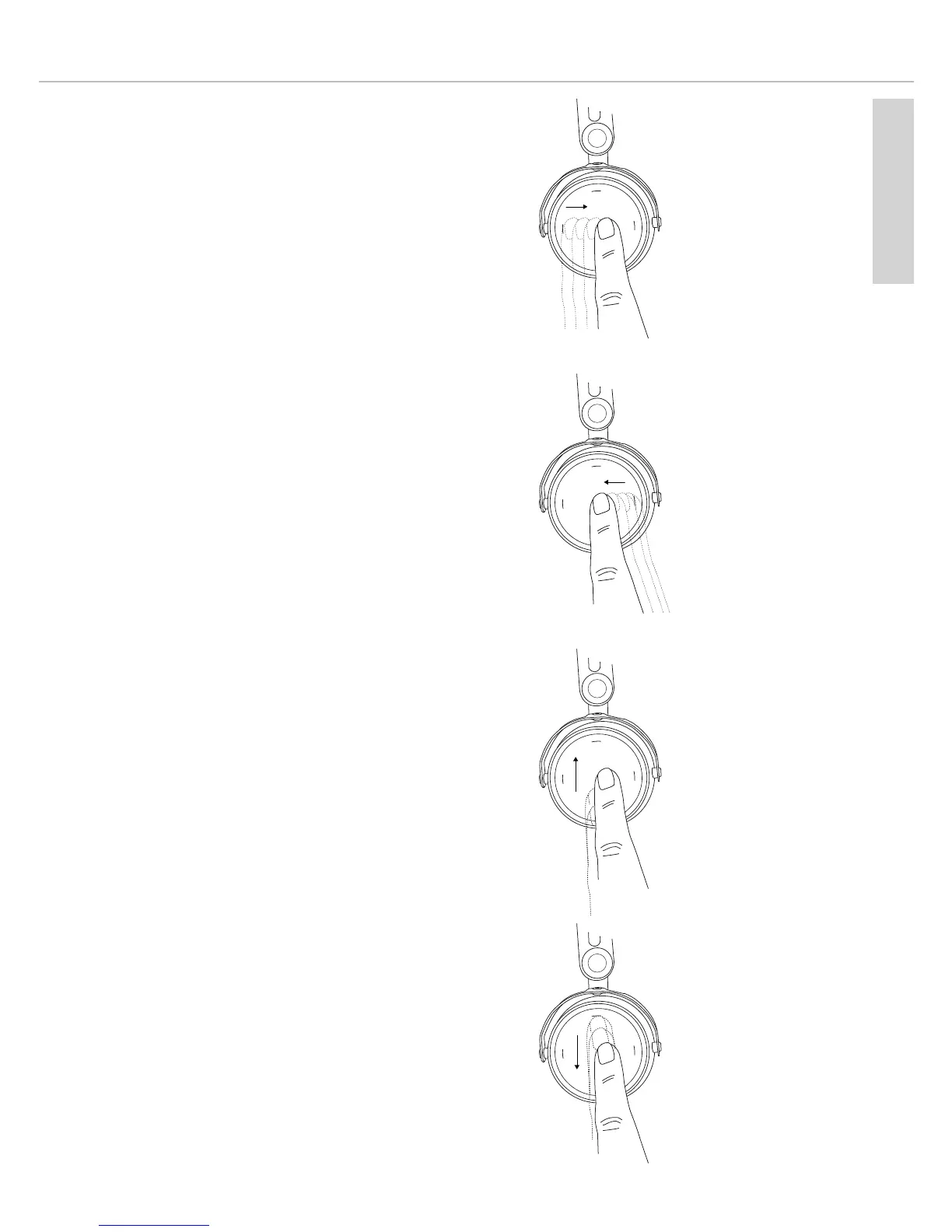
• Fast forward:
Drag your finger forwards on the touch
pad and hold it for at least one
second.
• Rewind:
Drag your finger backwards on the touch
pad and hold it for at least one
second.
• Increase volume:
Drag your finger upwards on the touch
pad . When you drag your finger
upwards and hold it, the volume is
gradually increased until the maximum
is achieved. An acoustic signal indicates
the achieved maximum.
• Decrease volume:
Drag your finger downwards on the touch
pad . When you drag your finger
downwards and hold it, the volume is
gradually decreased until the minimum
is achieved. An acoustic signal indicates
the achieved minimum.
H
old
Hold











 To Next Page